Business email is email that runs on your own domain — sarah@oakandpine.com instead of oakandpine@gmail.com. That's the whole definition. Everything else in this article explains why that single change after the @ symbol does more for your credibility than almost anything else you can do in an afternoon.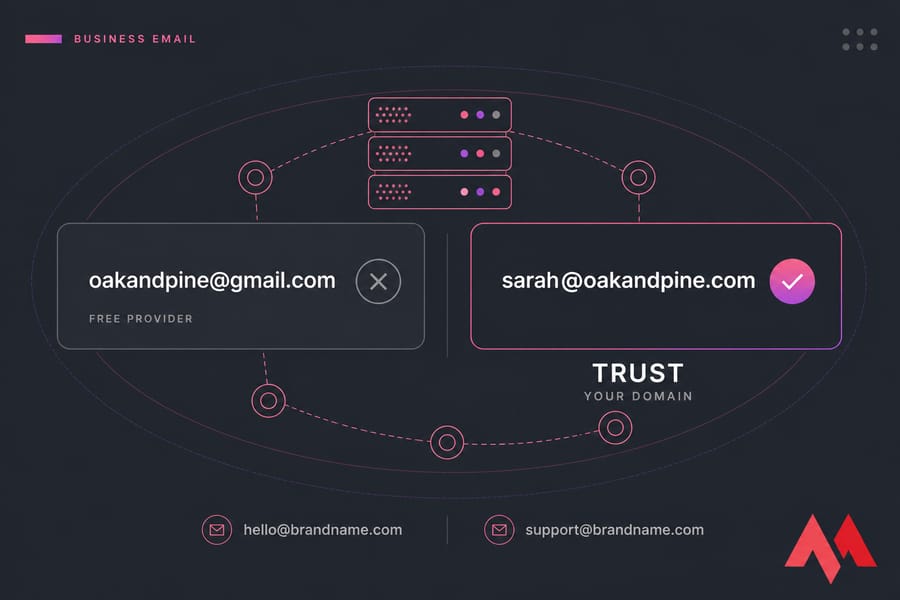
What Is Business Email?
A business email address uses a custom domain you own, so the part after the @ is your brand name rather than a free mail provider's. Think hello@brandname.com, support@brandname.com, or sarah@oakandpine.com.
Business email definition in simple terms
People often assume "business email" just means email you use for work. It doesn't. You can send work messages from a Yahoo account all day and it's still a personal address. The defining feature is domain ownership — you control the name, the mailboxes, and who gets an address on it.
If you're fuzzy on what a domain actually is, read what a domain name is first. It'll make the rest of this click faster.
Example of a business email address
sarah@oakandpine.com— founder, personal inboxsupport@oakandpine.com— shared team inboxinvoices@oakandpine.com— department alias
All three sit on one domain. That consistency is the point.
Is business email the same as email hosting?
Not quite. The address is what customers see. Email hosting is the service running underneath it — the servers that store your messages, route incoming mail, and give you a webmail login. You need both, but they're different layers. And neither one is web hosting, which is a separate thing entirely (more on that in the FAQ).
How Business Email Works With a Custom Domain
Here's the mechanical version, minus the jargon.
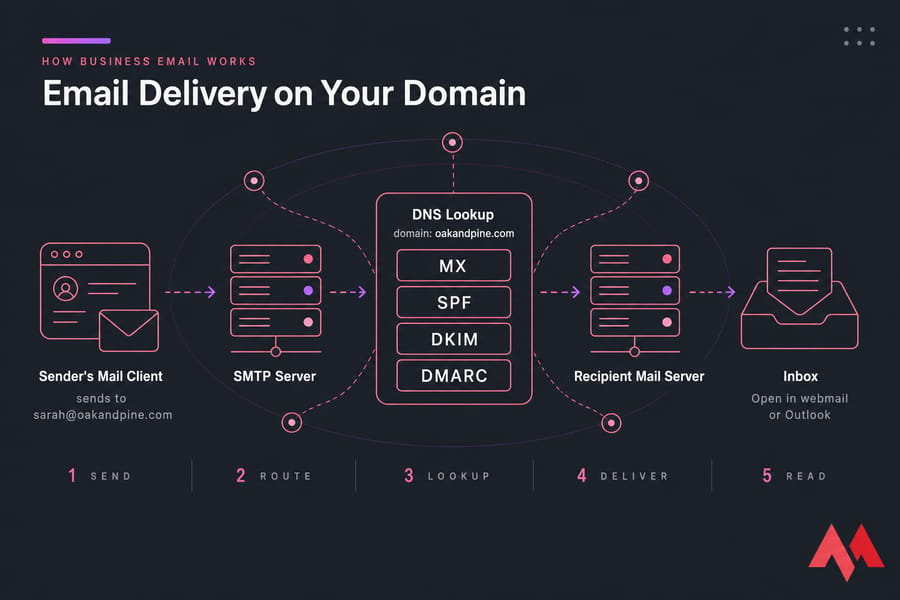
Your domain is your address on the internet. When someone emails sarah@oakandpine.com, their mail server needs to figure out where to deliver it. It asks DNS — the internet's phone book — which server handles mail for oakandpine.com. DNS answers with your MX record. Mail lands in your mailbox. You open it in webmail or Outlook.
The four records that actually matter
- MX record — points your domain's mail to the right server. Without it, nothing arrives.
- SPF — a list of servers allowed to send mail as your domain. Stops random strangers from spoofing you.
- DKIM — a cryptographic signature on outgoing mail. Proves the message wasn't tampered with in transit.
- DMARC — tells receiving servers what to do when SPF or DKIM fails. Quarantine it? Reject it? Your call.
Skip these and your perfectly legitimate invoice ends up in a spam folder. I've watched a client blame their sales team for low reply rates when the real problem was a missing DKIM key. If you want the deeper version, here's what a DMARC record is, plus a walkthrough to create a DMARC record in cPanel.
Sending happens over SMTP; reading happens over IMAP or POP3. You don't need to memorise the difference — most setups configure themselves these days — but knowing the words helps when a support agent asks.
Business Email vs Personal Email: What's the Difference?
Both send messages. That's where the similarity stops.
| Factor | Free personal email | Business email on your domain |
|---|---|---|
| Address format | oakandpine@gmail.com | sarah@oakandpine.com |
| Who owns it | The provider | You, via your domain |
| Brand visibility | Promotes Google, not you | Every message reinforces your name |
| Admin control | None — each account is separate | Central panel, add or remove staff |
| Team scaling | Messy workarounds | Aliases, shared inboxes, groups |
| If someone leaves | They keep the inbox | You reclaim it in 30 seconds |
| Authentication control | Provider handles it | You set SPF, DKIM, DMARC |
When a Gmail address is fine
Let's be honest — plenty of freelancers land good work from a free address. If you're testing an idea, doing local word-of-mouth work, or you haven't picked a business name yet, don't stress about it. Nobody's judging your side hustle.
When it starts costing you
The moment you send cold outreach, quote enterprise clients, submit proposals, or process payments. That's when @gmail.com reads as "temporary" — or worse, "possible scam." Prospects who've been phished once become permanently suspicious. A free address gives them nothing to verify against.
Related read: email hosting vs web hosting, since that's usually the next confusion.
Why a Custom Domain Email Builds Brand Trust
So does a branded address actually make people trust you more? Yes — and the reasons are more concrete than "it looks nicer."
It's verifiable
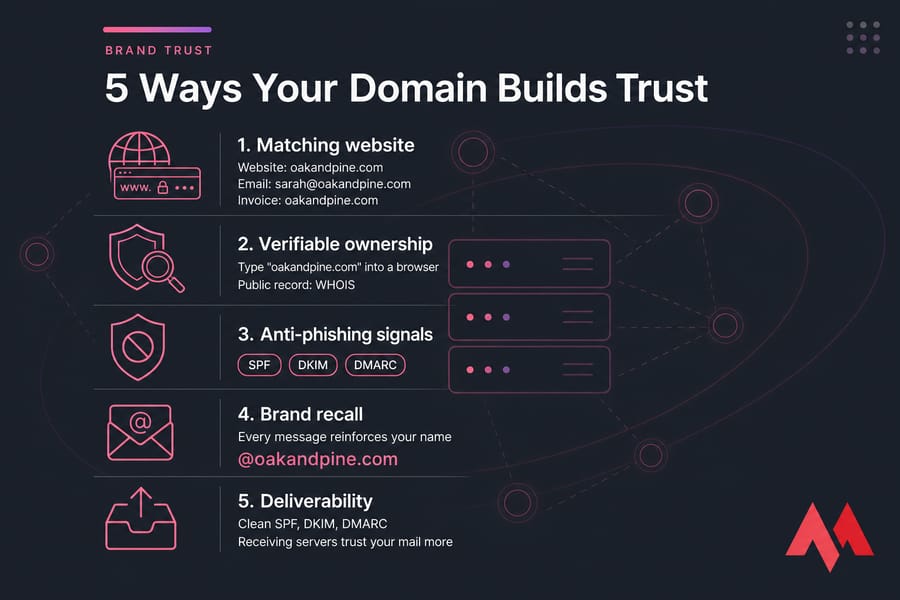
A recipient can type oakandpine.com into a browser and land on your site. That takes three seconds and it settles the "is this real?" question. A Gmail address gives them nothing to check. Domain registration also leaves a public record — there's an accountable owner behind it, which is why domain abuse can be reported via WHOIS.
It matches everything else
Your website is oakandpine.com. Your email should be too. When the domain in the signature matches the domain on the invoice matches the domain on the site, there's nothing for a cautious buyer to snag on. Mismatch even one and you've planted doubt.
Pro tip: use the exact same domain for your site and your email. Not a variant, not a .net version of your .com. Attackers rely on near-miss domains, and customers have learned to squint at them.
It signals permanence
Domains cost money and renew annually. A branded inbox quietly says someone invested in this business and intends to keep it around. Free addresses are disposable — everyone knows it.
The technical side of trust
Trust isn't only human. Mail servers score you too. When your domain has clean SPF, DKIM, and DMARC records and a consistent sending history, receiving servers treat your mail more kindly. Neglect it and your domain reputation slides — and domains do get blacklisted, which is a miserable afternoon to fix.
I won't promise inbox placement. Nobody honestly can. But authenticated mail from an established domain has a meaningfully better shot than an unauthenticated blast. Pair that with business email security best practices and you're ahead of most small businesses.
What a Professional Business Email Address Should Look Like
Once you own the domain, naming is the easy part. People still manage to fumble it.
| Format | Best for | Example | Recommended? |
|---|---|---|---|
| firstname@ | Founders, small teams | sarah@oakandpine.com | Yes |
| firstname.lastname@ | Teams with name overlap | sarah.blake@oakandpine.com | Yes |
| hello@ or contact@ | General inbound | hello@oakandpine.com | Yes |
| support@ / sales@ | Department inboxes | support@oakandpine.com | Yes |
| info@ | Catch-all fallback | info@oakandpine.com | Use sparingly |
| Nicknames or numbers | Nothing | bigsarah1992@oakandpine.com | No |
Solo? Start with your first name plus one shared inbox like hello@. That's it. You can add aliases later without paying for extra mailboxes.
info@ gets a bad rap because it's the default on every scraped contact form on earth — spam finds it fast, and replies feel anonymous. hello@ or support@ lands warmer. If you're weighing team-size questions, the difference between business and enterprise emails covers where the line sits.
Benefits of Business Email Hosting for Small Businesses
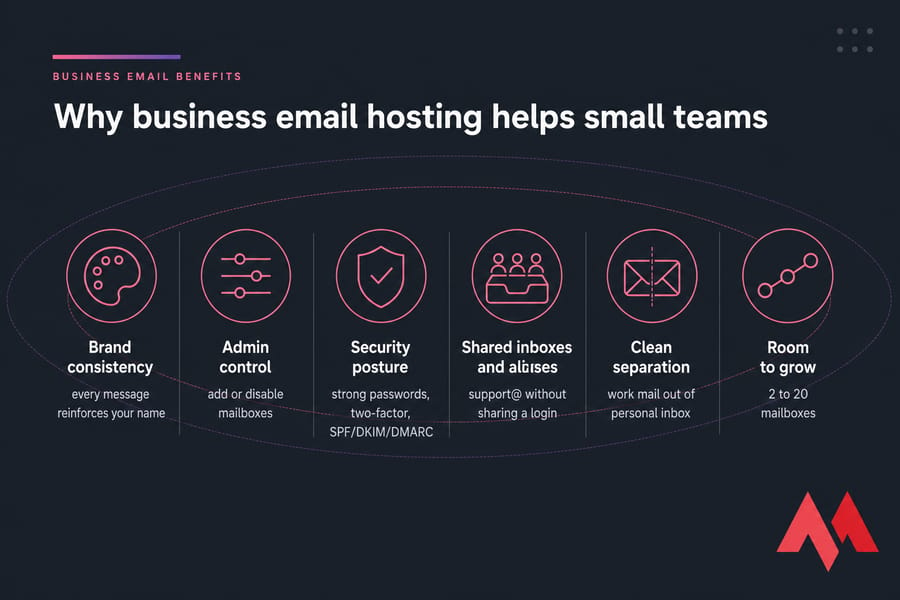
- Brand consistency — every message, signature, and auto-reply reinforces your name instead of Google's.
- Admin control — add a mailbox when you hire, disable it the day someone leaves, forward their mail to a colleague. No begging for passwords.
- Security posture — enforce strong passwords, enable two-factor, set your own authentication records.
- Shared inboxes and aliases — three people can work
support@without anyone sharing a login. - Clean separation — your business mail stops mixing with concert tickets and family threads. Sounds trivial. It isn't.
- Room to grow — going from two mailboxes to twenty is a billing change, not a migration project.
Ready to create a business email on your own domain?
Set up an address that matches your brand and keeps work mail out of your personal inbox. MonoVM handles domain registration, email hosting, and Titan business email in one place — so you're not stitching three vendors together. Check my domain availability or get business email set up today.
How to Set Up Business Email on Your Domain
Four steps. Most people finish in under an hour, and the waiting is DNS propagation, not work.
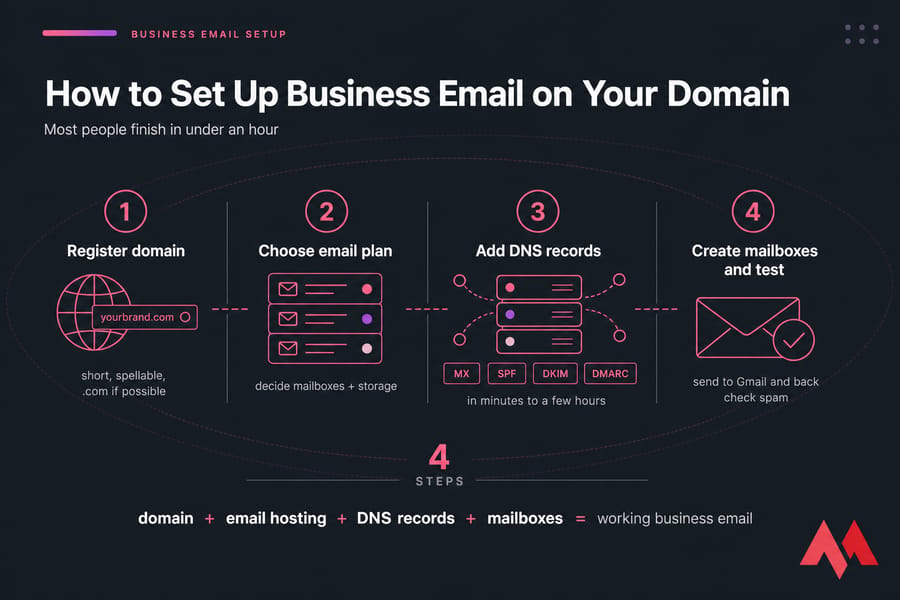
- Register or confirm your domain. If you don't own one yet, run a search through domain registration and grab the closest match to your business name. New to this? Here's how to buy a domain name. Short, spellable, and a
.comif you can get it. - Pick a business email plan. Decide how many mailboxes you need and how much storage. Two people rarely need a full productivity suite on day one.
- Point your DNS records. Add the MX records your provider gives you, then the SPF and DKIM entries. Add DMARC once mail is flowing correctly — start with a monitoring policy before you enforce anything. Changes usually take effect in minutes, occasionally a few hours.
- Create mailboxes, then test. Send from your new address to a Gmail account and back. Check the message didn't land in spam. Set your signature. Done. Walkthroughs: create business webmail service and setting up Titan Email.
Quick summary: domain + email hosting + DNS records + mailboxes = working business email.
Common Business Email Mistakes That Reduce Trust
- Using a free address on customer-facing material. Business cards, invoices, cold outreach. It's the fastest credibility leak there is.
- Domain mismatch. Website on one domain, email on another. Confusing at best, phishy at worst.
- Cryptic mailbox names. If a customer can't guess or spell it, they won't reach you.
- Skipping authentication. No SPF or DKIM means your mail is easier to spoof and easier to filter.
- Everything into one inbox. Sales, support, and billing in a single mailbox works until it very suddenly doesn't.
- Weak or reused passwords. Turn on two-factor authentication and use a properly secure password. A compromised business mailbox is a nightmare — attackers use it to invoice your actual clients.
- Inconsistent signatures. Pick a format. Make everyone use it.
Business Email Providers: Titan, Google Workspace, or Microsoft 365?
| Provider | Best for | Key strength | Consideration |
|---|---|---|---|
| Titan Email | Freelancers, small teams, new sites | Straightforward branded email at a low per-mailbox cost | Lighter on office apps than the big suites |
| Google Workspace | Teams already living in Docs and Drive | Familiar Gmail interface, strong collaboration | Costs add up per user as you grow |
| Microsoft 365 | Businesses standardised on Office | Outlook plus desktop Word and Excel | More admin surface than a small team needs |
| Standard email hosting | Anyone who just wants mailboxes | Cheapest route to a branded inbox | Fewer collaboration extras |
My honest take: if you need email — not a whole productivity suite — buy email. Most small businesses pay for a suite and use maybe 15% of it. Detailed head-to-heads: Google Workspace vs Titan Email and Titan Email vs Microsoft 365. For a wider field, see the best email hosting providers.
Already have mail elsewhere? Moving it isn't as painful as you'd expect — here's the guide to migrating business email.
Turn Your Domain Into a Trusted Business Email
If you already own a domain, you're one DNS change away from looking like an established business instead of a hobby. If you don't, registering one takes about two minutes.
Works for freelancers, startups, and growing teams alike. Start with email hosting or buy a domain and launch branded email and if the DNS part makes you nervous, MonoVM support can walk you through it.

An experienced tech and developer blog writer, specializing in VPS hosting and server technologies. Fueled by a passion for innovation, I break down complex technical concepts into digestible content, simplifying tech for everyone.