

 15 Jun 2024 / 1144 comments
How to Transfer Files Using Remote Desktop?
Need to transfer files via Remote Desktop? Follow our straightforward guide for a hassle-free, secure sharing experience. Click now!
Professional business email for your own domain
Send email from your business address with tools to manage your inbox, stay organized, and get more done. Start with the essentials, then upgrade to advanced productivity, AI, marketing, and booking tools as your business grows.
Paid plans are billed monthly, with storage provided per mailbox. A free Titan Pro Trial is also available.
Save up to 40% with 36-month plan!
Rated 4.17 from 6 votes
| Titan Professional | Titan Premium | Titan Ultra | |
|---|---|---|---|
| Email storageA specific storage space allotted for each mailbox that is created. | 10 GB | 50 GB | 100 GB |
| Mail Hosted By | Titan | Titan | Titan |
| Rich webmailTitan's webmail is packed with powerful features that allow offline working, shortcuts, filters, rules, and more to boost your email efficiency. | |||
| iOS and Android AppsStay connected, no matter where you are. Our mobile apps enable you to access your email from anywhere. | |||
| Built-in Calendar & ContactsShare your calendar with teammates and contacts, and view your calendar by day, week, or month. Store relevant details about your contacts. |
| Titan Professional | Titan Premium | Titan Ultra | |
|---|---|---|---|
| Read ReceiptsDon't lose sleep wondering if your prospect read that crucial quote. With Read Receipts, get notified the moment your recipient opens your email. | 50 | Unlimited | Unlimited |
| Email TemplatessSave time by saving your frequently sent responses as templates and ensure that you always send a message that resonates with your customers. | 1 | Unlimited | Unlimited |
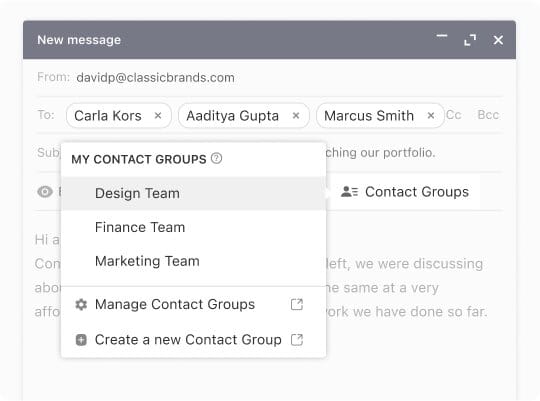
| Contact GroupsGroup your frequently emailed recipients together to reach out to them simultaneously, so you no longer have to add each email address when composing a new message. | 1 | Unlimited | Unlimited |
| External ForwardersAutomatically forward emails from external accounts to your Titan email or forward incoming emails to up to 3 email addresses outside of Titan. | 1 | 5 | 7 |
| Multi-Account SupportSet up essential mailboxes like sales@yourdomain.com and info@yourdomain.com, and switch between them in one interface. | |||
| Advance Anti-VirusEnhanced protection of your inbox to ensure incoming attachments are free from viruses, malware, phishing attacks, and more. | |||
| Block SenderKeep emails from unwanted senders out of your inbox. Block specific email addresses, or all emails from a certain domain, and enjoy a clutter-free inbox. | |||
| AllowlistsAdd specific senders to your Allowlist and ensure all emails from them come right through to your Inbox and don’t end up in Spam. | |||
| Grammer And Spell CheckEnsure your emails are free of grammatical errors and embarrassing typos. | |||
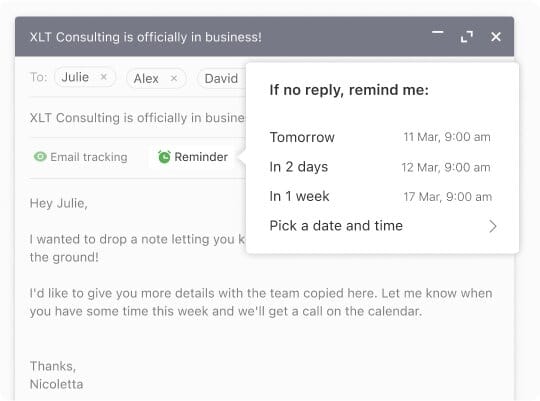
| Follow-Up RemindersDon't settle for a non-reply to your important emails. Get nudges to circle back on the thread at the perfect time and keep your conversations going. | |||
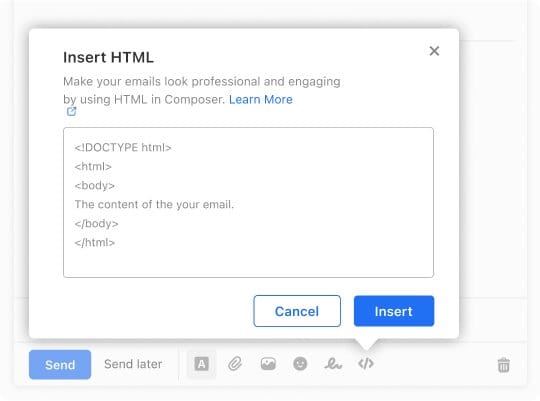
| Html in ComposerGenerate a higher customer response rate by making your emails more visually engaging. Use HTML codes to include forms, CTA buttons, and other interactive elements in your emails. | |||
| Turbo SearchSearch for emails using any keyword, subject, or sender details, and get the results 10x faster. | |||
| Send As AliasReply to emails coming to your email alias using the alias identity and not necessarily from your actual email address. OR Send emails using your alias identity to keep your primary email address hidden. | |||
| Two-Factor AuthenticationAdd an additional layer of security to your email account to ensure your emails are accessible to only you. | |||
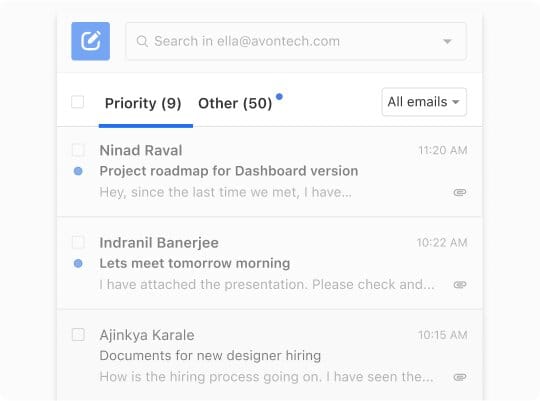
| Priority InboxAutomatically prioritize your most important messages based on your mailbox behavior and view them in a separate tab. | |||
| Business Auto-ReplySend automated replies to emails coming in outside work hours, and don’t keep the senders waiting. | |||
| Auto CleanMaintain a clutter-free inbox by automatically deleting emails after a defined period as they become less relevant | |||
| Email LabelsCategorize your emails with custom labels for easy access. |
| Titan Professional | Titan Premium | Titan Ultra | |
|---|---|---|---|
| Appointment BookingCreate a unique meeting link and enable clients, customers, and team members to find time on your calendar and seamlessly schedule meetings with you. OR Enable people to find time on your calendar and set up meetings with you. | |||
| Email CampaignSend good-looking personalized emails to multiple recipients at once, and keep the recipient list to yourself. You can also track who opened your email. | |||
| Titan AI (Smart Write)Get ready-to-use email drafts in seconds for any requirement, powered by Titan AI. All your cold emails, pitches, negotiations, and responses to enquiries are now taken care of! | |||
| AI SummaryEntire email conversations summarized instantly by Titan's AI, so you can skip reading every message and jump straight to decisions. | |||
| Signature DesignerUse our beautiful templates to stand out with your email signature, and add your contact details, links, and a picture. | |||
| Attachment and Link TrackingKnow when recipients click links in your sent emails. | |||
| Email DesignerSend professionally-designed stunning emails with templates tailormade for any purpose. | |||
| Invoice BuilderEffortlessly create, customize, and manage your quotes and invoices. Share with clients and track the status, all within the Titan interface. | |||
| Email BackupsAutomatic daily backups to keep your emails safe forever. | 50 GB | ||
| Titan DriveProvides users with dedicated file storage integrated directly within Titan Email, allowing them to store, manage, and access files seamlessly from their mailbox. | 1 GB | 50 GB | |
| File TransferAllows users to securely send large files with their branded link. | |||
| Team ChatReal-time messaging for seamless team collaboration. | |||
| TasksEnables users to create tasks from emails in a single click, helping improve productivity and email management. | |||
| BrandingMake your mailbox reflect your brand. Add your company logo and choose colors to brand your email interface. | |||
| Titan MCPConnect Titan to AI tools like ChatGPT and Claude to access your email, calendar, and contacts—and build workflows across the tools you use. | |||
| AI LabelsAutomatically sorts emails into categories like Respond, Awaiting Reply, and FYI — so you know what needs attention at a glance. | 100 Labels | Unlimited | |
| AI InboxOne place for everything that needs your action — emails you owe a reply to, and emails you're waiting on. | |||
| Password Protected EmailAdd an extra layer of protection when sharing sensitive information over email. |
| Titan Professional | Titan Premium | Titan Ultra | |
|---|---|---|---|
| Sending Limits | Across Domains: *per Mbx:200 Emails/Hour, And 500 Emails/Day | Across Domains: *per Mbx:300 Emails/Hour, And 1,000 Emails/Day | Across Domains: *per Mbx:500 Emails/Hour, And 2,000 Emails/Day |
| Html SignatureAdd HTML code to customize your email signatures and add interactive elements. | |||
| One-Click Import of Existing Emails & ContactsA new professional email account doesn't have to mean leaving your old contacts and emails behind. Titan's built-in import tools make it easy to get going with a new account. | |||
| Data EncryptionEncode your messages to protect your data and ensure only the intended recipient receives it. | |||
| Advanced Anti-SpamTop-notch security measures to keep unwanted spam out of your inbox. | |||
| Custom DKIM SupportGet an additional layer of security that creates a digital signature for your domain and informs your recipient that you are a legitimate and verified sender. [if needed - This in turn improves your email deliverability and helps prevent your emails from landing in spam.] | |||
| Email Transfer RulesDetermine how specific emails should be treated—starred, marked as unread, or redirected to appropriate folders—based on predefined conditions. | |||
| Email AliasCreate additional email addresses (or aliases) as per your requirement, without creating another account. Receive emails or set forwarding via aliases. | |||
| IMAP/POP3 SupportTitan supports all email protocols to ensure smooth delivery of your emails so you can access them on third-party applications such as Gmail, Outlook, or Thunderbird. | |||
| Vacation RespondersAutomatically reply to incoming emails while you are away to avoid keeping your senders waiting. | |||
| Catch-all AccountAll undelivered emails to your domain are routed to the catch-all mailbox so you don’t miss important communication sent to invalid addresses. |
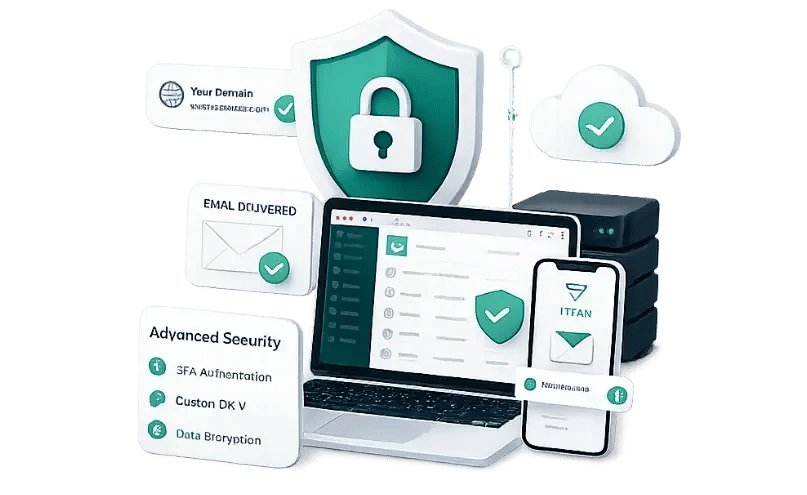
Titan, the highest-rated email platform for small businesses, is a robust and reliable professional business email service that enables you to keep your communication going, no matter where you are. Titan enables you to send your first email from your domain within minutes and comes with fast webmail and mobile apps that require zero setup.
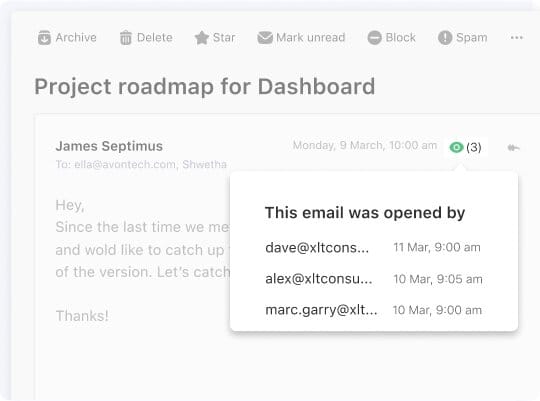
See when your emails are opened, so you know when to follow up. Professional 10; Premium and Ultra: unlimited.
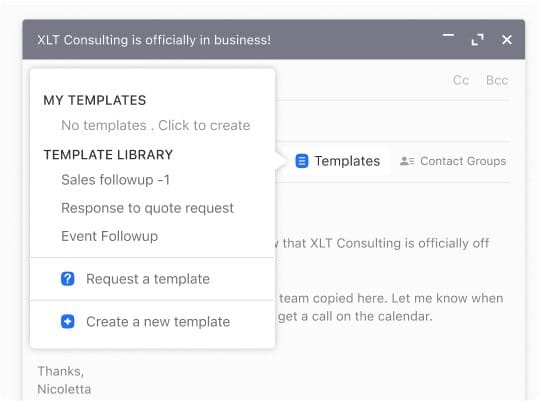
Save the replies that you send most often and then use them again in just seconds. Professional does include 1 template. Premium and Ultra do include unlimited;
Email a whole group in one email instead of adding addresses individually. Professional has 1 group; Premium and Ultra have unlimited.
Prevent spam or junk email and other untargeted email. All plans come with this feature.
Catch typos before you send. Recall a message you sent prematurely. Included in all plans.
Set up an autoresponder so your contacts know you're out of the office. Premium, Ultra.
Priority Inbox and Email Labels keep important messages on top. (Premium and Ultra.)
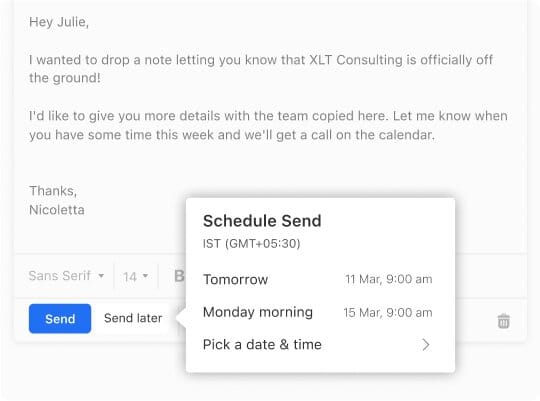
Schedule emails to arrive at the right time. (Premium and Ultra.)
Team Chat, Titan Task, and Titan Drive keep teamwork together. (Premium and Ultra.)
Titan AI helps you compose and reply, and AI Summary condenses long conversations. (Ultra.)
Design emails with Email Designer and send them with Email Campaigns. (Ultra.)
Titan Bookings and Invoice Builder handle scheduling and billing from within Titan. (Ultra.)
Secure File Transfer, File and Link Tracking, Signature Designer, and 50 GB of Email Backup. (Ultra.)

Most companies don’t accept Bitcoin, and that’s the main reason I prefer to choose Monovm.
AlexI'm new here and ordered a starter site. They’ve been in contact with me every day, and my site is now online. So far, I’m really satisfied with their service and support.
It’s great to have access to experts who can guide me through live chat, which is why I’ve been registering my domains and emails with Monovm for several years.
Here you can find answers about Titan Business Email plans, pricing, trials, storage, and the features available at each level.
Titan Business Email is a professional business email service with plans for individuals, growing teams, and businesses that want AI and marketing tools.
There are three paid plans: Professional (from $2.49/mo), Premium (from $4.49/mo), and Ultra (from $9.49/mo). A free Titan Pro Trial is also available.
Yes. The Titan Pro Trial is free and includes the same features as Titan Professional.
Premium adds 50 GB of storage, unlimited Read Receipts, Email Templates, and Contact Groups, Two-Factor Authentication, Priority Inbox, Email Labels, Send Later, Business Auto-reply, Titan Drive (1 GB), Branding, Team Chat, and Titan Task.
Ultra adds 100 GB of storage, Titan AI, AI Summary, Email Campaigns, Email Designer, Titan Bookings, Invoice Builder, Secure File Transfer, Signature Designer, File and Link Tracking, Email Backup (50 GB), and a larger Titan Drive (50 GB).
Yes. Titan Business Email includes Contact Groups, allowing you to organize contacts and send messages to multiple recipients at once. Professional includes 1 Contact Group, while Premium and Ultra include unlimited Contact Groups.
Titan Drive provides additional file storage alongside your email. Premium includes 1 GB of Titan Drive, while Ultra includes 50 GB.
Learn more...
15 Jun 2024 / 1144 commentsNeed to transfer files via Remote Desktop? Follow our straightforward guide for a hassle-free, secure sharing experience. Click now!
 06 Oct 2025 / 72 comments
Do you know how to secure Linux Server? What is Linux Hardening? and Tips for Linux Server Security? Get all the details inside this blog post.
 24 Aug 2024 / 284 comments
Learn how to connect to your VPS on both Windows and Linux with our easy-to-follow guide. Step-by-step instructions to get you started quickly.