DNSSEC stands for Domain Name System Security Extensions. It's a set of rules bolted onto regular DNS that adds digital signatures to DNS records, so a resolver can confirm the answer it got back is genuine and hasn't been tampered with along the way. Think of it as a tamper-evident seal on a medicine bottle the contents look the same either way, but you can tell instantly if someone's broken the seal.
Here's the short version of what is DNSSEC and why it matters for domain security:
- It signs DNS records cryptographically so they can be verified
- It helps stop attackers from feeding fake answers to your visitors
- It works through a "chain of trust" stretching from the root of the internet down to your domain
- It does not encrypt DNS traffic, and it does not replace SSL/TLS
That last point trips a lot of people up. DNSSEC is about authenticity, not privacy. If you want to understand the layer it sits on top of, the basics of What is a Domain Name and what is DNS are worth a quick refresher.
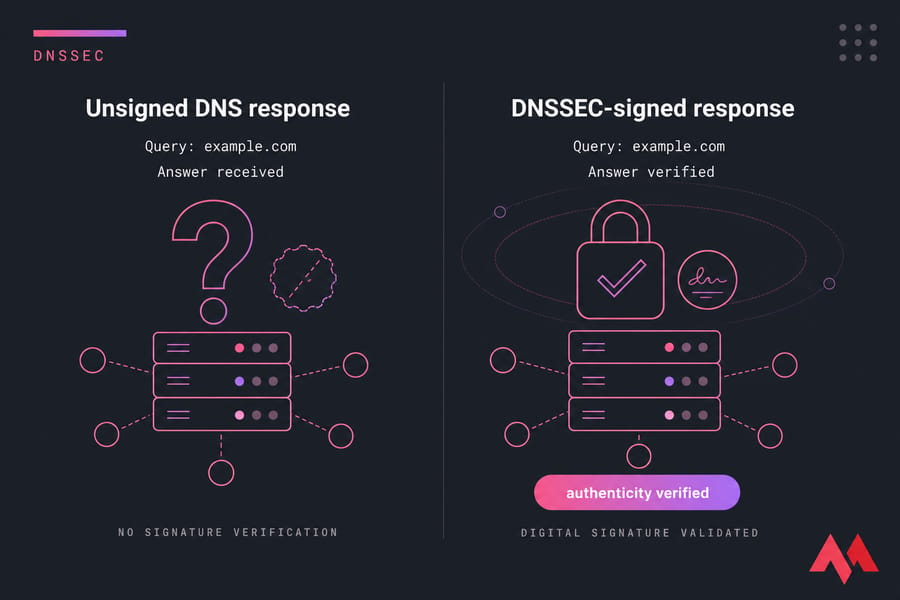
Key takeaway: DNSSEC validates that a DNS answer is real. It doesn't encrypt anything, and it doesn't secure your website on its own — you still need an SSL certificate for that.
Why DNSSEC Matters for Domain Security
Plain DNS was designed in a more trusting era. When your browser asks "what's the IP for example.com?", the answer travels back as an unsigned response — and any attacker sitting in the right spot can forge one. That's the gap DNSSEC closes.
DNS Spoofing and Cache Poisoning, in Plain English
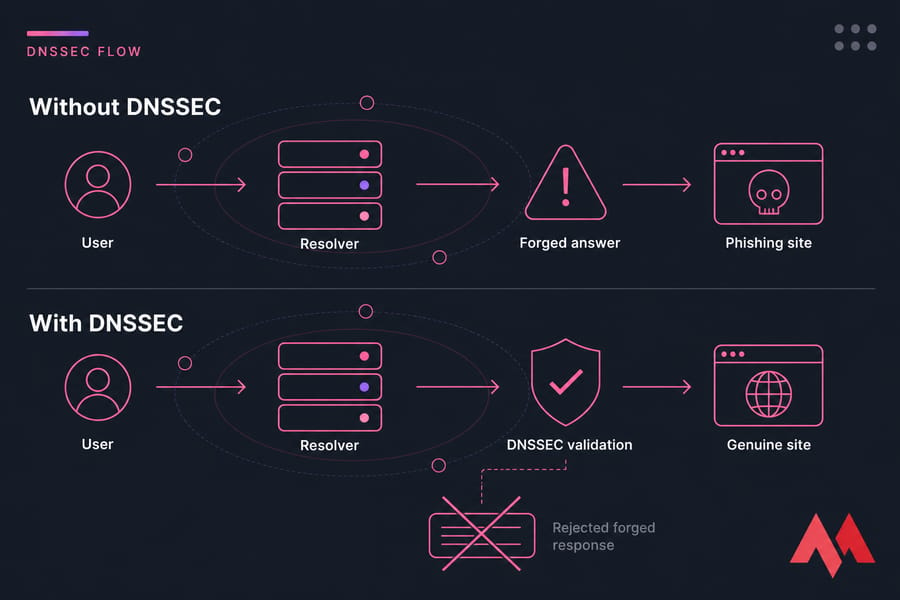
Two attacks matter here. DNS spoofing is when someone tricks a resolver into accepting a fake answer for your domain. Cache poisoning goes further — the bad answer gets stored, so every user hitting that resolver lands on the wrong server. Could be for hours.
Imagine a visitor types your bank's domain. The resolver returns a poisoned IP pointing to a lookalike phishing page. SSL warning? Maybe — if the attacker didn't pair the attack with a fraudulent certificate. Either way, your customer's trust is the casualty.
Why Authenticity Matters Before HTTPS Even Loads
HTTPS protects the conversation after the browser reaches the server. But name resolution happens first. If that step gets hijacked, users never reach you to begin with. Email routing, API calls, even mail server discovery via MX records — all of it relies on DNS answers being truthful.
For more on the broader picture, our guide on how to secure a website covers complementary layers.
How DNSSEC Works: The Chain of Trust
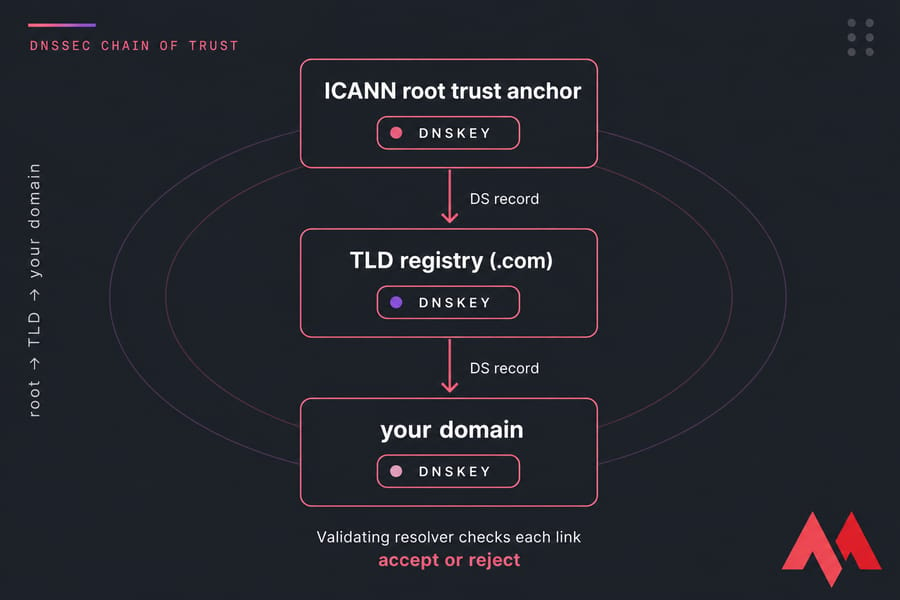
Here's the part most explainers overcomplicate. DNSSEC works because every layer of the DNS hierarchy vouches for the one below it. That's the chain of trust.
- The DNS operator signs the zone using a private key.
- Public keys are published as DNSKEY records.
- Each record set gets a signature stored as an RRSIG.
- A DS record at the parent zone (your TLD, like .com) fingerprints your DNSKEY.
- The root zone signs the TLD's keys, and ICANN-managed root keys form the universal trust anchor.
- A validating resolver walks this chain — root → TLD → your domain — and either accepts the answer or rejects it.
If any link breaks, validation fails. That's the whole point: a forged response can't produce a valid signature without the private key, so resolvers throw it out.
You can poke around DNS responses yourself using tools like a DNS checker or the nslookup command.
DNSSEC Records and Components
You don't need to memorize every acronym, but knowing what each record does makes setup and troubleshooting way less stressful.
| Component | What It Does | Where It Lives |
|---|---|---|
| DNSKEY | Holds the public keys resolvers use to verify signatures | Your signed zone |
| DS | Hash of your DNSKEY; links parent zone to child zone | Parent zone (at the registrar/TLD) |
| RRSIG | The actual digital signature over a record set | Your signed zone, alongside each record set |
| NSEC / NSEC3 | Proves a record doesn't exist (authenticated denial) | Your signed zone |
| KSK | Key Signing Key — signs the DNSKEY set itself | Your zone, rolled rarely |
| ZSK | Zone Signing Key — signs everyday records | Your zone, rolled more often |
Why two keys? The KSK is the high-value one and rarely changes (because the DS at your registrar has to be updated when it does). The ZSK does the daily heavy lifting and can be rotated quietly. Separation of duties, basically.
DNS vs DNSSEC vs SSL: Key Differences
This is where confusion runs wild. People assume DNSSEC and SSL are competing technologies. They're not — they protect entirely different stages.
| Technology | Protects | Encrypts Data? | Validates Authenticity? |
|---|---|---|---|
| DNS | Name-to-IP translation | No | No |
| DNSSEC | DNS record authenticity | No | Yes (DNS records) |
| SSL/TLS | Browser ↔ server traffic | Yes | Yes (server identity) |
| DoH / DoT | DNS transport privacy | Yes (in transit) | No |
Notice the gaps. DoH and DoT hide your DNS lookups from snoopers on the network, but they don't prove the answer came from the right source — only DNSSEC does that. And SSL secures the connection after DNS resolves, which is why you need both.
Worth reading up on what is SSL and TLS vs SSL if you want the full picture.
DNSSEC Benefits and Limitations
Time for an honest look. DNSSEC isn't magic, and pretending otherwise hurts people who later discover their site still got hacked.
What DNSSEC Gives You
- Strong protection against DNS spoofing and cache poisoning
- Guaranteed integrity of DNS responses
- A trust foundation for other protocols (DANE, secure email standards)
- Higher confidence for users hitting business-critical domains
What DNSSEC Does Not Do
- Doesn't encrypt DNS queries or responses
- Doesn't stop DDoS attacks — see our explainer on DDoS attacks
- Doesn't protect against compromised servers, malware, or stolen credentials
- Doesn't replace an SSL certificate
- Adds operational complexity — keys roll, DS records need maintenance
And the big risk: a misconfigured DNSSEC setup can take your domain offline for everyone using a validating resolver. That's not theoretical — I've seen it happen during sloppy DNS migrations more times than I'd like to count.
How to Enable DNSSEC for Your Domain
Setup varies by provider, but the general flow looks the same everywhere. Follow it in order, and don't skip the validation step at the end.
- Confirm support. Check that your TLD registry, registrar, and DNS host all support DNSSEC. Some legacy TLDs don't.
- Enable signing at your DNS provider. Most managed DNS hosts have a one-click option that generates KSK and ZSK keys and starts signing the zone.
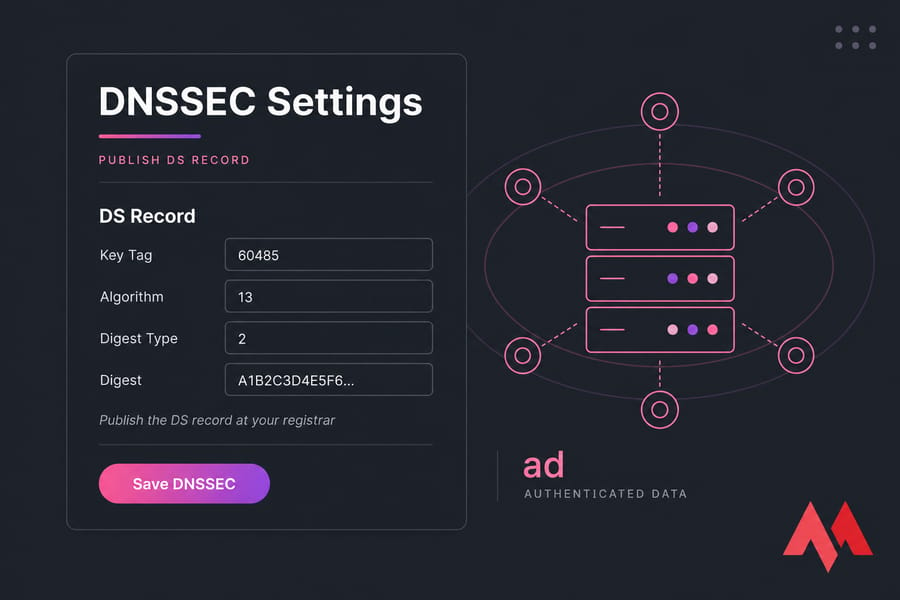
- Grab the DS data. Your DNS provider will give you a DS record (key tag, algorithm, digest type, digest).
- Publish the DS record at your registrar. This is where the parent zone "vouches" for your zone. Use your domain control panel or the registrar's DNSSEC section.
- Wait for propagation. The TLD registry needs time to publish your DS. Usually under an hour, sometimes longer.
- Validate. Run
dig +dnssec yourdomain.comor use DNSViz or the Verisign DNSSEC Debugger. Look for the "ad" (authenticated data) flag.
Warning: Never delete or change DS records casually when changing nameservers. If the new provider isn't signing the zone with the same keys, validation fails immediately and your domain stops resolving for many users. Always disable DNSSEC first if you're migrating between DNS hosts that don't coordinate handoff.
If you also need to set up custom nameservers or transfer your domain, plan DNSSEC steps into that workflow rather than after.
Managing Domain Security Settings Shouldn't Be Guesswork
Register, transfer, and manage domains with MonoVM while keeping DNS, nameservers, SSL, and domain controls under one roof. Domain name registration.
Common DNSSEC Mistakes and Troubleshooting
When DNSSEC breaks, it usually breaks loudly — validating resolvers return SERVFAIL and visitors can't reach the site at all. Here's a cheat sheet for the usual suspects.
| Symptom | Likely Cause | What to Check |
|---|---|---|
| SERVFAIL on every resolver | DS at registrar doesn't match DNSKEY at provider | Re-publish correct DS from current DNS provider |
| Worked yesterday, broken today | Expired RRSIG signatures | Check if zone is still being re-signed automatically |
| Site dies right after nameserver change | Stale DS pointing to old provider's keys | Remove DS at registrar before switching, re-add after new provider signs |
| Some users blocked, others fine | Only validating resolvers reject it (Google, Quad9, Cloudflare) | Test with dig +dnssec against 8.8.8.8 and 9.9.9.9 |
| DS published but zone unsigned | DNSSEC was disabled at DNS host but DS still at registrar | Remove DS immediately |
Do You Need DNSSEC for Your Website?
Short answer: if your registrar and DNS host support it cleanly, yes — turn it on. The protection-to-effort ratio is good.
Strong candidates for DNSSEC:
- eCommerce sites, banking, fintech
- SaaS platforms and customer portals
- Email-heavy domains (DNSSEC supports DANE and other email auth layers)
- Government, healthcare, education
- Anyone whose users would be a phishing target
Be cautious if:
- You change DNS providers frequently and don't have a documented handoff plan
- Your registrar doesn't support DS records for your TLD
- Nobody on the team owns DNS operations day to day
Pair DNSSEC with domain privacy protection and a valid SSL certificate, and you've covered most of the domain-layer security wins available to a typical site owner.
Secure Your Domain Stack Beyond DNSSEC
DNSSEC adds trust to DNS, but a complete setup also include san SSL certificate, sensible DNS hygiene, and reliable domain management. Pick the pieces you need and build from there.

An experienced tech and developer blog writer, specializing in VPS hosting and server technologies. Fueled by a passion for innovation, I break down complex technical concepts into digestible content, simplifying tech for everyone.