![Minecraft Server Ping vs TPS: Key Differences [2026] 🎮](/wp-content/uploads/2026/10/minecraft-server-ping-vs-tps264-main.webp)
Here's the short version of Minecraft server ping vs TPS: what's the difference? Ping is the time data takes to travel between a player and the server. TPS is how fast the server processes game ticks. High ping lags individual players. Low TPS lags the whole world: slow redstone, stuttering mobs, blocks that come back after you break them.
I've watched plenty of admins throw RAM at a problem that turned out to be a player on hotel Wi-Fi. I've also seen the reverse. If you're still at the setup stage, start with how to make a Minecraft server. If players are already complaining, read on.
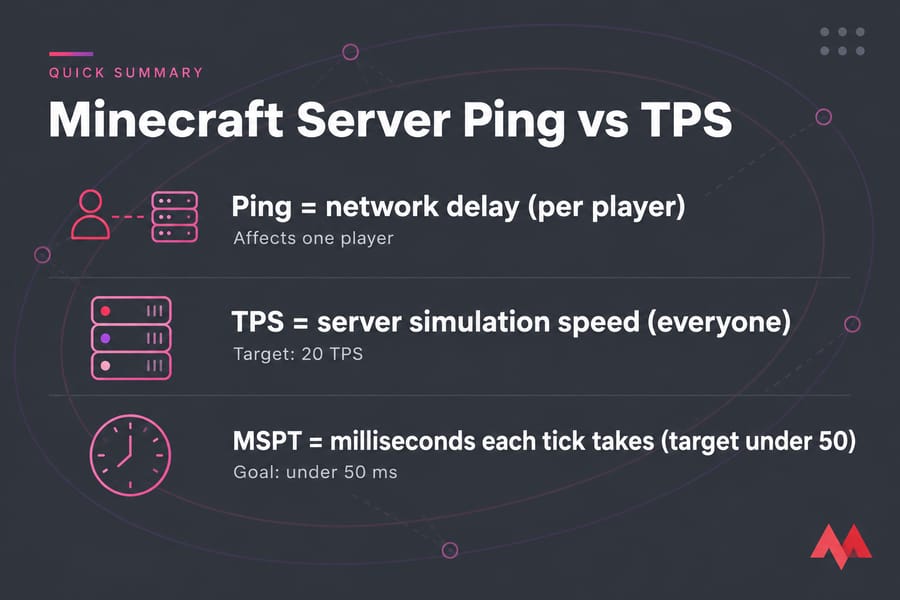
Ping vs TPS in Minecraft: The Short Answer
- Ping is round-trip network latency in milliseconds, measured between one player and the server.
- TPS (ticks per second) is how many game-loop updates the server completes each second. The target is 20.
- MSPT (milliseconds per tick) is how long each tick takes. To hold 20 TPS, it needs to stay under 50 ms.
Players mix them up because both show up as "lag." The fastest way to tell them apart is to ask who's affected. If it's one player, look at ping. If it's everyone, look at TPS. (And FPS is a separate thing. It's client-side rendering and has nothing to do with the server.)
What Is Minecraft Server Ping?
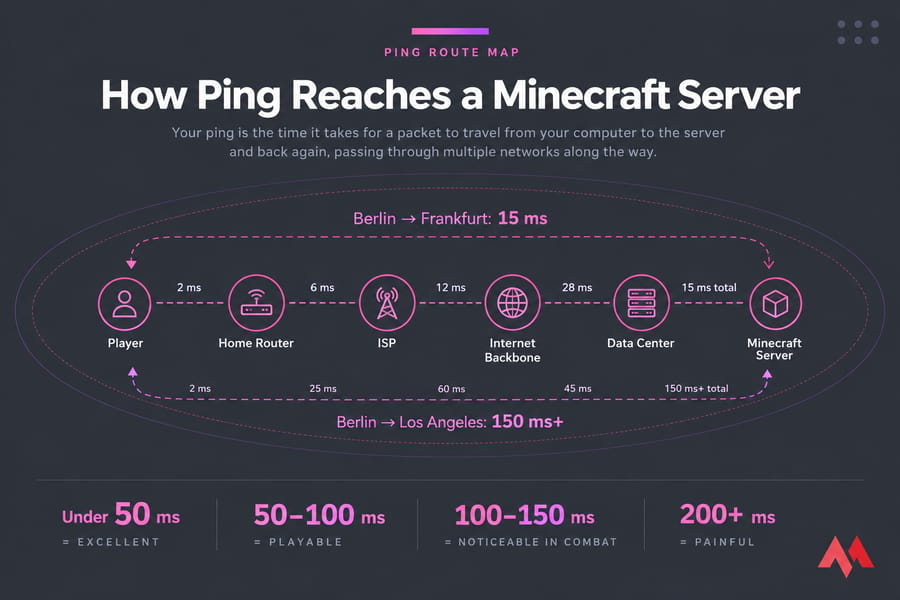
Ping measures how long a packet takes to go from your client to the server and back. Distance plays a big part. A player in Berlin connecting to a data center in Frankfurt might see 15 ms. That same player connecting to Los Angeles could see 150 ms or more. Physics doesn't negotiate. For the broader networking picture, see this explainer on latency and how to reduce it.
Here's what high ping feels like in-game:
- Your hits land late, or don't register at all in PvP
- Rubberbanding, where you get snapped back a few blocks
- Delayed inventory clicks and chest interactions
- Broken blocks that reappear for a moment
As rough bands, under 50 ms feels excellent, 50–100 ms is perfectly playable, 100–150 ms becomes noticeable in combat, and anything above 200 ms starts to hurt. These are loose guidelines rather than hard rules. Survival builders put up with far more than PvP players do.
What Is TPS in Minecraft Servers?
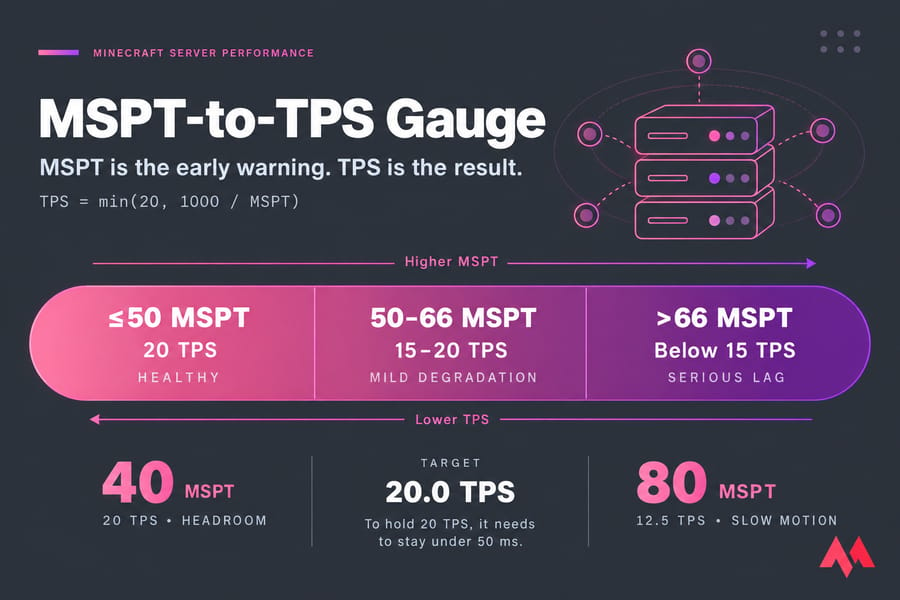
The server runs everything on a tick loop: mob AI, redstone, crop growth, physics. At full speed it does this 20 times a second, so each tick gets a budget of 50 ms. When a tick runs over budget, the server falls behind and TPS drops. PaperMC's docs put it plainly: the target is 20.0 TPS, and MSPT should stay below 50.
Here's the formula: TPS = min(20, 1000 / MSPT). At 40 MSPT you're fine and have headroom. At 80 MSPT you're down to about 12.5 TPS, and the entire world runs in slow motion.
Which one should you watch first? I'd go with MSPT. TPS is the result, while MSPT is the early warning. A server sitting at 45 MSPT still reports a clean 20 TPS, but one big farm going live will push it over the edge.
Minecraft Ping vs TPS Comparison Table
| Metric | Measures | Good Range | Who Feels It | Typical Causes | Best Fixes |
|---|---|---|---|---|---|
| Ping | Network round-trip time | Under 100 ms | Individual players | Distance, routing, Wi-Fi, VPN | Closer region, wired connection |
| TPS | Ticks completed per second | 20.0 | Everyone | Entities, plugins, chunk gen, CPU | Optimize the world, use a faster CPU |
| MSPT | Time per tick | Under 50 ms | Everyone, through TPS | Same as TPS | Profile with spark |
High Ping or Low TPS? How to Identify the Real Cause of Lag
| Symptom | Likely Cause | Check First |
|---|---|---|
| Only overseas players complain | High ping | Their ping |
| Redstone clocks run slowly for everyone | Low TPS | MSPT |
| Mobs freeze, then teleport | Low TPS | Entity counts |
| One player rubberbands while others are fine | Ping or packet loss | Their connection |
| Lag when players explore new terrain | Chunk generation | MSPT spikes |
| Everything degrades at peak hours | Both | MSPT plus host network |
Mixed cases are the tricky ones. At peak load, a struggling VPS can suffer CPU contention and network saturation at once. If that sounds familiar, read up on why a VPS is slow.
How to Check Ping, TPS, and MSPT on a Minecraft Server
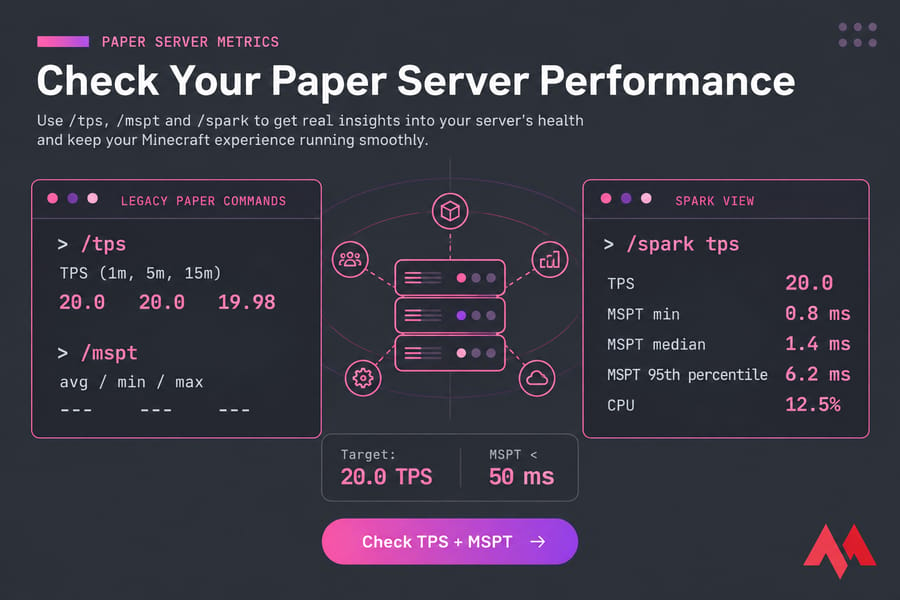
On Paper, three commands handle most of the work:
/tps    # average TPS over the past 1, 5, and 15 minutes
/mspt   # avg/min/max MSPT over the last 5, 10, and 60 seconds
/spark tps   # TPS + MSPT + CPU in one view
/spark profiler start
Paper's documentation says /tps and /mspt still work but have been superseded by /spark. Spark is the better choice anyway, because its profiler shows you exactly which plugin, entity, or chunk is using up your tick time. On Fabric or Forge, install the spark mod. Command output also varies between server platforms.
For ping, the tab list's signal bars are rough, and player reports are anecdotal. Treat them as leads to investigate, not proof. From the server side, you can test VPS network speed and bandwidth to rule out the host's uplink.
Common Causes of High Ping
- Server location: if your player base is in Asia and your server is in Virginia, you have a geography problem.
- Routing and ISPs: sometimes the traffic takes a bad route between networks, and packet loss shows up as stutter.
- Wi-Fi, VPNs, and proxies: each one adds jitter or extra hops. People blame the host for this one all the time.
Players can work through these tips to lower ping on their end.
Common Causes of Low TPS
- Entities and farms: 400 cows packed into a pen will hurt you.
- Heavy plugins, mods, or datapacks: a single badly written plugin can take up half your tick budget.
- Chunk generation: players exploring new terrain spike MSPT, and high view and simulation distances make it worse.
- Weak CPU or an overloaded node: the main tick runs mostly on a single thread, so per-core speed is what counts. Slow storage can also make chunk I/O worse.
RAM rarely turns out to be the bottleneck. Check how much RAM a Minecraft server needs before you buy more.
How to Fix Ping Issues vs TPS Issues
Fixes for High Ping
- Host in the region closest to most of your players
- Ask affected players to test on a wired connection with their VPN off
- Run
mtror a traceroute to find packet loss
Fixes for Low TPS
- Cap entity counts and rework farms that use too many mobs
- Lower
simulation-distanceto 6–8 and pregenerate the world with Chunky - Audit your plugins with spark, and update your Minecraft server, since newer Paper builds include performance fixes
- Move to faster CPU cores if you've already done everything above
Adding RAM won't fix a CPU-bound server with heavy entity or plugin load. It only helps if you're actually hitting memory limits or GC pauses. In those cases, add more RAM to your Minecraft server.
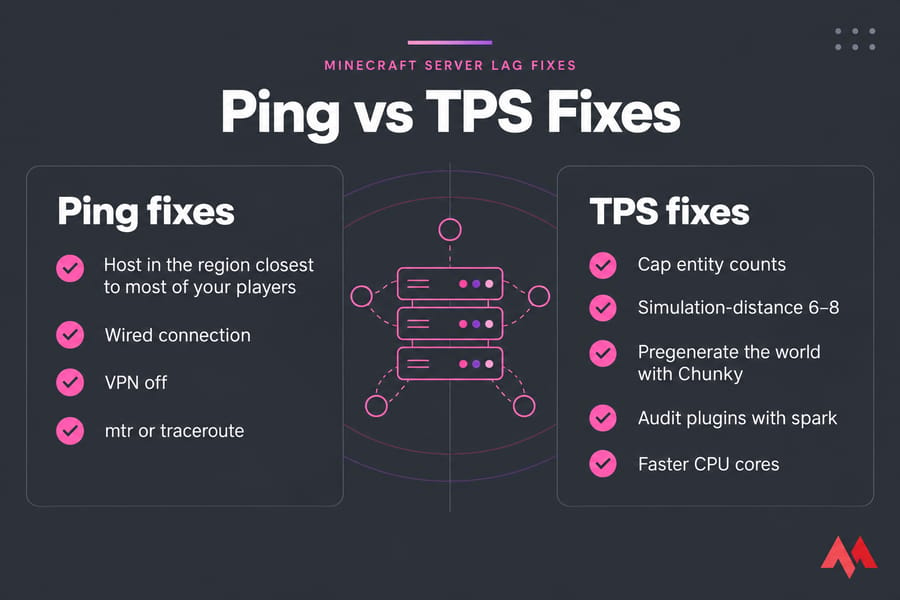
Side-by-side checklist comparing Ping fixes and TPS fixes for Minecraft server lag
Choosing Minecraft Hosting That Improves Both Latency and Tick Performance
If you've optimized everything and MSPT still climbs past 50 under normal load, the hardware is probably the limit. Two things matter most: a data center region near your players, which helps ping, and strong single-thread CPU performance with NVMe storage, which helps TPS. Cheap shared plans often fall short on both. The free Minecraft server options are fine for testing, but they won't hold 20 TPS with a real community on them.
A Minecraft VPS hosting plan lets you pick both the location and the CPU allocation. Compare the best Minecraft server hosting options and check typical Minecraft server cost before you commit. Moving is less painful than you'd expect. Here's how to transfer a Minecraft world to a new server. If you plan to self-host on the side, see how to port forward a Minecraft server.
Fix Minecraft lag at the source. View MonoVM Minecraft server hosting plans with region choice and enough CPU headroom to keep ticks fast

An experienced tech and developer blog writer, specializing in VPS hosting and server technologies. Fueled by a passion for innovation, I break down complex technical concepts into digestible content, simplifying tech for everyone.