
The debate around VMware vs Hyper-V is not new, but in 2026, it has become more intense than ever. The Broadcom acquisition of VMware has reshaped licensing models, pricing structures, and long-term trust among enterprises, SMBs, and hosting providers. Let's cut to it: if you're weighing VMware vSphere against Windows Server Hyper-V in 2026, there's no universal winner — the right pick depends on your existing licenses, your workload mix, and how much your team already knows. This guide is a practical, decision-driven comparison covering performance, cost, security, real-world use cases, and migration considerations. Understanding the core virtualization concepts is essential before making this transition. If your business requires dedicated resources without the overhead of hypervisor management, our VPS server plans offer an ideal starting point.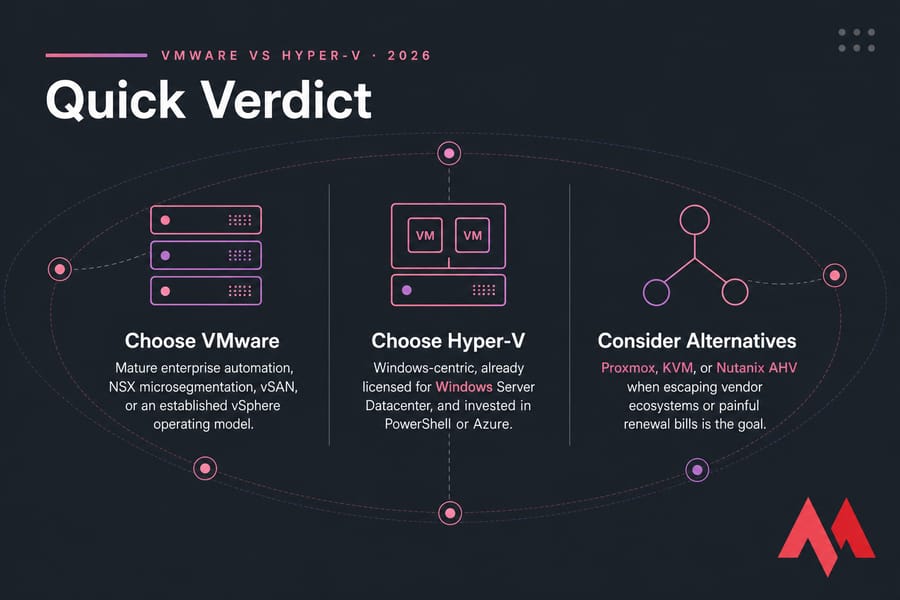
🚀 What Is VMware?
VMware is one of the most established virtualization platforms in modern IT. Best known for VMware ESXi and vSphere, it operates as a type-1 hypervisor, providing direct access to physical hardware with minimal overhead. ESXi is most commonly managed through vCenter Server, which delivers centralized administration, lifecycle management, and deep visibility across large virtual environments. Over time, VMware evolved from a hypervisor into a full software-defined data center (SDDC) platform including vSAN for software-defined storage, NSX for network virtualization and micro-segmentation, and VMware Horizon for VDI. Many users often compare these high-end setups to the flexibility of a VM vs VPS environment for smaller scales. Read more about What is VMware.
🖥️ What Is Hyper-V?
Microsoft Hyper-V is Microsoft's native virtualization platform, built directly into Windows Server. Like VMware ESXi, Hyper-V is a Type-1 hypervisor — its architecture uses a parent partition running Windows to manage hardware resources, while child partitions host virtual machines. This makes it the backbone for high-performance Windows VPS hosting services that require seamless OS-level integration. Hyper-V integrates closely with Active Directory, PowerShell, System Center, and Windows Server Failover Clustering for high availability. If you want to install and configure Hyper-V for production, that's the version we're benchmarking mentally throughout.
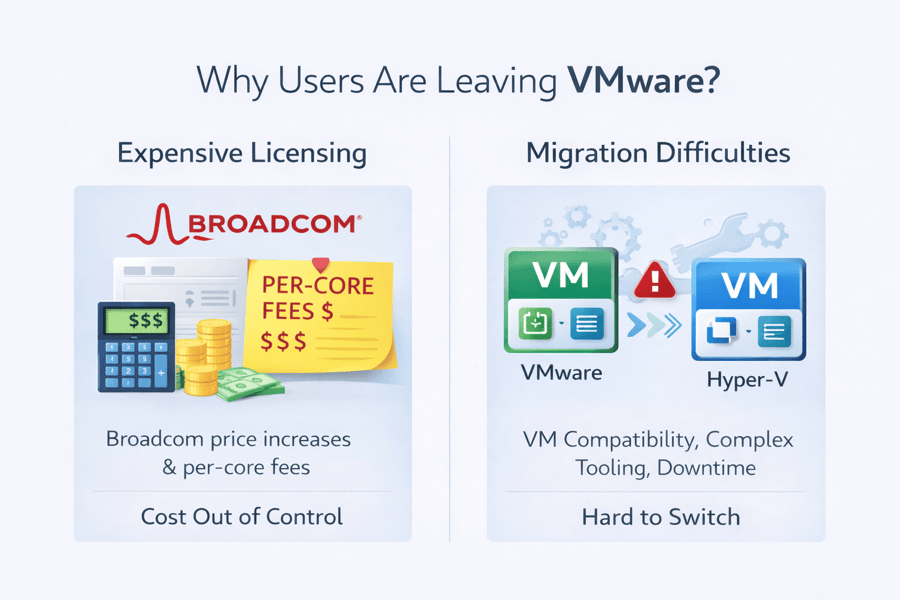 Read more about Windows Server Hyper-V.
📊 Quick Comparison Table
| Capability | VMware vSphere | Hyper-V (Windows Server) |
|---|---|---|
| Hypervisor type | Type-1 (ESXi bare-metal) | Type-1 (root/child partitions) |
| Central management | vCenter Server | Windows Admin Center, SCVMM |
| Live migration | vMotion | Live Migration |
| Storage migration | Storage vMotion | Storage Migration |
| High availability | vSphere HA | Failover Clustering |
| HCI storage stack | vSAN | Storage Spaces Direct (S2D) |
| SDN/microsegmentation | NSX | SDN stack / third-party |
| Automation | PowerCLI, REST API | PowerShell, WMI, REST |
| Licensing unit | Per-core subscription | Per-core (Windows edition) |
| Guest virtualization rights | Separate OS licensing | Bundled with Datacenter |
| Best-fit organization | Feature-rich enterprises | Windows/Azure shops |
| Main limitation | Cost and renewal volatility | Advanced features need SCVMM |
🏗️ Architecture Comparison
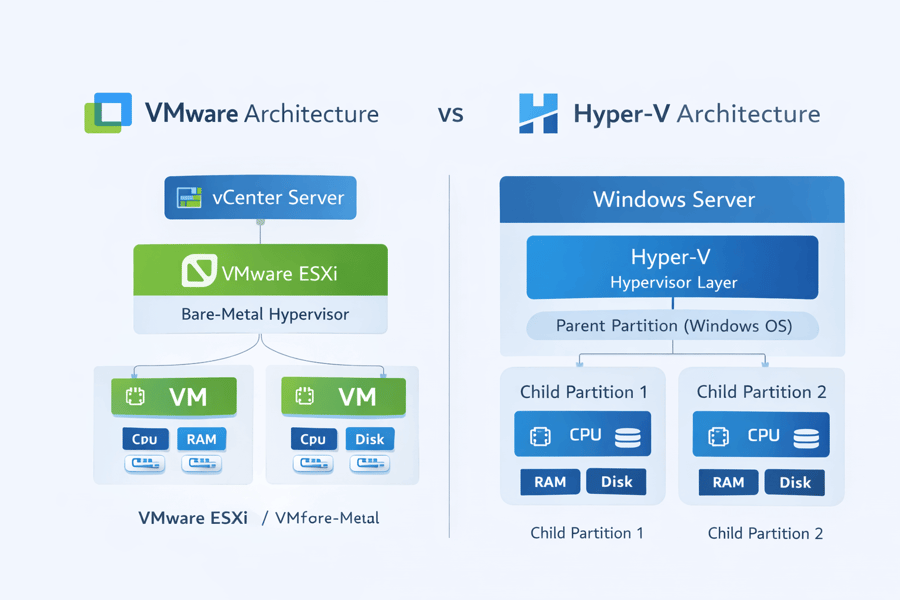
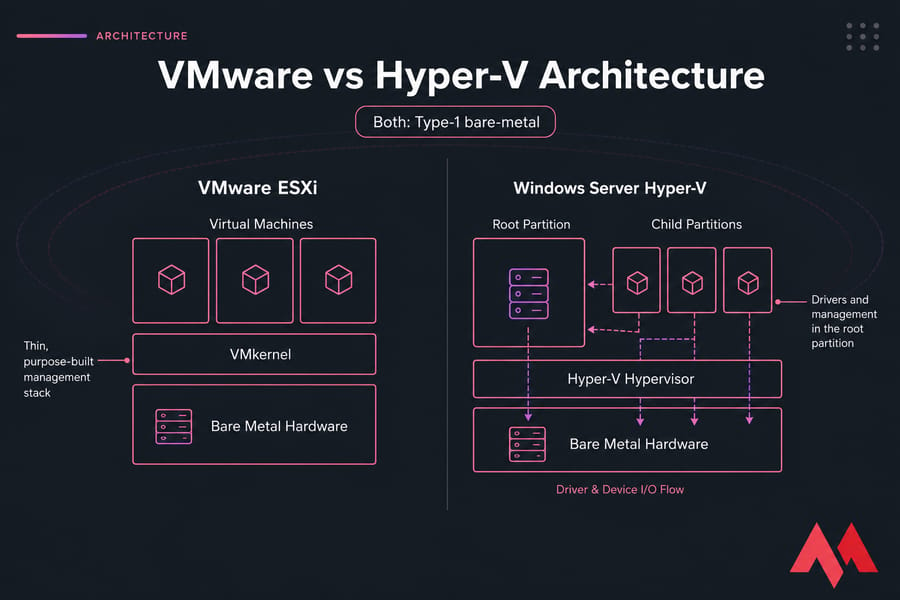
Both are Type-1, bare-metal hypervisors. ESXi keeps its management stack thin and purpose-built with direct hardware access. Hyper-V routes device I/O through the root partition — the Windows you see is actually the parent (root) partition, a privileged VM that handles drivers and management. This means Hyper-V relies on a Windows-based parent partition, so the stability and patching of the host OS directly influence the virtualization layer. Familiar Windows tools make diagnosing issues more intuitive for admins already experienced with Windows Server. Administering these systems often involves managing Windows services with PowerShell. If your team lives in PowerShell already, you can automate Hyper-V with PowerShell without learning anything new — a real advantage. Key takeaway: The architectural difference explains why VMware and Hyper-V are not compatible at the hypervisor level, making migrations non-trivial.
📊 Performance
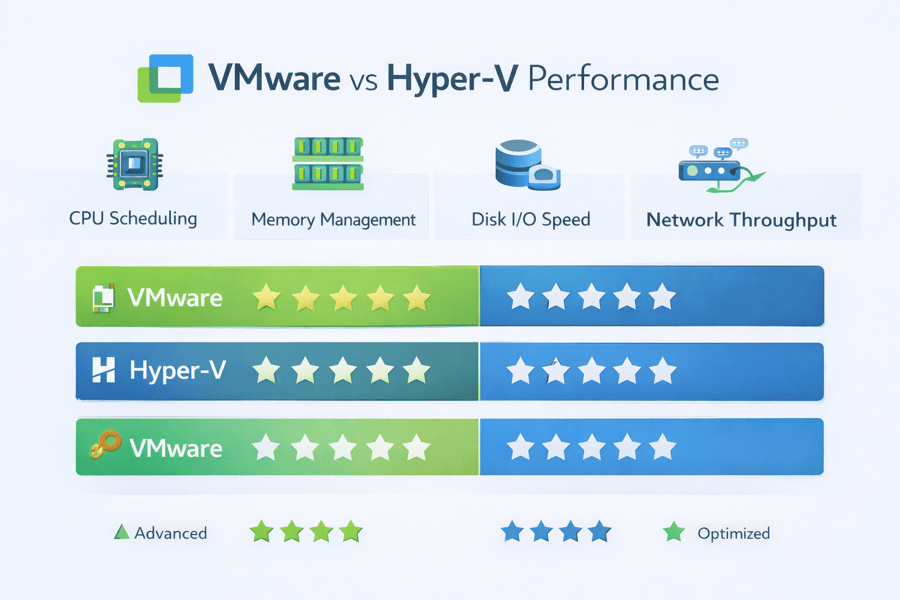
Real performance depends on your hardware, drivers, and workload — not the logo on the hypervisor. VMware has historically been known for strong CPU scheduling and advanced NUMA awareness. Hyper-V has closed the gap considerably with recent Windows Server releases. VMware uses transparent page sharing and memory ballooning; Hyper-V relies on Dynamic Memory, which integrates well with Windows workloads. On disk I/O, VMware excels through vSAN, while Hyper-V performs strongly with Storage Spaces Direct — and many providers now use NVMe VPS solutions to bypass traditional storage bottlenecks. Both platforms support SR-IOV, NIC teaming, and advanced virtual switching. For intensive compute needs, a dedicated server might be a better choice to avoid hypervisor overhead entirely. If you want deeper tuning, see how to optimize virtual machine performance.
| Metric | VMware | Hyper-V |
| CPU Scheduling | Excellent | Very Good |
| Memory Efficiency | Excellent | Good |
| Disk I/O | Excellent | Very Good |
| Network Throughput | Excellent | Good |
| Windows VM Performance | Good | Excellent |
💰 Cost Comparison
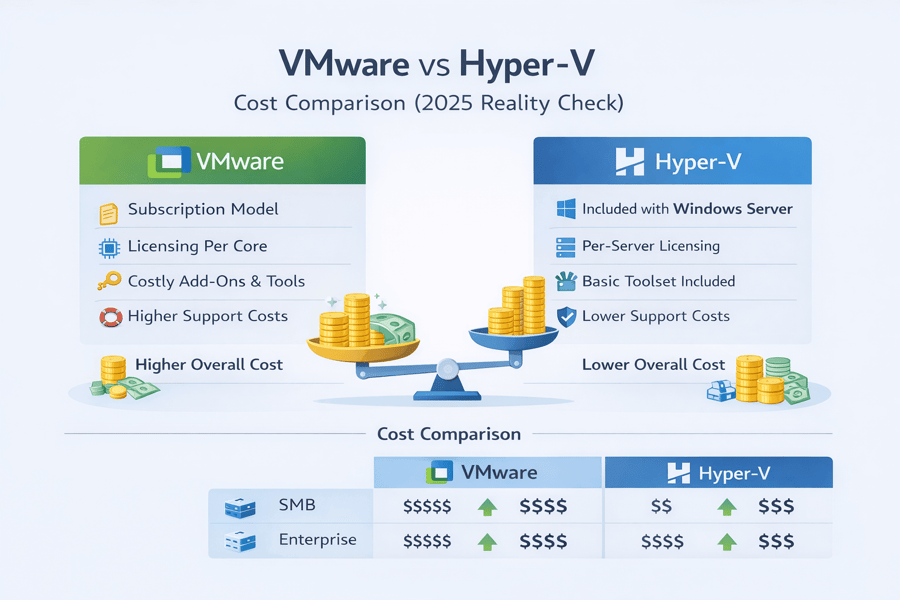
In 2026, cost has become one of the most decisive factors. VMware shifted to per-core subscription bundles with core-count minimums (typically 16 cores per CPU). Renewal increases have been the single biggest reason teams are shopping around. Hyper-V itself is included with Windows Server, but the value is in guest rights — Standard grants two Windows VMs per licensed host, Datacenter grants unlimited. If you are already running Windows 2022 VPS or similar server versions, Hyper-V is often included at no additional hypervisor cost.
| Use Case | VMware Cost | Hyper-V Cost |
| SMB | High | Low |
| Enterprise | Very High | Moderate |
| Home Lab | Prohibitive | Free |
| Hosting Provider | Rising | Predictable |
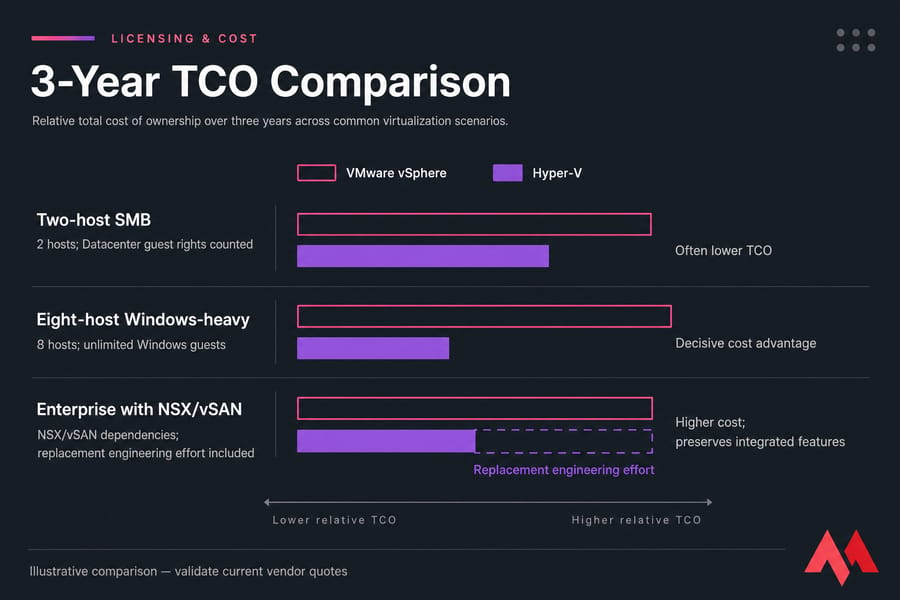
For many organizations, Hyper-V offers a lower and more predictable total cost of ownership. For the most economical entry point, cheap VPS hosting is an excellent way to start without heavy upfront investments. Organizations are increasingly looking at Windows Server migration tools to move workloads to more cost-effective platforms.
🔒 Security
Both platforms offer enterprise-grade security with Secure Boot, virtual TPM, and encryption at rest. VMware provides strong VM isolation with NSX microsegmentation and a mature patching lifecycle. Hyper-V adds Shielded VMs and Host Guardian Service, with deep integration with Microsoft Defender. Essential VPS security tips apply to both environments. Using a reliable firewall at the network edge is mandatory. For Hyper-V administrators, knowing how to make your Windows Server more secure is vital to minimize the attack surface of the parent partition. Follow official hardening guides and harden a Hyper-V host properly. Bottom line: Configuration quality matters more than platform choice — a hardened Hyper-V host beats a sloppy ESXi one every time.
🎯 Use Cases
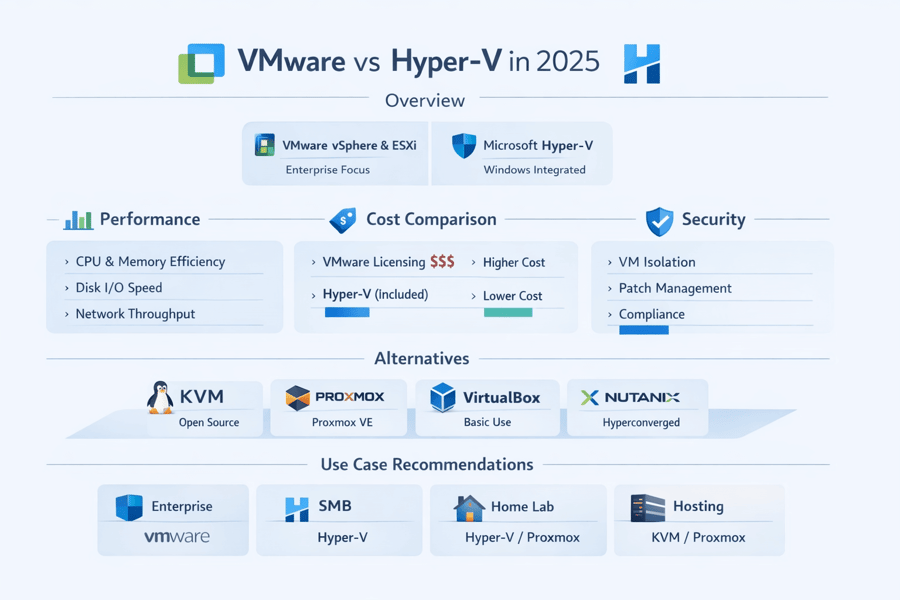
- Large enterprise: VMware, if NSX/vSAN dependencies justify it.
- Windows-centric shop: Hyper-V, on economics and integration.
- SMB: Hyper-V usually, unless you need advanced automation.
- SQL Server: Both perform well; Hyper-V pairs neatly with Windows-first stacks.
- VDI/GPU: VMware's vGPU ecosystem is more established.
- Home labs: Hyper-V or free KVM-based tools — VMware's free tier is limited now.
| Use Case | Best Choice |
| Enterprise | VMware |
| SMB | Hyper-V |
| Home Lab | Hyper-V / Proxmox |
| Hosting | KVM / Proxmox |
🖥️ Management and Operations
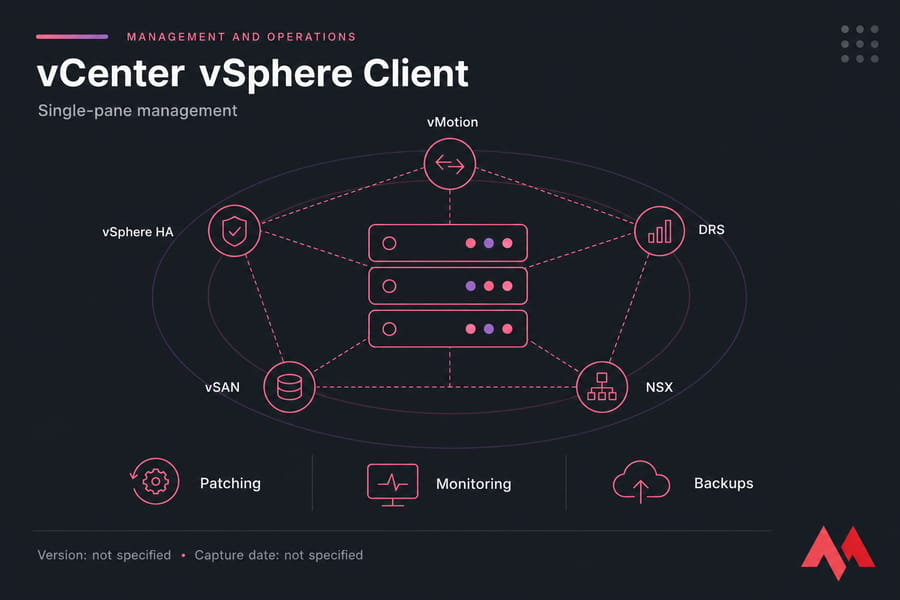
vCenter is the polished, single-pane VMware console — powerful, but it's another licensed component. Hyper-V gives you Windows Admin Center to manage Hyper-V, Failover Cluster Manager, and SCVMM for larger fleets. For day-two operations — patching, monitoring, backups — VMware feels more turnkey; Hyper-V rewards teams who already speak Windows.
🔄 Alternatives: KVM, Proxmox, VirtualBox, Nutanix
KVM: Fully open-source, built into the Linux kernel — perfect for Linux VPS solutions without proprietary overhead. KVM vs VMware comparison.
Proxmox VE: Combines KVM for VMs and LXC for containers. See VMware vs Proxmox.
Nutanix: Tightly integrated HCI platform for organizations moving away from traditional VMware stacks.
VirtualBox: Desktop virtualization primarily for development. VMware vs VirtualBox comparison. For production-like testing, VPS for developers might be more efficient. Virtual Machine Types explained.
🔄 VMware to Hyper-V Migration
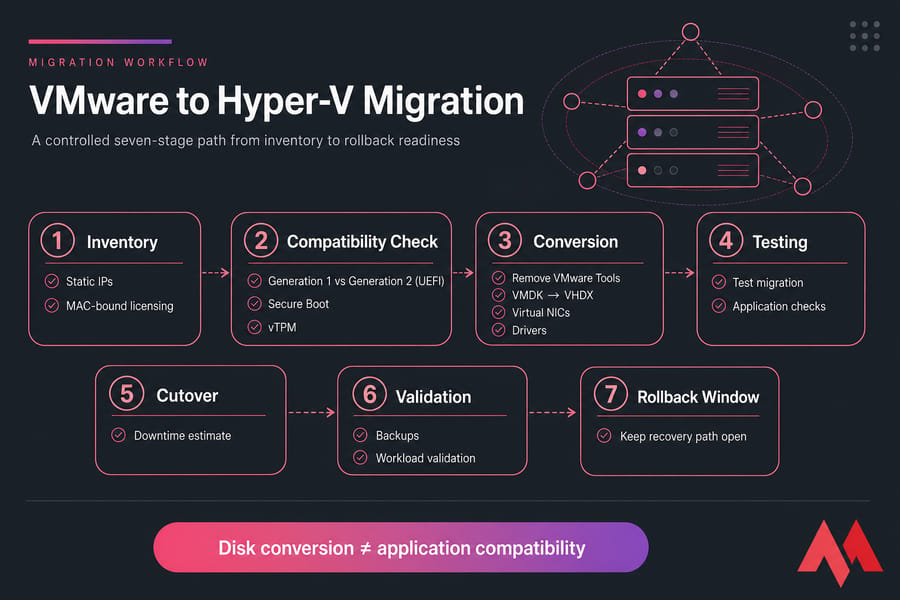
- Inventory applications and dependencies — map static IPs and MAC-bound licensing first.
- Plan VMware Tools removal before conversion to avoid driver conflicts.
- Convert VMDK to VHDX using supported tools.
- Remap virtual NICs and remediate drivers.
- Handle Secure Boot and vTPM for Gen 2 VMs.
- Validate backups, run a test migration, and keep a rollback plan.
A clean disk conversion does not guarantee application compatibility. When you should not migrate: If you rely heavily on NSX, vSAN, or Fault Tolerance with no equivalent plan, migration may cost more than the renewal.
⚠️ Common Mistakes When Choosing
- Ignoring Long-Term Licensing Changes: Focusing only on current pricing instead of multi-year impact.
- Choosing Based on Brand Reputation Alone: Ignoring whether the platform aligns with internal skills.
- Underestimating Migration Complexity: Believing migrations are simple "lift-and-shift" operations.
💡 Expert Tips for a Smooth Virtualization Strategy
| Tip Type | Recommendation |
| Security | Always enable Secure Boot and TPM in virtual machine settings for Windows guests. |
| Performance | Match your CPU recommendations with hypervisor capabilities to avoid NUMA misalignments. |
| Storage | Use thin provisioning for development labs but prefer thick/static disks for heavy production SQL workloads. |
| Backup | Ensure your backup solution is hypervisor-aware to use changed block tracking (CBT). |
📋 Decision Checklist
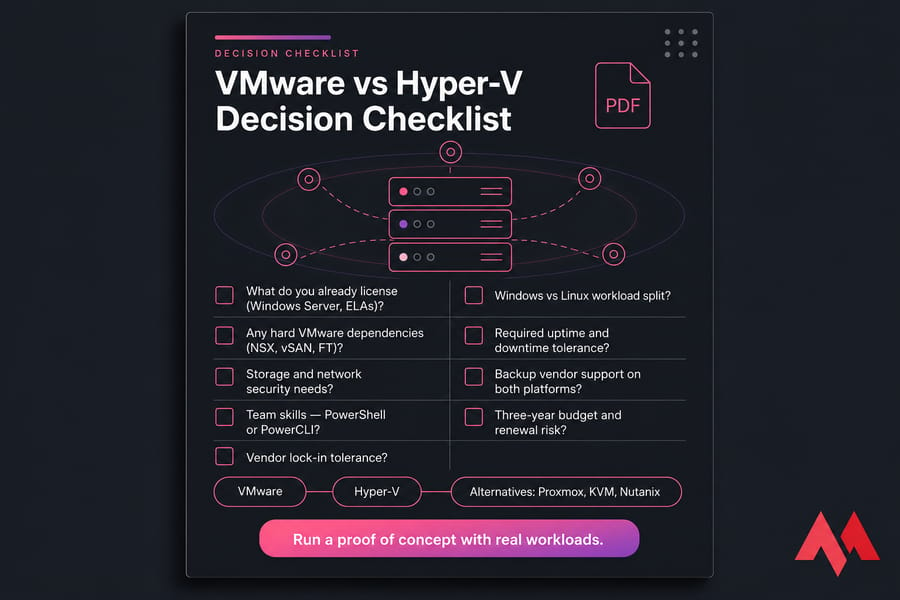
- What do you already license (Windows Server, ELAs)?
- Windows vs Linux workload split?
- Any hard VMware dependencies (NSX, vSAN, FT)?
- Required uptime and downtime tolerance?
- Storage and network security needs?
- Backup vendor support on both platforms?
- Team skills — PowerShell or PowerCLI?
- Three-year budget and renewal risk?
- Vendor lock-in tolerance?
🏁 Conclusion
There is no universal winner. Pick VMware when justified enterprise feature dependencies and operational investment make the premium worthwhile. Pick Hyper-V when you're Windows-centric and the licensing math — especially Datacenter's unlimited guests — lines up. Look at Proxmox, KVM, or Nutanix when open tooling, HCI consolidation, or vendor diversification is the actual priority. Whatever you choose, run a proof of concept with your real workloads before signing anything. If you're exploring scalable, affordable virtualization without licensing shock, consider Virtual Machine Hosting from MonoVm. With instant setup, global data centers, and 24/7 expert support, MonoVm helps businesses deploy reliable VMs without the complexity of traditional hypervisors. Need infrastructure to test either hypervisor without buying hardware? Explore MonoVM VPS hosting options to spin up a lab environment fast.

An experienced tech and developer blog writer, specializing in VPS hosting and server technologies. Fueled by a passion for innovation, I break down complex technical concepts into digestible content, simplifying tech for everyone.