For most Minecraft Java plugin servers, Paper is the right choice. It's built on Spigot, runs the Bukkit and Spigot plugin ecosystem, and adds its own performance work and API extensions. Spigot is for narrow legacy cases. Bukkit/CraftBukkit is legacy code and a poor starting point for a new server in 2026.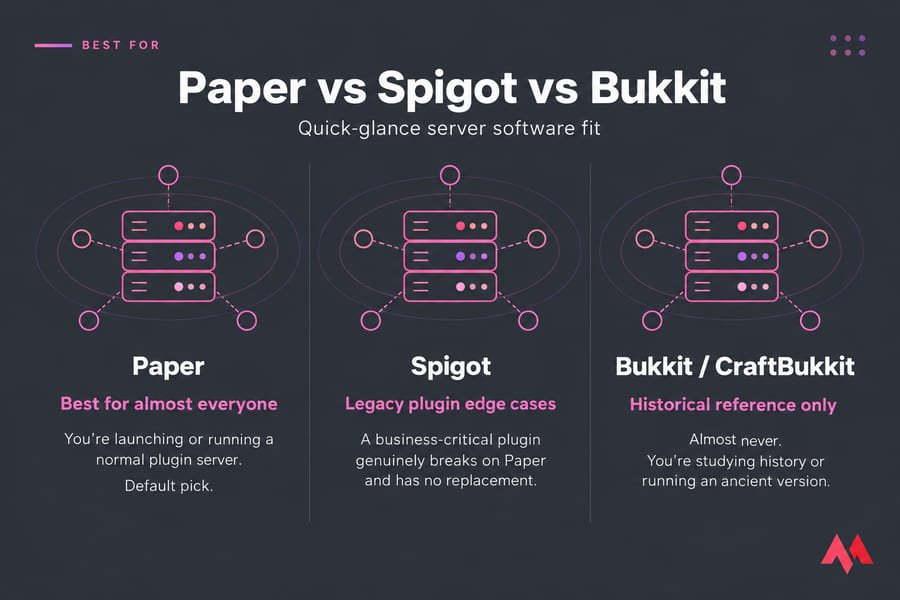
| Software | Use it when… |
|---|---|
| Paper | You're launching or running a normal plugin server. Default pick. |
| Spigot | A business-critical plugin genuinely breaks on Paper and has no replacement. |
| Bukkit / CraftBukkit | Almost never. You're studying history or running an ancient version. |
One thing before we go deeper: this comparison is about Java Edition plugin servers. If you want mods (Create, Cobblemon, big modpacks), none of these three are your answer — jump to the plugins vs mods section. And if you already run Spigot, read the migration notes before you swap any files. I've watched someone skip that and spend a Saturday rebuilding a Nether hub.
What Bukkit, Spigot, and Paper Actually Are
These aren't three rival products. They're a family tree.
Bukkit is the plugin API — the set of hooks plugin developers write against. CraftBukkit is the server implementation that actually ran that API on top of vanilla Minecraft. That distinction trips up almost every beginner. When someone says "I'm running Bukkit," they mean CraftBukkit. When someone says "Bukkit plugin," they mean a plugin written against the Bukkit API — which Paper still supports today. The lineage survived even though the original runtime didn't.
Why didn't it survive? In September 2014 the project collapsed after a licensing dispute, when a contributor filed a DMCA takedown against CraftBukkit distribution. A lead developer who had contributed over 15,000 lines of code invoked a DMCA takedown on all of his personal contributions to the project and all derivative projects. Development froze. The community moved on.
Spigot was the fork that kept the lights on — same Bukkit API, extra optimizations, its own config file. Paper forked Spigot and pushed further: more aggressive performance work, deeper configurability, its own API surface on top of Bukkit and Spigot.
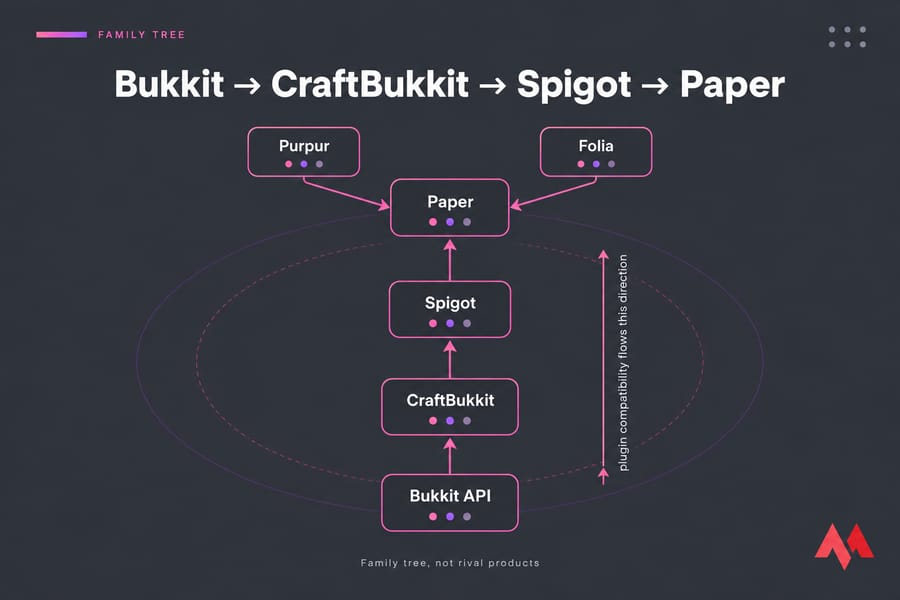
Compatibility flows upward
Remember this one rule and you'll get 90% of the decision right: Paper runs Bukkit and Spigot plugins. Spigot does not reliably run Paper plugins. Plugins that use Paper-only APIs ship a paper-plugin.yml, and that file does not act as a drop-in replacement for plugin.yml — those plugins simply aren't Spigot-compatible.
Paper vs Spigot vs Bukkit: Comparison Table
| Feature | Bukkit / CraftBukkit | Spigot | Paper |
|---|---|---|---|
| Based on | Vanilla server | CraftBukkit | Spigot |
| Plugin support | Bukkit plugins only | Bukkit + Spigot plugins | Bukkit + Spigot + Paper plugins |
| Performance tuning | Minimal | Moderate (spigot.yml) |
Extensive (Paper config files) |
| How you get the jar | BuildTools | BuildTools (compile locally) | Direct download from PaperMC |
| Active development | Frozen since 2014 | Maintained | Very active |
| Best for | Nothing modern | Stubborn legacy plugins | Practically every plugin server |
That setup row matters more than it looks. Spigot expects you to run BuildTools and compile the jar yourself; Paper hands you a runnable file. For a first-timer following how to make a Minecraft server, that's ten minutes saved and one less thing to break.
Paper vs Spigot: Performance and Plugins
Paper wins on defaults. It exposes far more knobs for entity activation ranges, chunk loading, mob spawning, and view distance, and it ships with the spark profiler integration so you can actually see why your TPS dipped instead of guessing. Spigot leaves you with timings and vibes.
I won't quote percentage figures — anyone who does is making them up, because the gap depends entirely on your plugin mix, player count, and world size. What I will say: on plugin-heavy survival servers, Paper's tunables are the difference between 20 TPS and a redstone farm dragging everything to 14.
Spigot still makes sense in exactly one scenario: a plugin you can't live without breaks on Paper and nobody's shipped a fix. Check first whether the plugin's been updated or whether a Paper-native alternative exists. Usually it has.
And no — neither one rescues weak hardware. If your server stutters, read up on how to improve the performance of your VPS before you blame the jar.
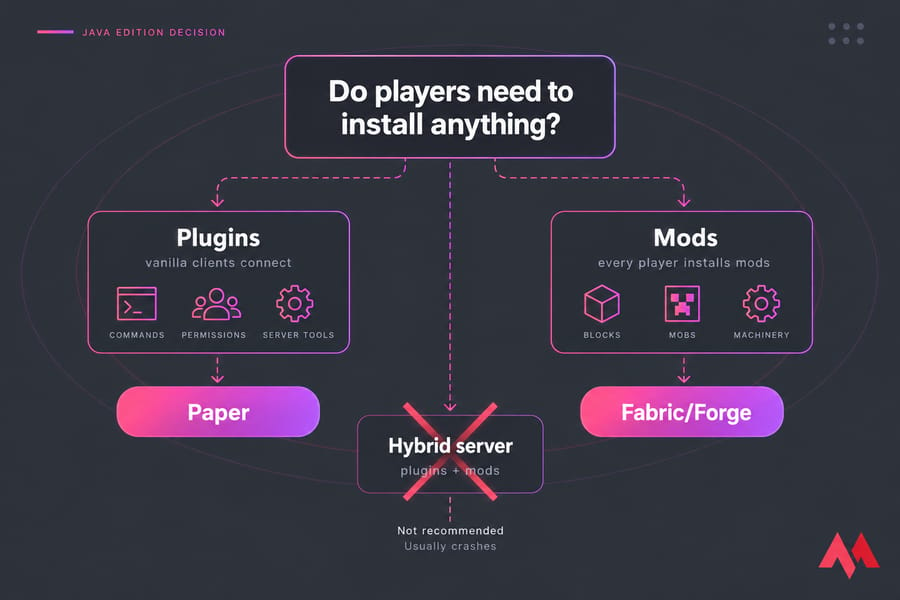
Plugins vs Mods: When None of These Are Right
Plugins are server-side. They change rules, add commands, manage permissions — and vanilla clients connect without installing anything. Mods change the game itself and require every player to install them.
Paper can't run mods. Paper's own docs are blunt about it: Paper does not support Fabric or Forge mods, you'll need to find plugin replacements, and any hybrids that attempt to support both mods and plugins are fundamentally flawed and not recommended for use. That last part deserves emphasis — hybrid jars promise both worlds and usually deliver crashes.
Want new blocks, mobs, or machines? Go learn how to make a modded Minecraft server with Fabric or Forge instead. Still deciding? Our breakdown of Minecraft plugins vs mods settles it in a few minutes.
How to Migrate from Spigot or Bukkit to Paper
The getting-started docs say Paper is a drop in replacement for both CraftBukkit and Spigot, you don't need to make any changes. True for most existing setups. But there's a modern caveat you need to know: Spigot and CraftBukkit modify the vanilla world directory structure, making a direct migration as of 26.1 fundamentally impossible. Newer Paper builds follow the vanilla layout, so your world folders need converting first.
So do it properly:
- Back up everything. World folders,
plugins/,server.properties. Set up an automated job to back up a Minecraft server automatically so this is never a manual scramble again. - Check your Java version. Modern Paper tracks vanilla requirements — Paper API uses modern Java features and requires Java 21, in line with vanilla requiring Java 21. Confirm with our guide on how to check your Java version.
- Audit plugins. List every jar, confirm it supports your target Minecraft version.
- Convert the world layout if needed (Nether and End folders), then drop in the Paper jar.
- Test on a copy. Spin up a staging instance on a cheap VPS, not your live community server.
- Go live, then watch TPS for a full evening before declaring victory.
Same discipline applies whenever you update a Minecraft server.
Common Mistakes Worth Avoiding
- Confusing Bukkit with CraftBukkit. One's an API that's still alive through Paper; one's a frozen runtime.
- Chasing "most plugins." Paper already runs the Bukkit/Spigot library. The count isn't the differentiator.
- Mismatched Java. Wrong runtime, server won't boot. Simple fix, common headache.
- Running an outdated jar. Old builds carry known exploits. Update on a schedule.
- Expecting software to fix hardware. Optimization can't manufacture RAM. If you're swapping constantly, add more RAM to your Minecraft server.
Best Hosting for Paper, Spigot, or Bukkit Servers
Minecraft's main thread is mostly single-threaded. Clock speed and per-core performance beat core count every time — details in our guide to the best server CPU for Minecraft. Pair that with the sizing math in how much RAM a Minecraft server needs.
| Players | Plugin load | RAM | Best fit |
|---|---|---|---|
| 2–5 (friends) | Light | 2–4 GB | Entry VPS |
| 10–20 | 10–20 plugins | 4–8 GB | Mid-tier VPS |
| 30–60 | 30+ plugins | 8–16 GB | High-clock VPS |
| 100+ or network | Heavy, multi-server | 16–32 GB+ | Dedicated server |
Home hosting works until your upload speed or a power cut ruins movie night. Minecraft VPS hosting gives you dedicated resources, root access, NVMe storage, and low-latency locations near your players. Compare options in our roundup of the best Minecraft server hosting, or go straight to Minecraft server hosting plans. Self-hosting anyway? You'll need to port forward a Minecraft server first.
Final Verdict
Pick Paper. That's the answer for almost everyone reading this — better defaults, direct downloads, full Bukkit and Spigot plugin support, active development.
Choose Spigot only if a plugin you can't replace forces your hand. Don't start a new server on Bukkit or CraftBukkit. And if you actually want mods, you're in the wrong comparison — head to Fabric or Forge with my blessing.
Then give it hardware worth running on. Get Minecraft server hosting with the clock speed and RAM your plugin list deserves, so the performance you gained from Paper doesn't get thrown away on an overloaded box.

An experienced tech and developer blog writer, specializing in VPS hosting and server technologies. Fueled by a passion for innovation, I break down complex technical concepts into digestible content, simplifying tech for everyone.