If you're sitting on some BTC, USDT, or ETH and want to spin up a VPS without touching a credit card, CoinPayments is probably the checkout option you're looking at. It's a crypto payment gateway not the hosting provider that handles the conversion of your wallet transfer into a paid invoice on the merchant's side. On MonoVM, that means you pick a plan, choose CoinPayments at checkout, and send crypto to the address shown.
Paying for a VPS with CoinPayments, explained
This guide walks you through exactly how to pay for a VPS with CoinPayments, which coins work, what to triple-check before hitting send, and what to do when something looks stuck. Quick heads up: most failed crypto payments come down to two avoidable issues wrong network or expired invoice. We'll cover both.
Quick answer
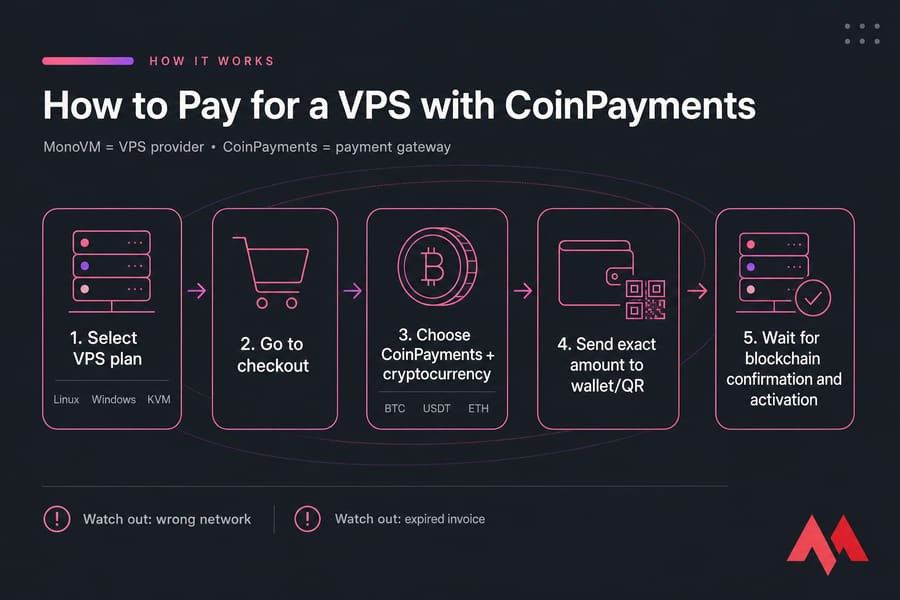
To pay for a VPS with CoinPayments, choose your VPS plan, go to checkout, select CoinPayments as the payment method, pick your cryptocurrency, and send the exact invoice amount to the provided wallet address or QR code. After blockchain confirmation, your VPS order is processed and activated.
Key takeaway: CoinPayments is the checkout method, not the VPS provider itself. You're buying from MonoVM and paying through CoinPayments.
What you need before you start
Don't open the checkout cold. Sort these out first or you'll burn through invoice timers.
- A VPS plan you've already picked — Linux, Windows, or KVM.
- Enough crypto to cover the invoice and the network fee. Underpayment leaves the invoice unpaid.
- A wallet (or exchange account) that supports the coin and network shown on the invoice.
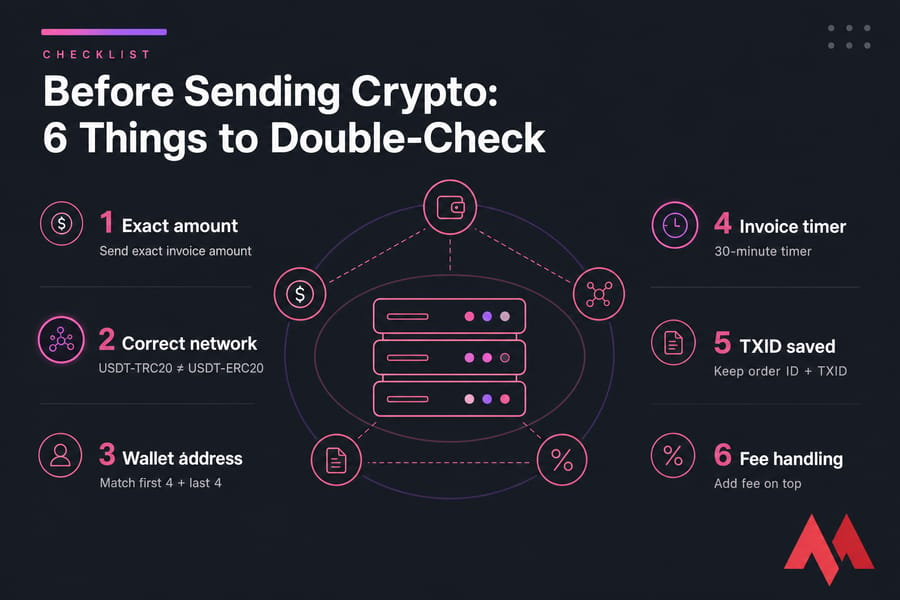
- Confirmation that the blockchain network on your sending side matches the invoice. USDT on TRC20 ≠ USDT on ERC20.
- Working email — that's where order and payment notifications land.
New to this side of things? Our quick refreshers on what a VPS is and how cryptocurrencies work are worth a skim. Also see the full payment guide for context on checkout options.
Warning: Never send crypto on a different network than the one specified on the invoice — especially for USDT or any multi-chain token. Cross-network sends are usually unrecoverable.
How to pay for a VPS with CoinPayments step by step
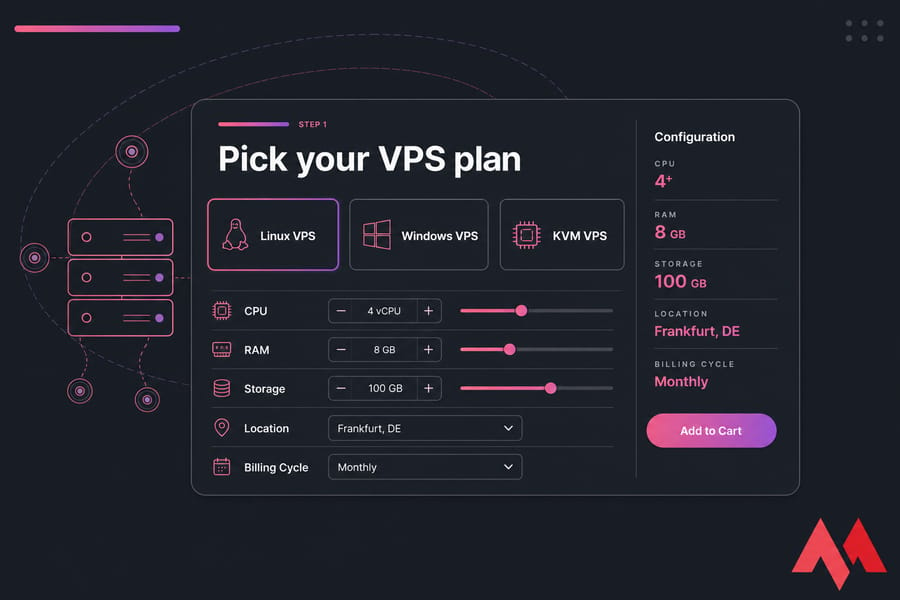
Step 1: Pick your VPS plan
Head to the plan you want Linux VPS, Windows VPS, or KVM VPS and configure the resources, location, and billing cycle. Add it to your cart.
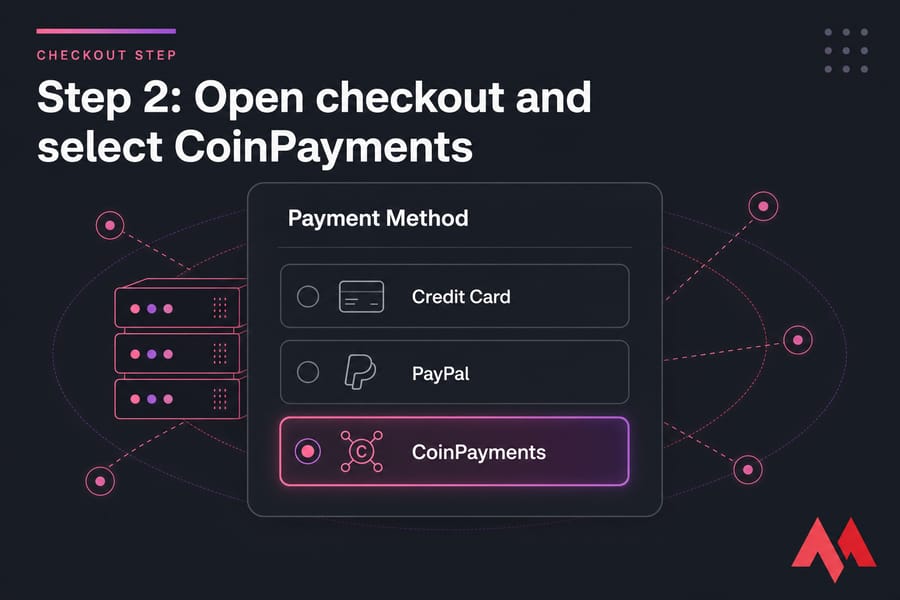
Step 2: Open checkout and select CoinPayments
On the checkout page, scroll to the payment methods. Choose CoinPayments. You'll be redirected (or shown an inline invoice) once you confirm the order.
Step 3: Choose your cryptocurrency and review the invoice
On the CoinPayments invoice page, pick the coin you want to pay with — BTC, ETH, USDT, LTC, and others depending on what's enabled. Now stop and read. The invoice tells you four things you need to verify:
- The exact amount in crypto (this is locked to a rate for a limited time).
- The blockchain network.
- The receiving wallet address.
- The countdown timer until the invoice expires.
Step 4: Send the exact amount to the wallet or QR code
Open your wallet. Paste the address — or scan the QR — and enter the exact amount shown. Don't round. Don't deduct the network fee from the amount (most wallets let you choose whether the fee is added on top or pulled from the send amount; pick "add to amount" so the merchant receives the full invoice value).
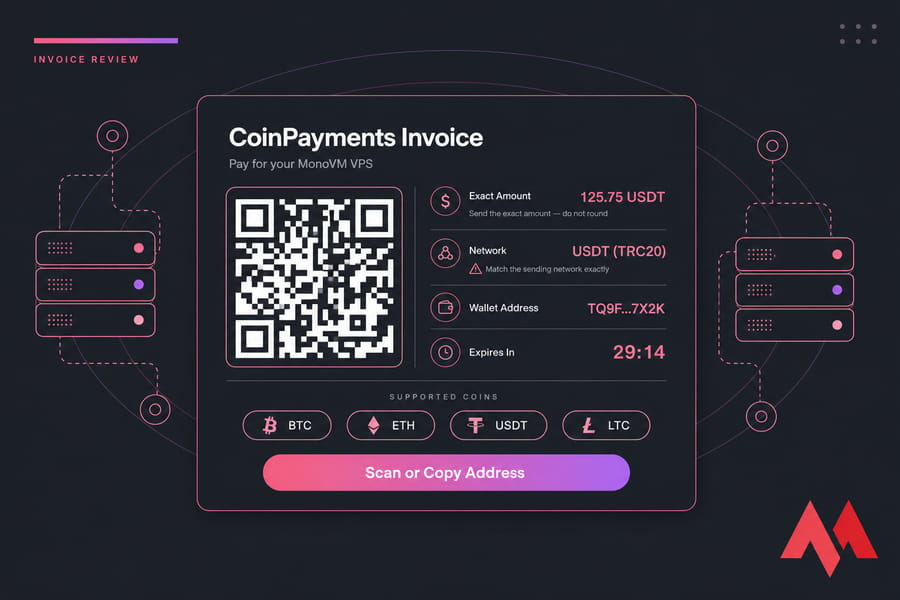
Pro tip: Before hitting send, compare the first four and last four characters of the address in your wallet against the invoice. Clipboard hijacking malware is rare but real.
Step 5: Wait for confirmations
Once broadcast, your payment moves through stages: detected → confirming → paid. Bitcoin usually needs 1–3 confirmations. ETH and USDT (on faster networks) clear quicker. Don't close the invoice page right away — save the TXID (transaction hash) from your wallet. If anything goes sideways, that's the first thing support will ask for.
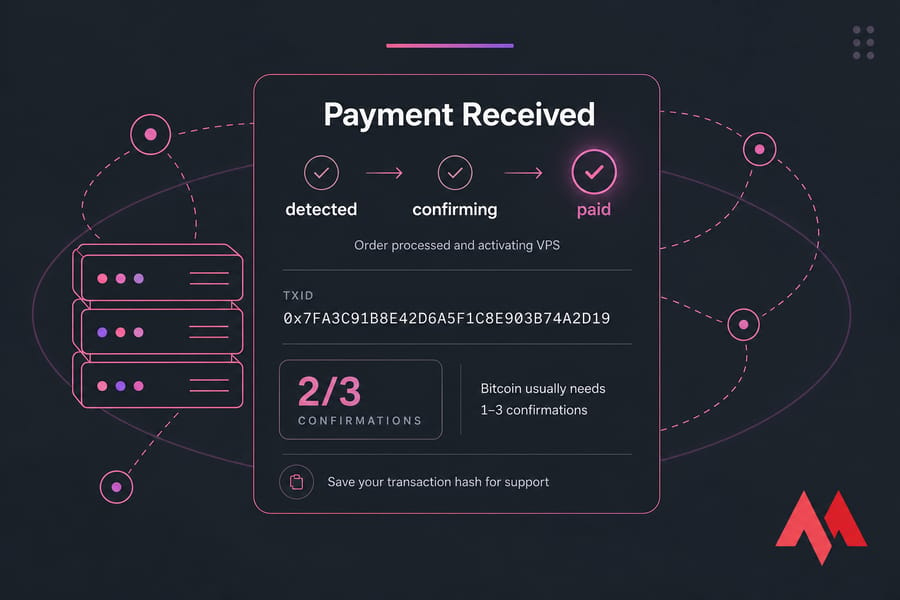
Quick summary: Choose plan → select CoinPayments → choose coin → send exact amount → wait for confirmations.
Which cryptocurrencies you can use
The exact coin list reflects whatever's enabled at checkout, but these are the usual suspects most buyers reach for:
| Coin | Typical Use | Watch Out For | Best For |
|---|---|---|---|
| Bitcoin (BTC) | Largest, most widely held | Higher fees during congestion | Long-term holders paying in BTC |
| Ethereum (ETH) | Fast smart-contract chain | Gas spikes during peak times | Users already active on Ethereum |
| USDT | Stablecoin, no price volatility | Multiple networks (TRC20, ERC20, etc.) — pick the right one | Predictable invoice amounts |
| Litecoin (LTC) | Fast, cheap transfers | Less widely held | Quick low-fee checkout |
If you've already decided on a coin, jump straight to the relevant page: buy VPS with Bitcoin, buy VPS with USDT, or VPS with Ethereum.
Wallet vs exchange sends
Sending from a private wallet (MetaMask, Trust Wallet, Ledger, etc.) is usually faster — you broadcast directly to the blockchain. Exchange withdrawals can add anywhere from a few minutes to several hours of internal processing before the funds hit the chain. If your invoice has a 30-minute timer and your exchange queues withdrawals, you've got a problem.
What happens after your payment confirms
You'll see the invoice flip from "confirming" to "paid" or "complete." MonoVM's billing system picks up the signal, the order is marked paid, and provisioning starts. Most VPS deployments complete shortly after — though anything flagged for review (new accounts, unusual orders) may take a bit longer.
You'll get an email with login details once the server is live. Keep your order ID and the TXID handy until then. If activation seems delayed beyond what feels reasonable, hit contact support with both numbers — they can trace it faster than you can guess at it.
Common mistakes to avoid
Most "lost" or "stuck" payments boil down to a handful of repeat offenders:
- Wrong network. Sending USDT-TRC20 when the invoice shows USDT-ERC20 is the classic one. Funds may be unrecoverable.
- Underpayment. If your wallet deducts the fee from the send amount, the merchant receives less than the invoice. Status stays pending.
- Overpayment. Less catastrophic, but still requires support intervention to reconcile.
- Expired invoice. Invoice timers exist because crypto rates move. Send after expiry and the funds may not match any open order.
- Exchange withdrawal lag. Internal review queues can blow past the invoice window.
- No TXID saved. Without it, support is flying blind.
Why pay for VPS with crypto at all?
Crypto checkout isn't for everyone, but it solves real problems:
- Global access. No card issuer declines, no regional payment blocks.
- Privacy. You're not handing over card details to a processor.
- Speed for crypto-natives. If your money already lives in a wallet, this is just faster than off-ramping to fiat first.
- Stablecoin predictability. Paying in USDT means the invoice amount doesn't shift while you fumble with your wallet.
CoinPayments vs card, PayPal, and direct crypto
| Method | Privacy | Ease of Use | Refund Flexibility | Global Access | Speed |
|---|---|---|---|---|---|
| CoinPayments | High | Medium | Limited | Excellent | Depends on confirmations |
| Credit card | Low | High | Strong (chargebacks) | Region-dependent | Instant |
| PayPal | Low | High | Strong (disputes) | Most regions | Instant |
| Direct crypto | High | Low | None | Excellent | Depends on chain |
If you want refund flexibility and familiarity, cards or PayPal still win. If you want privacy, international access, or you simply prefer to spend crypto you already hold, CoinPayments is the cleaner path.
Troubleshooting pending, expired, or failed payments
Before you panic or resend, work through this checklist:
- Still pending after 15+ minutes? Check the TXID on a block explorer. If it's confirming, you just wait.
- Sent from an exchange and nothing's moving? Check the withdrawal status on the exchange first. Funds may not have broadcast yet.
- Invoice expired before you sent? Don't send. Restart checkout and generate a fresh invoice, or contact support if you already broadcast.
- Wrong amount sent? Don't send a "top-up" without checking. Open a support ticket with order ID, TXID, and amount.
- Wrong network? Stop and contact support immediately. Recovery depends on the asset.
Whatever the issue, the three pieces of info support needs are your order ID, the TXID, and the coin/network you used. The MonoVM FAQ covers the most common scenarios too.
Ready to buy a VPS with crypto?
Pick the platform that fits your workload and pay with the coin you already hold:
- Linux VPS hosting — fast, lightweight, ideal for web and app servers.
- Windows VPS hosting — for RDP, Windows-only software, and remote desktop workflows.
- KVM VPS hosting — full virtualization with strong isolation.
- Buy VPS with Bitcoin — straight to the BTC checkout path.
People Also Read:
How to Pay for a VPS with NOWPayments And How to Pay VPS with Cryptomus

An experienced tech and developer blog writer, specializing in VPS hosting and server technologies. Fueled by a passion for innovation, I break down complex technical concepts into digestible content, simplifying tech for everyone.