
Changed your DNS and still staring at the old website? Here's the short version: DNS propagation is the time it takes for your DNS changes — like a new A record or updated nameservers — to be recognized across DNS resolvers worldwide. Most updates show up within a few minutes to a few hours, but full propagation can take up to 24–48 hours depending on your TTL settings, resolver caches, and the type of record you changed.
That's the answer. Now let's unpack what's actually happening, because "wait 48 hours" isn't a real explanation — and it won't tell you whether your setup is broken or just slow.
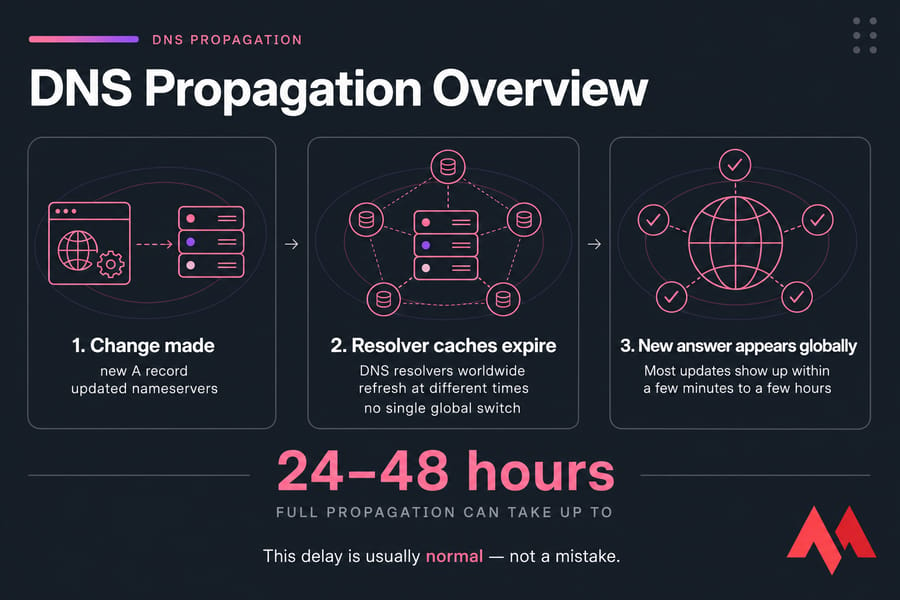
Key takeaway: Most DNS changes appear within hours, but full global propagation can take up to 48 hours. That delay is usually normal — not a mistake.
What Is DNS Propagation?
DNS propagation is the period during which DNS resolvers around the world pick up your updated DNS records. When you change something in your domain settings, that update doesn't flip a single global switch. Instead, thousands of separate DNS caches expire and refresh at their own pace.
Think of it like updating your address. You tell the post office, but every delivery driver who memorized your old address keeps using it until their notes expire. DNS works the same way — resolvers hold onto cached answers until they're told to check again.
The trigger is usually a change to a DNS record (like an A record pointing to a new server) or a nameserver switch. Because caches don't all expire at once, one person might see your new site while another still sees the old one. That's not a bug. That's propagation in progress.
How DNS Propagation Works Across DNS Resolvers
To understand the delay, you need two players: authoritative nameservers and recursive resolvers.
Your authoritative nameserver holds the official records for your domain. It's the source of truth. A recursive resolver — usually run by your ISP, Google, or Cloudflare — is what your device actually asks when it needs to find a website.
Here's the flow, step by step:
- Your browser asks a recursive resolver for a domain's IP address.
- If the resolver has a fresh cached answer, it hands that back instantly.
- If the cache expired, the resolver asks the authoritative nameserver.
- It gets the current record, caches it for the duration of the TTL, then returns it to you.
That TTL — Time To Live — is the number of seconds a resolver is allowed to keep a cached answer before checking again. A TTL of 3600 means one hour. So if you changed a record but a resolver cached the old value 10 minutes ago with an hour-long TTL, that resolver won't see your update for another 50 minutes.
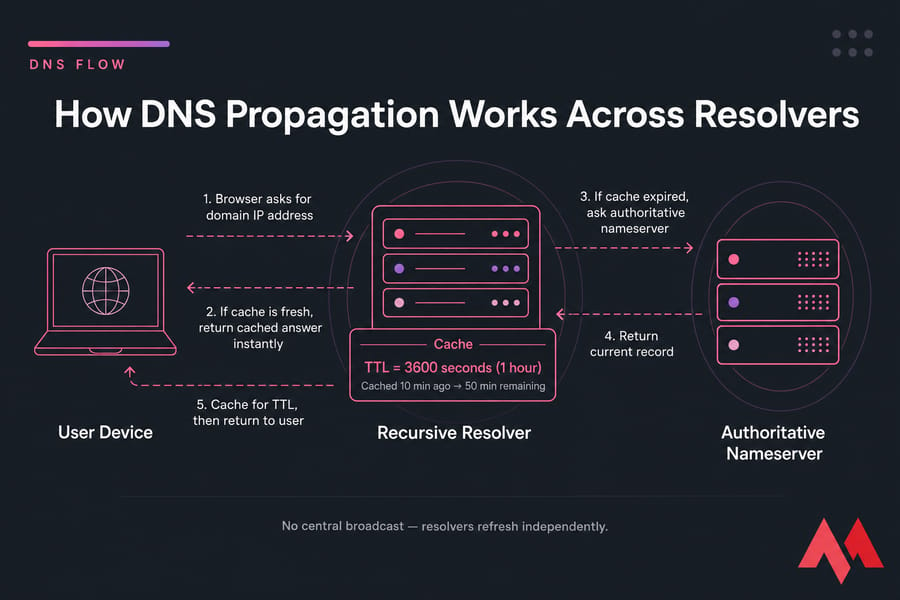
Multiply that across every resolver on earth, each with different cache timing, and you get why different locations see different results. There's no central broadcast. Just a lot of independent caches expiring on their own schedules. The nslookup command lets you query these resolvers directly, which we'll get to shortly.
How Long Does DNS Propagation Take?
Typically? Minutes to a few hours for most changes, with a worst case of 24–48 hours for full global consistency. The variation depends heavily on what you changed and how the TTL was set beforehand.
Here's a realistic breakdown by record type:
| Record Type | Typical Update Visibility | Full Propagation Window | Common Issue |
|---|---|---|---|
| A / AAAA | Minutes to a few hours | Up to 24 hours | Old IP cached locally |
| CNAME | Minutes to a few hours | Up to 24 hours | Points to a record that hasn't updated |
| MX | Minutes to several hours | Up to 48 hours | Email routed to old server temporarily |
| TXT | Minutes to a few hours | Up to 24 hours | SPF/verification failures during transition |
| NS (nameservers) | Hours | Up to 48 hours | Registry-level caching feels slower |
Nameserver changes almost always feel slower. That's because you're changing the delegation at the registry level, and those records often carry longer cache windows. A simple A record swap on the same nameservers usually clears up much faster.
One thing worth stressing: the first visible update happens well before full consistency. You might see your new site in five minutes on your phone, while a colleague across the country still hits the old one for hours. Both are normal.
What Affects DNS Propagation Time?
Several factors push propagation faster or slower. Some you control. Most you don't.
| Factor | Affects Speed? | You Control It? | Notes |
|---|---|---|---|
| TTL setting | Strongly | Yes | Lower it before changing records |
| Resolver cache | Yes | No | Each resolver respects TTL differently |
| Browser / OS cache | Locally only | Yes | You can flush your own |
| ISP behavior | Yes | No | Some ISPs ignore short TTLs |
| Nameserver vs record change | Yes | Partly | NS changes propagate slower |
| Registrar / registry delay | Yes | No | Registry updates can lag |
| DNSSEC misconfiguration | Can break resolution entirely | Yes | A mismatch stops updates, not just slows them |
That last row matters. A broken DNSSEC setup won't just slow things down — it can make your domain fail to resolve completely. If you're unsure who controls what, our guide on registrar vs registry clears up the authority chain. And if resolution is failing outright, check the DNS server not responding error fixes.
How to Check DNS Propagation
Don't guess. Verify from multiple sources so you can tell real propagation from your own stale cache.
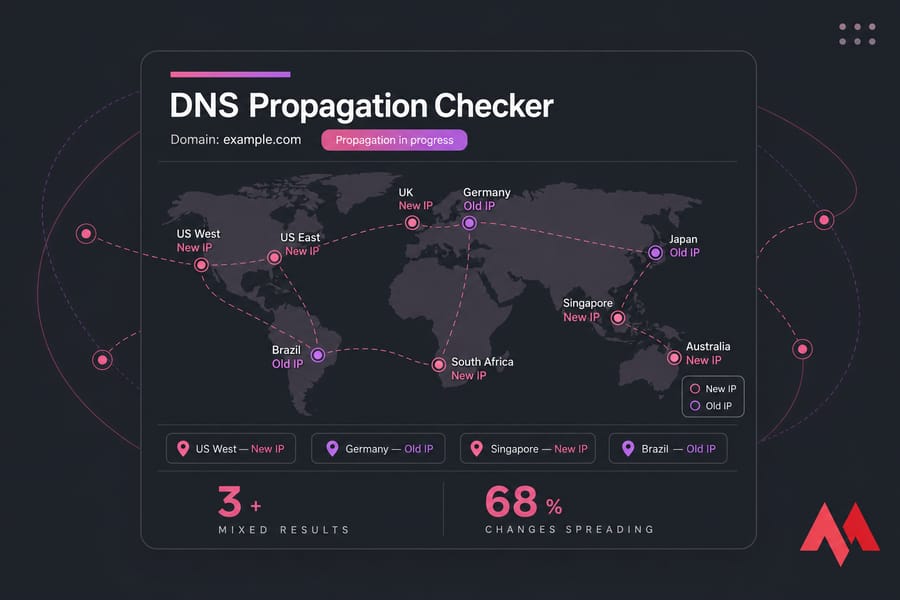
Use a DNS propagation checker
An online DNS checker queries resolvers in different countries and shows you a map. Mixed results — some green, some showing the old value — are completely normal mid-transition. That's actually reassuring: it means the change is spreading.
Check DNS with dig
On Linux or macOS, query a record directly:
dig example.com A
dig example.com MX
dig @8.8.8.8 example.com A
That last line asks Google Public DNS specifically, which is handy for comparing against your ISP's answer.
Check DNS with nslookup
On Windows (or anywhere), nslookup works too:
nslookup example.com
nslookup example.com 1.1.1.1
The second query hits Cloudflare DNS. If Google and Cloudflare both return your new IP but your browser still shows the old site, the issue is your local cache — not propagation.
Pro tip: Always test against multiple resolvers. It's the fastest way to separate real propagation delay from stale cache on your own machine.
How to Speed Up DNS Propagation Safely
Let's be honest up front: you can't force instant global propagation. Anyone promising that is selling something. But you can absolutely reduce the delay if you plan ahead.
Do this:
- Lower your TTL before making changes — ideally 24–48 hours in advance. Drop it to 300 seconds (5 minutes) so resolvers refresh quickly once you cut over.
- Flush your local DNS cache after the change (see how to clear DNS cache on Windows).
- Get the record right the first time — repeated edits reset caches and confuse things.
- Keep your old host live during the transition so nobody hits a dead site.
Don't do this:
- Don't change nameservers when a simple A record update would do — NS changes propagate slower.
- Don't keep tweaking records hoping it'll "kick in." It won't help.
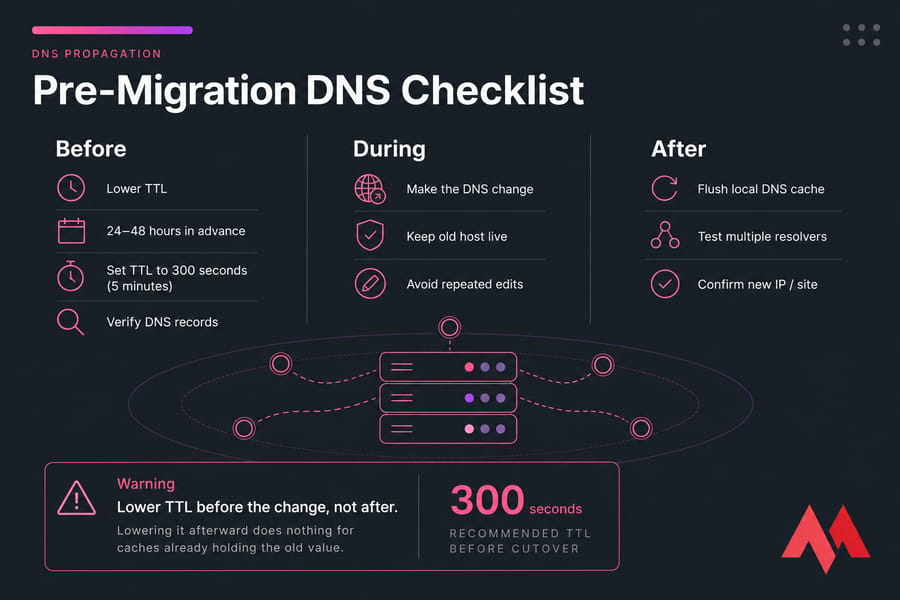
Warning: Lower TTL before the change, not after. Lowering it afterward does nothing for the caches already holding your old value.
Moving your website to a new server?
DNS changes go smoother when your domain, hosting, and support live under one roof. MonoVM Linux VPS hosting and Cloud VPS plans make it easier to set up your domain correctly the first time and cut down migration downtime.
DNS Propagation vs DNS Cache: What's the Difference?
People mix these up constantly. They're related, but not the same thing.
| DNS Propagation | DNS Cache |
|---|---|
| Global process of resolvers updating over time | Stored old answer on your device, browser, router, or resolver |
| You can't control it directly | You can flush your own copy |
| Affects everyone | Affects only that cache's users |
Clearing your cache changes what you see locally — not what the internet sees globally. That's why your laptop might load the new site after a flush while your phone on cellular still shows the old one. Same domain, different caches.
Common DNS Propagation Problems and Fixes
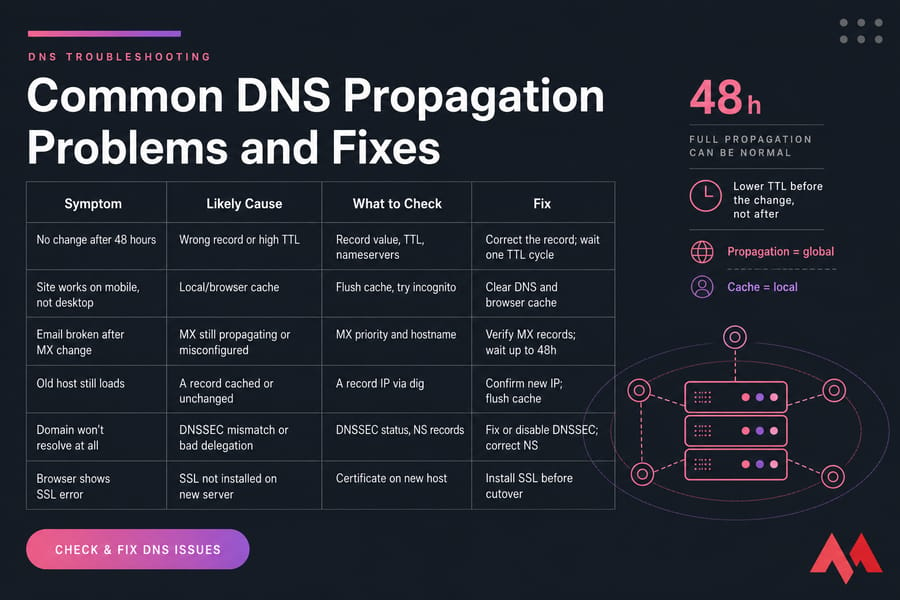
| Symptom | Likely Cause | What to Check | Fix |
|---|---|---|---|
| No change after 48 hours | Wrong record or high TTL | Record value, TTL, nameservers | Correct the record; wait one TTL cycle |
| Site works on mobile, not desktop | Local/browser cache | Flush cache, try incognito | Clear DNS and browser cache |
| Email broken after MX change | MX still propagating or misconfigured | MX priority and hostname | Verify MX records; wait up to 48h |
| Old host still loads | A record cached or unchanged | A record IP via dig | Confirm new IP; flush cache |
| Domain won't resolve at all | DNSSEC mismatch or bad delegation | DNSSEC status, NS records | Fix or disable DNSSEC; correct NS |
| Browser shows SSL error | SSL not installed on new server | Certificate on new host | Install SSL before cutover |
Warning: If your MX records are wrong, email can fail even while your website loads perfectly. Always verify email records separately.
Seeing browser errors instead of a slow load? Those usually aren't propagation at all. Check the DNS_PROBE_FINISHED_NXDOMAIN and ERR_NAME_NOT_RESOLVED error guides — those point to configuration problems, not waiting games.
Best Practices Before Migrating a Domain or Pointing It to a VPS
A clean migration prevents most of the headaches above. Here's the checklist I run through:
- Lower TTL 24–48 hours ahead so the cutover is fast.
- Decide A record vs nameservers. If only your hosting is changing, updating the A record is simpler and quicker than switching nameservers.
- Keep the old site live until the new one is confirmed working everywhere.
- Install SSL on the new server first so visitors don't hit certificate warnings after cutover.
- Check your MX records before the switch so email keeps flowing.
Two common scenarios worth planning for: migrating a website from shared hosting to VPS, and setting up a domain on a VPS for the first time. Both involve DNS changes where a lowered TTL and a live fallback save you real downtime.
When to Wait, When to Troubleshoot, and When to Contact Support
Just wait if: some resolvers show the new record and others still show the old one. That's textbook propagation, and it'll finish within the normal window.
Start troubleshooting if: after 48 hours every resolver still returns the old nameservers, your delegation looks wrong, or email is fully down. At that point it's a configuration issue, not a timing one.
Contact support if: the delegation or registry side seems stuck (that's a registrar matter), or your server setup SSL, records, VPS config needs a hand. MonoVM support can help you point your domain correctly, sort out DNS records, and reduce downtime during the move.
Need help pointing your domain or migrating your site?
Whether you're updating A records, switching nameservers, or moving to a VPS, MonoVM can help you set up DNS correctly and keep downtime low. Explore MonoVM Cloud VPS hosting and Domain Registration or reach out to support to get it done right the first time.

An experienced tech and developer blog writer, specializing in VPS hosting and server technologies. Fueled by a passion for innovation, I break down complex technical concepts into digestible content, simplifying tech for everyone.