Save Up to 60% on buy Linux VPS with a 36-Month Plan
Find the perfect Linux VPS plan that matches your goals and budget. MonoVM offers flexible pricing options for individuals, developers, and businesses of all sizes — giving you the freedom to start small and upgrade anytime. Every plan is transparent, and built to deliver lasting value without hidden costs.
Rated 4.71 from 261 votes
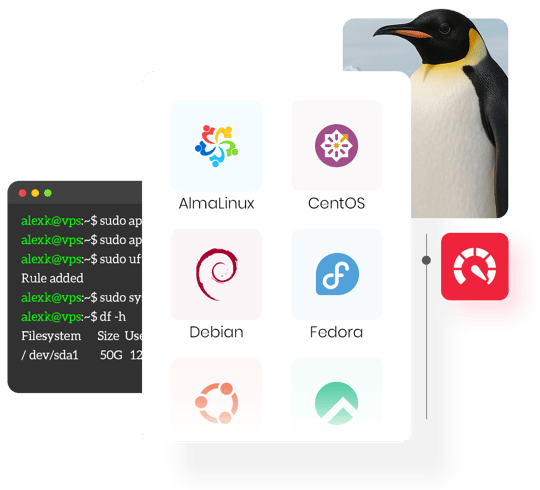
Our Linux Virtual server provides complete flexibility for customization across all configurations. Whether you’re managing various Linux VPS distributions, working with advanced Linux VPS control panels, or adapting to diverse Linux VPS use cases, every setup can be optimized to match your specific goals with precision and reliability.
AlmaLinux is an open-source, enterprise-grade Linux distribution developed and maintained by the AlmaLinux OS Foundation, a non-profit organization backed by CloudLinux Inc., cPanel, and a global community of contributors.
Built as a binary-compatible replacement for Red Hat Enterprise Linux (RHEL), AlmaLinux delivers long-term stability, security, and predictable lifecycle support — making it one of the most trusted operating systems for production-grade VPS hosting.
Latest Almalinux Versions
AlmaLinux 10.0 (Purple Lion) — May 27, 2025
AlmaLinux 9.6 (Sage Margay) — May 20, 2025
AlmaLinux 9.5 (Teal Serval) — November 18, 2024
AlmaLinux 9.4 (Seafoam Ocelot) — May 6, 2024
Latest Ubuntu Server Versions
25.10 (Questing Quokka) — October 2025
25.04 (Plucky Puffin) — April 2025
24.04 LTS (Noble Numbat) — April 2024
22.04 LTS (Jammy Jellyfish) — April 2022
CentOS Stream is a rolling-release Linux distribution positioned between Fedora and Red Hat Enterprise Linux (RHEL) in the ecosystem. Developed and maintained by Red Hat, it serves as the upstream (development preview) for the next minor release of RHEL — offering a perfect blend of stability, modern features, and enterprise alignment.
Built on the Linux kernel 5.x series, CentOS Stream provides earlier access to updates, kernel improvements, and package enhancements that will later appear in RHEL, making it ideal for developers, sysadmins, and businesses who want a production-ready system with continuous innovation.
latest CentOS Stream versions
CentOS Stream 10 — December 12, 2024
CentOS Stream 9 — December 3, 2021
CentOS Stream 8 — September 24, 2019
Latest Debian Versions
Debian 13 (Trixie) — August 9, 2025
Debian 12 (Bookworm) — June 10, 2023
Debian 11 (Bullseye) — August 14, 2021
Debian 10 (Buster) — July 6, 2019
Latest Rocky Linux Versions
Rocky Linux 10 (Red Quartz) — June 11, 2025
Rocky Linux 9 (Blue Onyx) — July 14, 2022
Rocky Linux 8 (Green Obsidian) — May 1, 2021
Latest Fedora Server Versions
Fedora 42 (Adams) — April 15, 2025
Fedora 41 — October 29, 2024
Fedora 40 — April 23, 2024
Fedora 39 — November 7, 2023
latest Oracle Linux versions
Oracle Linux 10 — June 30, 2035
Oracle Linux 9 — June 30, 2032
Oracle Linux 8 — July 31, 2019
latest openSUSE Leap versions
openSUSE Leap 16.0 — October 1, 2025
openSUSE Leap 15.6 — June 12, 2024
openSUSE Leap 15.5 — June 7, 2023
openSUSE Leap 15.4 — June 8, 2022
cPanel System Requirements
CPU: 1.1 GHz processor (2+ cores recommended)
RAM: 2 GB minimum (4 GB recommended)
Storage: 20 GB minimum (40 GB+ recommended for production)
Architecture: 64-bit (x86_64 or AMD64)
DirectAdmin VPS System Requirements
CPU: 500 MHz minimum (multi-core recommended)
RAM: 4 GB minimum (plus at least 4 GB swap memory)
Storage: 2 GB free space minimum after Linux installation
Architecture: 64-bit (x86_64 or AMD64; Intel and AMD supported, Solaris/Sparc not supported)
Plesk for Linux System Requirements
CPU: 1 core minimum (multi-core recommended)
RAM: 1 GB + 1 GB swap (minimum)
Disk space: 20 GB (minimum)
Architecture: 64-bit (x86_64 or AMD64)
Software: Compatible with major Linux distributions
ISPmanager VPS System Requirements
CPU: 1 core minimum (multi-core recommended for better performance)
RAM: 1 GB minimum (2 GB recommended)
Disk space: 10 GB minimum (more recommended for production environments)
Architecture: 64-bit (x86_64 or AMD64)
Software: Compatible with major Linux distributions (CentOS, AlmaLinux, Debian, Ubuntu)
CyberPanel System Requirements
CPU: 1 vCore minimum (2+ vCores for multiple websites)
RAM: 1 GB minimum (2–4 GB recommended for smooth performance)
Storage: 20 GB SSD/NVMe (expandable for website files, emails, and databases)
CWP (Control Web Panel) System Requirements
CPU: 1 core minimum (multi-core recommended)
RAM: 2 GB minimum (4 GB+ recommended)
Storage: 20 GB minimum (more recommended)
Architecture: 64-bit (x86_64 or AMD64)
Webmin System Requirements
CPU: 1 GHz minimum (multi-core recommended)
RAM: 1 GB minimum
Disk space: 2 GB minimum
Architecture: 64-bit (x86_64 or AMD64)
Software: Compatible with most major Linux distributions
VestaCP System Requirements
CPU: 1 GHz minimum
RAM: 512 MB minimum
Disk space: 20 GB minimum
Architecture: 64-bit (x86_64 or AMD64)
A Linux VPS (Virtual Private Server) is a virtualized server environment that runs on the Linux operating system, providing dedicated CPU, RAM, and storage resources within an isolated instance. It’s powered by KVM virtualization, ensuring high performance and security while maintaining flexibility.
Compared to shared hosting, a Linux VPS offers isolated resources, root-level control, and stronger security — eliminating the limitations of shared environments. Unlike a dedicated server, it’s far more affordable, easier to scale, and ideal for users who need reliability without managing physical hardware.
In short:
A Linux VPS gives you dedicated power, stable performance, and complete control, all in a cost-efficient package.

Our Linux VPS infrastructure is built on enterprise-grade hardware designed for performance, stability, and data integrity. Every server is powered by NVMe SSD storage, ECC RAM, and high-performance Intel Xeon or AMD EPYC processors on Supermicro systems configured with RAID 10 for redundancy and optimal read/write speeds.
Network connectivity operates on 1 Gbps and 10 Gbps dedicated ports with guaranteed 99.9% uptime, ensuring low latency and consistent throughput across all global data centers.
This foundation of enterprise hardware, RAID 10 storage, and high-speed networking delivers the reliability and performance your Linux VPS deserves.
Enjoy full root access to your VM Hosting server through SSH, giving you complete freedom to install any applications, frameworks, or control panels you prefer. Whether you're configuring a custom stack or managing advanced settings, SSH puts the full power of a virtual server Linux in your hands.
Easily manage your VPS through the MonoVM Control Panel with full administrative access. Perform one-click OS reinstallations, create instant snapshots, and adjust resources effortlessly. For developers, full API control enables seamless automation and integration into custom workflows.
MonoVM VPS plans are built for seamless scalability. Upgrade resources like CPU, RAM, or storage instantly with zero downtime, ensuring uninterrupted service. Choose between vertical scaling for higher specs or horizontal scaling across multiple VPS instances — giving you complete flexibility to grow without limits.
This recognition highlights MonoVM’s commitment to performance, reliability, and cutting-edge infrastructure — powered by NVMe storage, Intel and AMD CPUs, and a global 1 Gbps & 10 Gbps network.
Delivering consistent results and superior customer experience, MonoVM continues to set the industry standard for VPS hosting performance worldwide.

Your honest review is the best proof of a great customer experience. Leave your comments on the client's dashboard and help others with your candid review.
Find answers to common Linux VPS questions about setup, control panels, OS choices, performance, and scalability. Learn how MonoVM simplifies your Linux hosting experience.
What is a Linux VPS?
+A Linux VPS (Virtual Private Server) is a virtual machine hosted on a physical server using KVM (Kernel-based Virtual Machine) or another hypervisor. It runs its own independent Linux kernel, giving users dedicated CPU, RAM, and SSD/NVMe storage that are fully isolated from other virtual servers.
This setup provides the power and control of a dedicated server at a lower cost. With root access, you can install and configure any Linux distribution — such as Ubuntu, Debian, AlmaLinux, Rocky Linux, or CentOS — and manage your system securely through SSH.
How to connect to the Linux via SSH?
+To connect to your Linux server via SSH, just install an SSH client on your computer or mobile device. Also, access your virtual private server's command line, where a control panel allows for direct SSH or VNC connections. Read our blog post to have a thorough understanding of this idea.
What are the different payment methods available to buy Linux VPS?
+We accept multiple payment gateways, including Credit Cards, PayPal, Wire Transfer, and a wide range of cryptocurrencies.
Many users now prefer paying with Bitcoin or Tether (USDT) for fast, secure, and borderless transactions.
How can I host my website on a Linux VPS?
+When it comes to hosting your website on a Linux VPS, you have two options:
Do you provide IPV6?
+Yes, we provide IPV6. You will be given an IPv4 and an IPv6 address for all our Linux VPS servers.
Can I change my Server OS?
+Yes, you can change the operating system. This can be accomplished through our VPS management control panel. When the OS is changed, all server data is cleared out, and you are given a new server with the new OS.
How long does this process take to activate my server?
+All our plans will be activated within 10 seconds since the payment is processed.
Can I change my Linux Server password?
+Yes, you can change your password in two ways:
Is there any VNC access to my server?
+Yes. We do provide VNC access to all our Linux VPS hosting clients. You can access it by logging into the client area and going to the VPS management control panel. From here, you can access your server via VNC.
Do you provide other operating system VPS options apart from Linux?
+Yes, besides Linux, we offer Windows VPS and MikroTik VPS too.
How many positive reviews do you have?
+You can check the feedback of over 66000 customers who used crypto payments on our platform. For more reviews, visit our Trustpilot page: https://www.trustpilot.com/review/monovm.com
Do you have a money-back guarantee?
+Absolutely, we have a seven-day cancellation policy that entitles you to a full refund within this timeframe. This money-back guarantee does not apply to dedicated servers, domain registrations, add-on goods, or cryptocurrency payments.
Is traffic usage for European locations unlimited?
+While traffic usage for VPS in European locations is technically unlimited, it is regulated by a fair use policy with a defined limit of 12TB per month.
Who is a Linux VPS For?
+Best suited for:
A Linux VPS bridges the gap between affordability and full control — making it the most balanced hosting solution for modern workloads.
What software stacks can I run on a Linux VPS?
+How can I optimize Linux VPS performance?
+How secure is a Linux VPS?
+How does a Linux VPS compare to other hosting types?
+How to test and compare Linux VPS performance?
+Master your Linux VPS with hands-on guides, setup tips, and performance tweaks. Explore tutorials crafted to boost speed, security, and server control.