MikroTik vs pfSense vs OPNsense comes down to one core split: MikroTik is usually the routing-first pick, while pfSense and OPNsense are firewall-first platforms. If you need advanced network control, MikroTik often wins. If you want a more traditional firewall appliance experience, pfSense or OPNsense usually fits better.
MikroTik vs pfSense vs OPNsense: Which One Should You Choose?
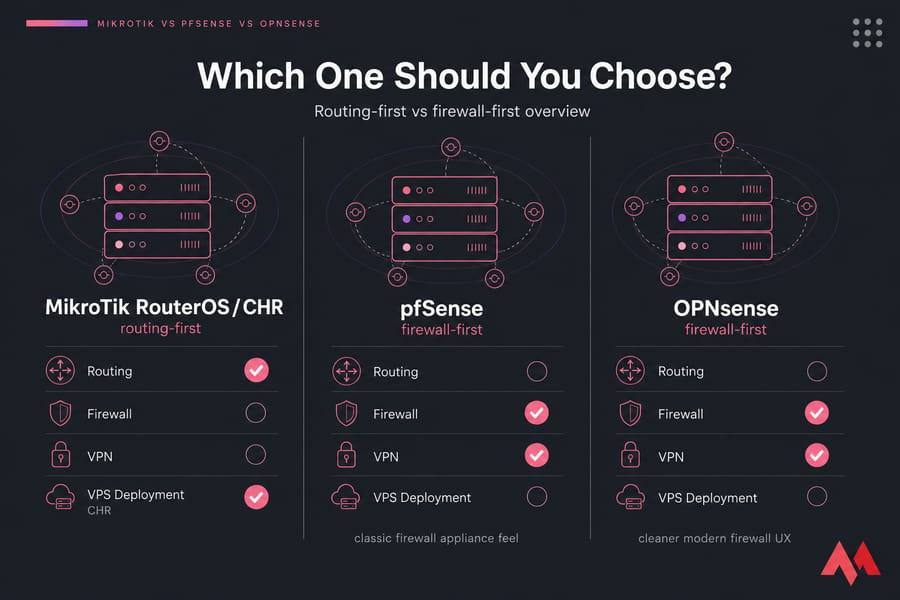
Before you compare, keep one thing straight: RouterOS is a network OS, while pfSense and OPNsense are FreeBSD-based firewall distributions. And throughput claims? Those depend on CPU, NIC quality, packet size, VPN protocol, offloading, and whether IDS/IPS is enabled — not just the product name.
If you need a refresher on basics, see what is a firewall. Now let's get into the useful part.
MikroTik vs pfSense vs OPNsense at a glance
| Platform | Best For | Strength | Weakness | Ideal User |
|---|---|---|---|---|
| MikroTik RouterOS / CHR | Advanced routing, WISP, cloud edge | Deep control over BGP, OSPF, policy routing, queueing | Steeper learning curve for firewall-centric admins | Network engineer, ISP/WISP, power user |
| pfSense | Classic firewall deployments | Mature firewall workflow, broad adoption, strong package ecosystem | Less elegant UI, not as routing-deep as MikroTik | SMB IT, MSP, branch office admin |
| OPNsense | Modern firewall UX and security stack | Cleaner web GUI, polished updates, Zenarmor-friendly ecosystem | Still not a RouterOS replacement for heavy routing | SMB security team, homelabber, modern UI preference |
Short version: choose MikroTik if routing depth is the job. Choose pfSense if you want a proven firewall appliance feel. Choose OPNsense if you want that same firewall-first model with a cleaner interface.
If you're planning a virtual deployment, MikroTik VPS Hosting is a natural fit for CHR, and MikroTik CHR licensing explained will save you some confusion later.
What MikroTik, pfSense, and OPNsense are designed to do
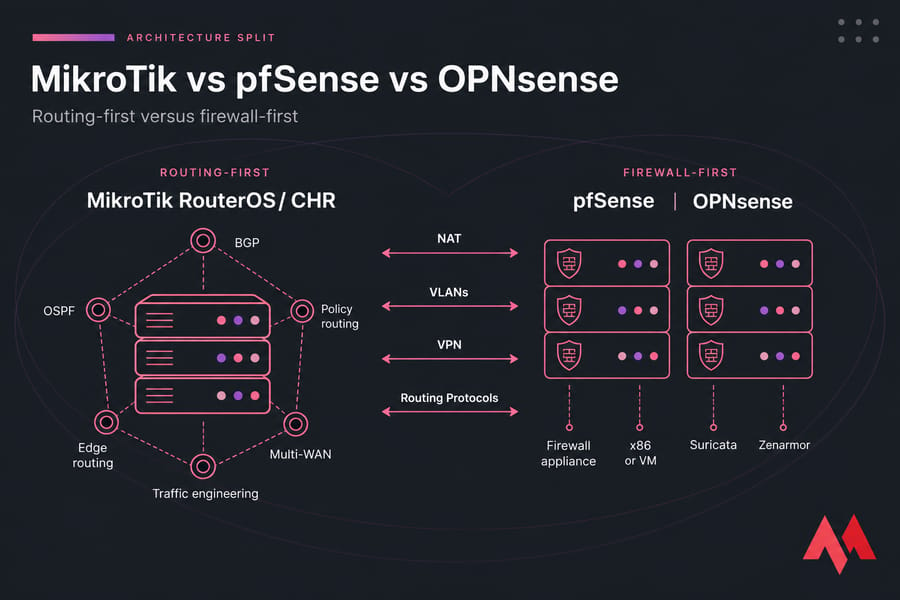
MikroTik RouterOS is built like a networking toolbox. CHR, the Cloud Hosted Router edition, makes that same model work well on VPS and VM infrastructure. In practice, it's at home in edge routing, multi-WAN, traffic engineering, and provider-style setups. If that's your world, RouterOS feels normal.
pfSense is a firewall-first platform. Yes, it routes, does VLANs, VPNs, NAT, DHCP, DNS, HAProxy, and multi-WAN. But the admin experience is shaped around the idea of a firewall appliance running on x86 hardware or a VM. That's why many SMBs land there first.
OPNsense is closer to pfSense than either is to MikroTik. I'd describe it as a modern open-source firewall with a tidier web UI, frequent refinement, and strong security-service appeal. For admins who care about Suricata, Zenarmor, and cleaner day-to-day management, it stands out.
If you're evaluating RouterOS specifically, MikroTik firewall setup and best practices is worth reading. And if you're comparing alternatives broadly, here's a useful list of the best Linux firewalls.
MikroTik vs pfSense vs OPNsense features compared
| Feature | MikroTik | pfSense | OPNsense | Notes |
|---|---|---|---|---|
| Firewall rules / NAT | Very capable | Excellent | Excellent | pfSense/OPNsense feel more firewall-centric |
| VLAN management | Strong | Strong | Strong | All support 802.1Q well |
| BGP / OSPF | Best depth | Basic to moderate | Basic to moderate | Where MikroTik stands out |
| Policy routing | Excellent | Good | Good | MikroTik offers finer-grained control |
| WireGuard | Supported | Supported | Supported | Config quality matters more than checkbox support |
| OpenVPN | Supported | Supported | Supported | See MikroTik OpenVPN setup |
| IPsec | Strong | Strong | Strong | Common for site-to-site VPNs |
| IDS/IPS | Limited focus | Good via Suricata | Very good via Suricata/Zenarmor | Security services favor pfSense/OPNsense |
| HAProxy / extras | Less central | Good | Good | Package/plugin ecosystem matters here |
| Multi-WAN / failover | Excellent | Good | Good | MikroTik is more network-engineering oriented |
| Traffic shaping / QoS | Excellent | Good | Good | Queue trees are powerful but more complex |
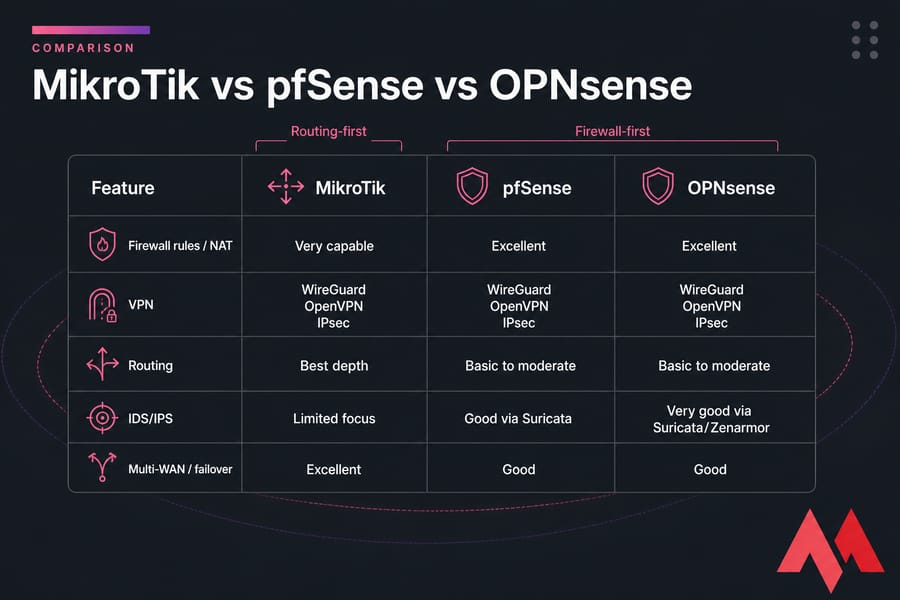
For firewall rules and NAT, all three are capable. But pfSense and OPNsense usually feel more intuitive if your main job is segmenting networks, publishing services, and enforcing policy. That's not a small difference — it affects every change window.
For routing protocols, VLAN-heavy designs, policy-based routing, and fine queueing control, MikroTik usually wins. A WISP, ISP edge, or advanced multi-site admin will notice that quickly.
VPNs are more nuanced. WireGuard is attractive for speed and simplicity, while OpenVPN still shows up everywhere because compatibility matters. IPsec remains a staple for site-to-site work. If you're weighing protocols, this WireGuard vs OpenVPN breakdown helps.
IDS/IPS is where OPNsense and pfSense pull ahead. Suricata support is useful, and OPNsense often gets attention for Zenarmor integration and a more security-focused feel. But remember the ugly truth: enabling IDS/IPS can crush throughput if your CPU or virtual NIC setup isn't up to it.
pfSense vs OPNsense vs MikroTik ease of use and learning curve
For beginners, OPNsense is usually the easiest to like. pfSense is also approachable, just a bit more old-school in feel. MikroTik? Fast once it clicks, but many people underestimate the learning curve and then spend a weekend wrestling WinBox, firewall chains, and routing logic.
Experienced admins may actually move faster in MikroTik for networking-heavy tasks. WinBox is still one of those tools people either love or bounce off hard. pfSense and OPNsense rely more on the web UI model, which feels safer for teams that want predictable backups, updates, and plugin management.
Documentation and community are solid across the board, though in different ways. MikroTik has deep networking material, while pfSense and OPNsense communities often map more closely to SMB firewall workflows. If you're maintaining boxes for clients, that matters more than fan debates online.
If virtual backups and lifecycle management are part of your process, keep good config hygiene. A backup routine is boring right up until it saves you. That's true on all three.
MikroTik CHR vs pfSense vs OPNsense for VPS and virtual deployment
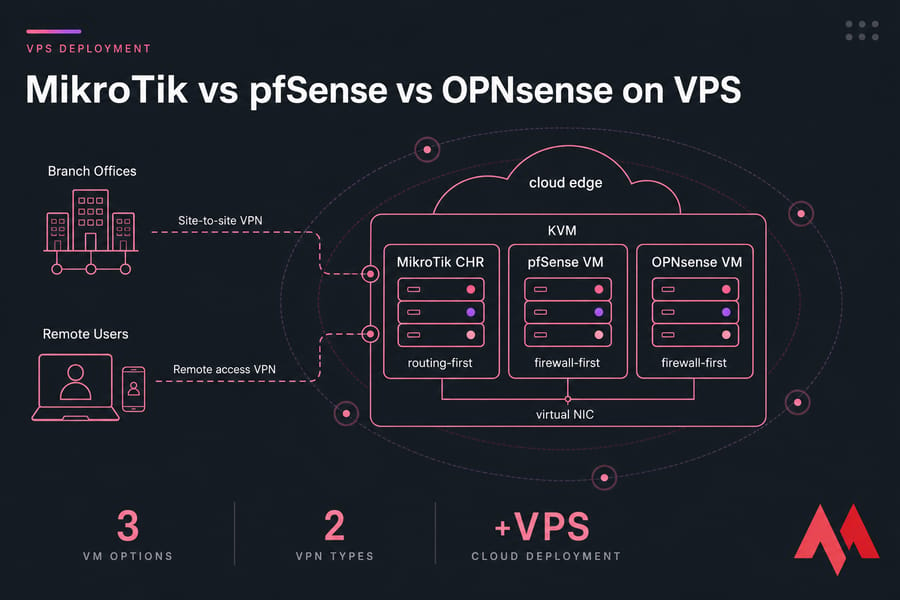
CHR is often the cleanest fit for VPS or cloud edge routing. You can spin it up quickly, route traffic, terminate VPNs, and use it as a branch hub without buying hardware first. That's a big reason teams look at MikroTik VPS Hosting in the first place.
pfSense and OPNsense also run well as virtual firewalls on KVM VPS, labs, and x86 VMs. Just don't assume the VM experience is identical across all three. Virtual NIC choice, offloading behavior, storage latency, and CPU contention can change the result a lot.
| Deployment Need | Best Fit | Why |
|---|---|---|
| Cloud edge router | MikroTik CHR | Natural routing-first virtual model |
| Virtual SMB firewall | pfSense or OPNsense | Cleaner firewall workflow in VM form |
| VPN hub on VPS | All three | Depends on protocol, scale, and admin preference |
| Test lab / training | All three | Good for side-by-side learning |
Resource planning is simple at first: enough vCPU for encryption and inspection, enough RAM for logs and packages, decent storage, and NICs that don't behave badly under load. If your goal is VPN or firewall deployment, a Linux VPS hosting environment or dedicated setup can also make sense for adjacent services.
Need a VPS for MikroTik CHR or a virtual firewall? Deploy on MikroTik VPS Hosting or KVM VPS if you want full control and fast provisioning.
Which firewall platform is best for your use case?
| Use Case | Best Choice | Why | Runner-Up |
|---|---|---|---|
| Homelab and learning | OPNsense | Clean UI, easy experimentation | MikroTik |
| Small business firewall | pfSense | Proven firewall-first workflow | OPNsense |
| WISP / ISP / advanced routing | MikroTik | BGP, OSPF, policy routing, queueing depth | pfSense |
| VPN concentrator | Depends on protocol and scale | All can do it; design matters more | — |
| Branch office with VPN and filtering | OPNsense | Nice balance of usability and security services | pfSense |
| Hosting / VPS / cloud edge | MikroTik CHR | Very comfortable in virtual routing roles | OPNsense |
Here's a concrete example. A small branch office with site-to-site VPN, web filtering, and simple VLAN segmentation will usually be happier on pfSense or OPNsense. A WISP or advanced admin needing policy routing, failover logic, and traffic shaping will usually be happier on MikroTik.
If VPN is the main goal, MonoVM also has infrastructure for OpenVPN server hosting, broader VPN server hosting, and guides to set up a VPN on a VPS server.
Common mistakes when choosing MikroTik, pfSense, or OPNsense
First mistake: choosing by popularity alone. Reddit noise doesn't tell you whether you need routing depth or firewall simplicity.
Second: ignoring hardware and NIC quality. I've seen perfectly good firewall designs look bad because the virtual NIC setup was sloppy or the appliance had weak interfaces.
Third: underestimating maintenance. Updates, config backups, plugin sprawl, and VPN troubleshooting all cost time. And yes, time is part of the price.
Fourth: buying too much complexity. If you don't need BGP, OSPF, and detailed queue trees, RouterOS may be more than you want. If you do need them, pfSense or OPNsense can feel limiting.
Final verdict: MikroTik vs pfSense vs OPNsense
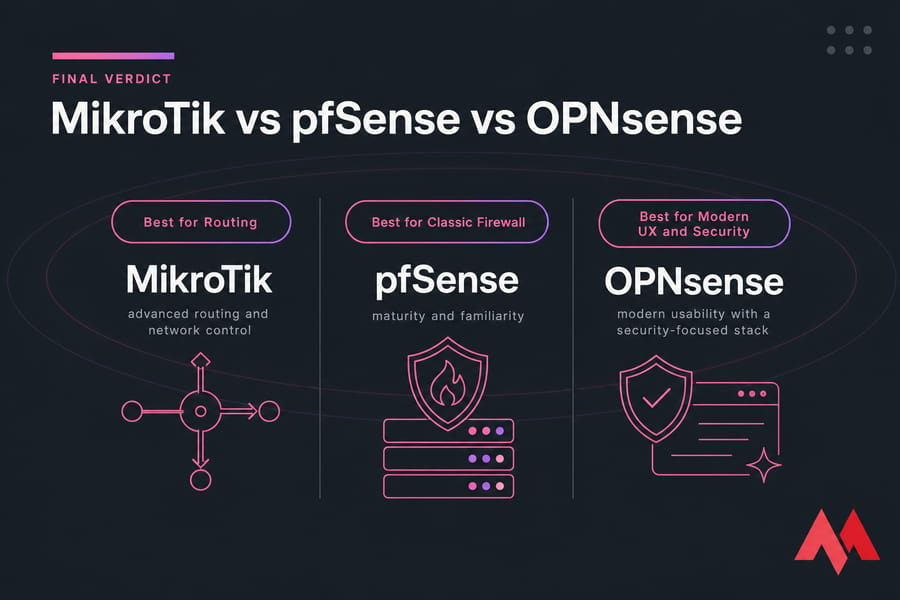
MikroTik is the best overall pick for advanced routing and network control. pfSense is the best fit for classic firewall deployments that value maturity and familiarity. OPNsense is the strongest choice if you want modern usability with a security-focused stack.
If you're still unsure, start with your primary job. Routing-heavy and cloud edge? Go MikroTik CHR. Traditional SMB firewall? Start with pfSense. Clean interface plus modern security services? OPNsense is a smart bet.
And when you're ready to deploy, MonoVM can cover the infrastructure side with MikroTik VPS Hosting, Linux VPS hosting, and KVM VPS options.

An experienced tech and developer blog writer, specializing in VPS hosting and server technologies. Fueled by a passion for innovation, I break down complex technical concepts into digestible content, simplifying tech for everyone.