![How to Find the Seed of a Minecraft Server? [Seed Search Minecraft]](/wp-content/uploads/2023/11/How-to-Find-the-Seed-Minecraft-Server426-main.webp)
World generation in Minecraft is driven by complex mathematical algorithms that take a numeric or textual code called a “Seed” as the core computational input. This code determines the placement of biomes, structures, caves, and resources throughout the world. On servers, it effectively functions as the world’s roadmap; therefore, access to it can provide a significant informational advantage. Finding the seed, essentially the genetic code of a Minecraft world, in Single Player mode is extremely easy. However, when it comes to multiplayer servers, the process becomes more complex and far more exciting. In this article from MonoVM, we teach you every possible method. So put down your pickaxe and join me.
Why Do Players Look for a Minecraft Seed?

Before we move on to the how, let us examine the why. Why is this multi digit code so popular?
A Minecraft seed is a number or text string used by the game’s world generation algorithm to place trees, lakes, caves, and structures at precise coordinates.
If you have a server’s seed, it is like holding a treasure map in your hands. Players usually search for the seed for the following reasons:
- Finding rare biomes: You might be looking for a Mushroom Island biome located thousands of blocks away.
- Locating structures: Finding a Stronghold, Desert Temple, or Woodland Mansion without the seed can sometimes take months.
- Building optimized farms: For farms such as slime farms, you need to know exactly which chunks have slime spawning capability.
- Testing strategies: Many players prefer to load the server map in Creative mode offline to identify the best location for building their main base.
In short, having the seed means having the key to the game world, which allows you to understand and control it more effectively.
Before we begin, if you want to find the address of the Minecraft server you’re connected to, I recommend checking out the Find Minecraft Server address guide. It will help you quickly and accurately locate your server’s connection details.
Impact of Server Architecture and Type on Data Accessibility
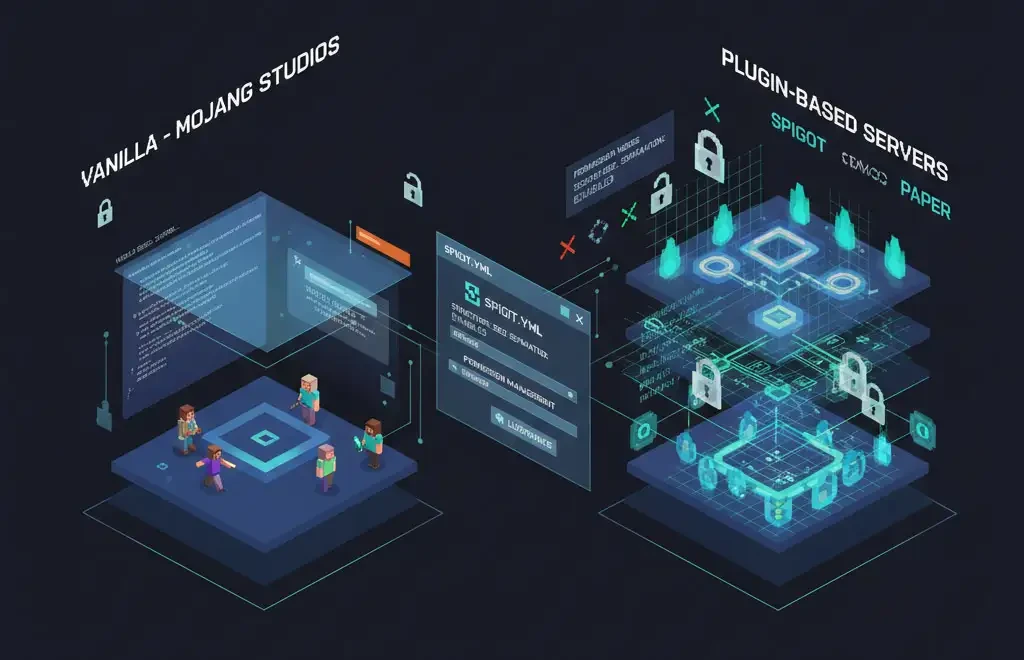
The software core on which a server runs plays a decisive role in how the seed is protected. Minecraft servers typically operate on different server cores, each offering distinct levels of security and customization.
Vanilla and Basic Cores
Mojang Studios provides Vanilla servers directly. These servers offer minimal customization and limited security controls. If default permissions are not properly configured, extracting the seed through simple exploits or even built in commands can be very easy.
Plugin Based Cores such as Spigot and Paper
Paper is one of the most popular forks of Spigot and focuses on performance optimization and bug fixes. By default, Paper blocks several seed related exploits. On such servers, administrators can restrict access to the /seed command using permission management systems such as LuckPerms.
Advanced settings inside the spigot.yml configuration file also allow structure seeds to be modified independently, which significantly increases the difficulty of reverse engineering or cracking the world seed.
|
Core Type |
Optimization Capability |
Seed Security |
Key Feature |
|
Vanilla |
Low |
Weak |
Pure gameplay experience |
|
Spigot |
Medium |
Moderate |
Extensive plugin support |
|
Paper |
High |
Strong |
Fixes Vanilla exploits |
|
Fabric |
Very High |
Variable |
Suitable for technical and modded servers |
If you are interested in setting up a Minecraft server and are unsure where to begin, start with the guide How to Make a Minecraft Server and If you already operate a server that requires updates, review How to Update a Minecraft Server carefully.
How Server Type Affects the Possibility of Finding the Seed
Choosing a seed discovery method depends heavily on the type of server. Broadly speaking, there are two primary categories: servers that you host yourself and public servers or Realms hosted by others.
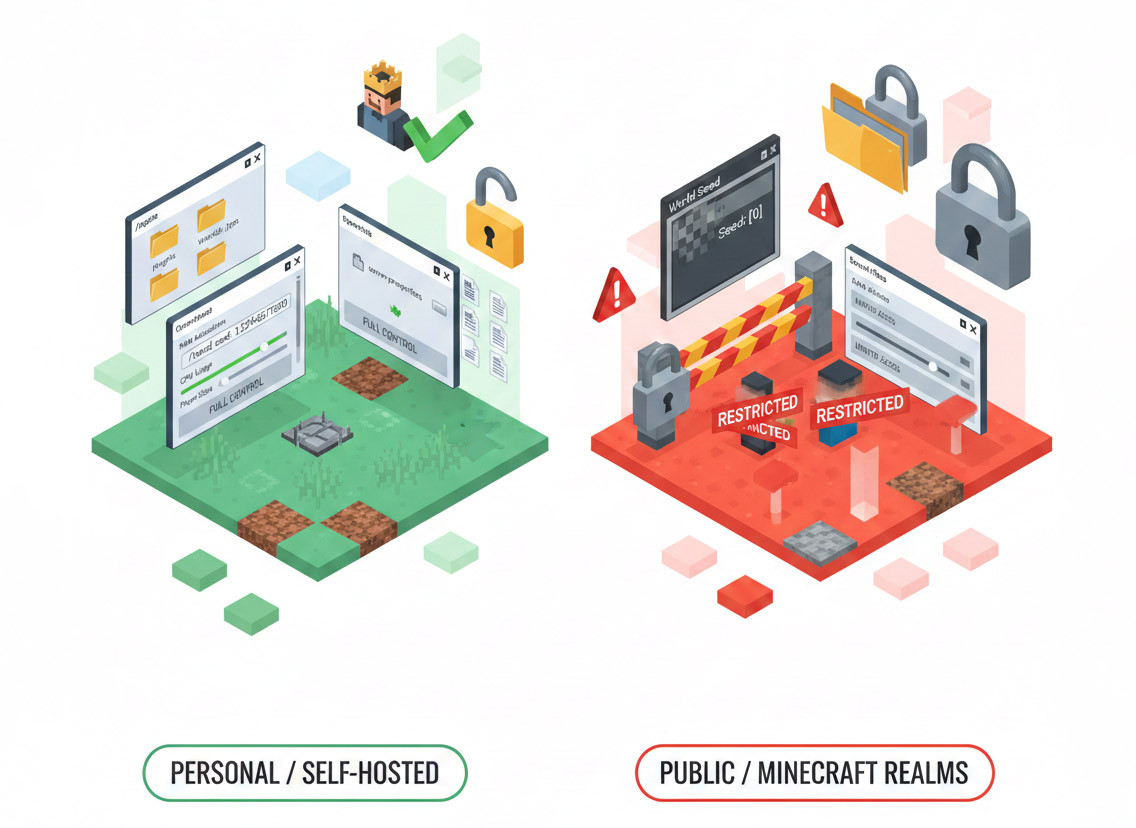
Personal or Self Hosted Server
If the server belongs to you, whether local or hosted through a purchased hosting service, you have full access to files and configurations. In this case, finding the seed is straightforward.
If you have operator privileges, you can type the /seed command in the server console or in game chat and the seed value will be displayed. The seed is also stored in configuration files such as server.properties in the Java edition or inside the level.dat file. For example, you can check the level-seed parameter in server.properties.
Another method involves copying the world folder into your single player saves directory and loading it in single player mode. During world creation or advanced settings inspection, the seed can be identified. When you control the server, discovering and even modifying the seed is relatively simple.
If you intend to run a modded server with custom tools and expanded capabilities, the guide How to Make a Modded Minecraft Server can provide structured assistance.
Public Server or Realms
On public servers or Minecraft Realms that are not hosted on your own machine, direct access to the seed is typically restricted. By default, Minecraft hides the seed in multiplayer environments to prevent unauthorized duplication of worlds.
For example, in the Java Edition, opening the F3 debug screen displays the seed value as 0. This indicates that the actual seed is intentionally concealed. Even server administrators often cannot view the seed through the in-game interface in the same manner as single player mode.
Therefore, on public servers or Realms without administrative level access, specialized tools or alternative technical approaches are required to extract the seed. Before attempting any such method, you should review the server’s policies and rules. On many servers, extracting the seed without permission may violate server regulations or gameplay guidelines.
Method One: Using Built In Commands in the Java Edition
The most direct way to obtain the seed is by using the game’s internal command system. These approaches require administrative privileges or specific server side configurations in Minecraft Java Edition.
1. Using the /seed Command In Game
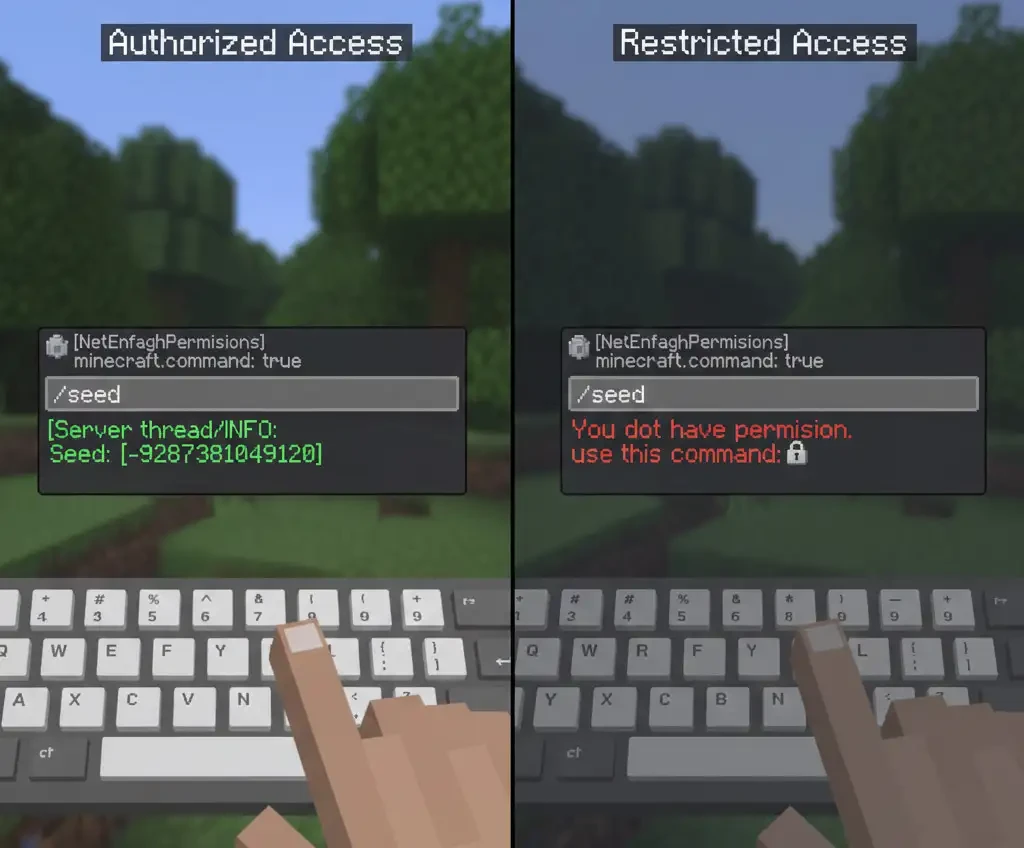
If a player has the permission node minecraft.command.seed, they can press T, type /seed in chat, and instantly view the numeric seed value.
On many public servers, this command is disabled for regular players to prevent resource location disclosure. If you lack the required permission, the message “You do not have permission” will appear. This indicates that alternative methods are required.
2. Access Through Server Console and Hosting Panel
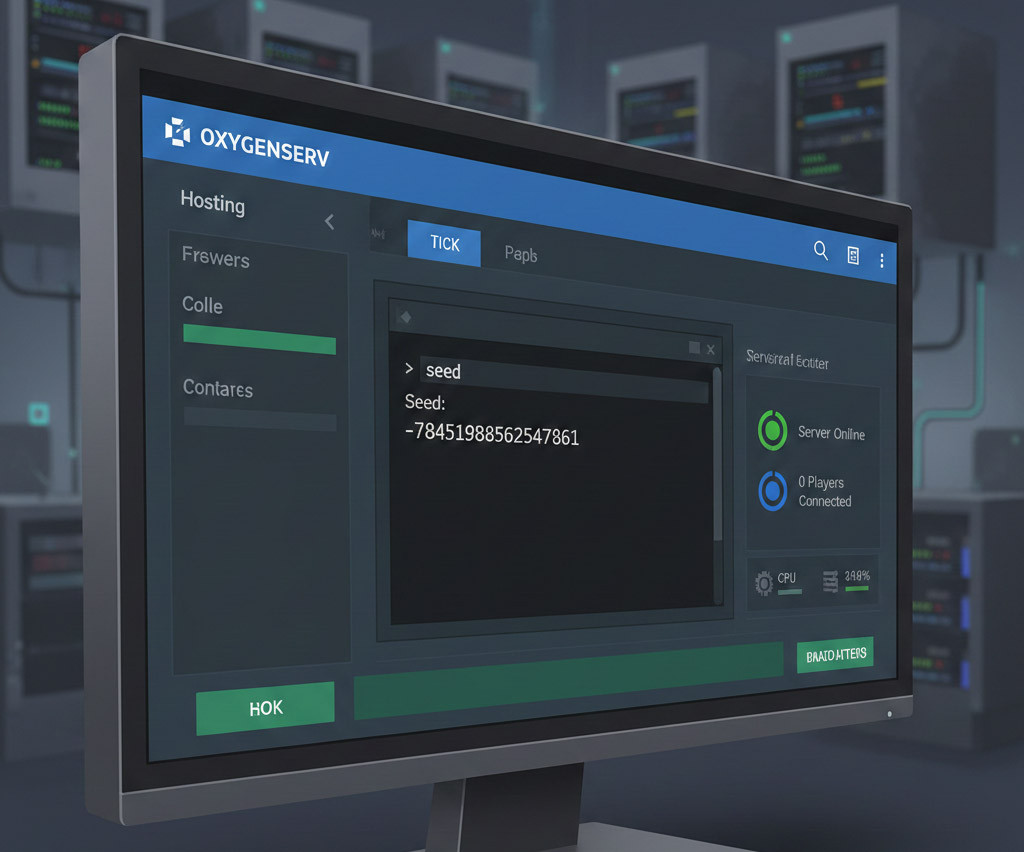
Server administrators with access to hosting control panels such as Oxygenserv or BisectHosting can retrieve the seed without entering the game environment.
By typing seed directly into the server console, the system immediately returns a response formatted as:
Seed: [Numerical Value]
This method functions even when the server is under load or when no players are online.
3. Extracting the Seed from System Files Using NBT
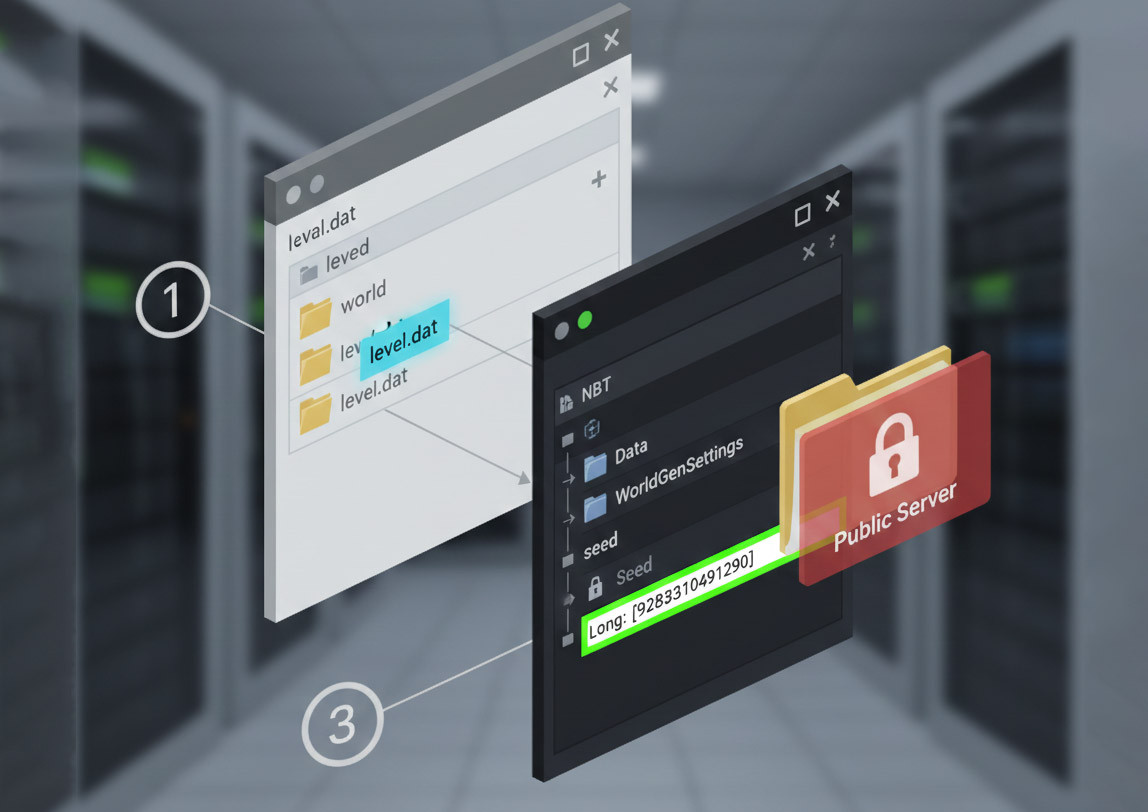
If you have file level access to the server, reading the level.dat file is the most definitive method. This file is stored in NBT format and contains all critical world configuration data.
Procedure:
- Navigate to the world folder, usually named world.
- Locate the level.dat file in the root directory.
- Open the file using tools such as NBTExplorer or an online NBT viewer.
- In newer versions, the seed is located at the path:
Data/WorldGenSettings/seed
As previously noted, public servers do not grant this level of file access. Therefore, this method is only viable on servers you control.
4. Enabling Commands in Single Player Mode
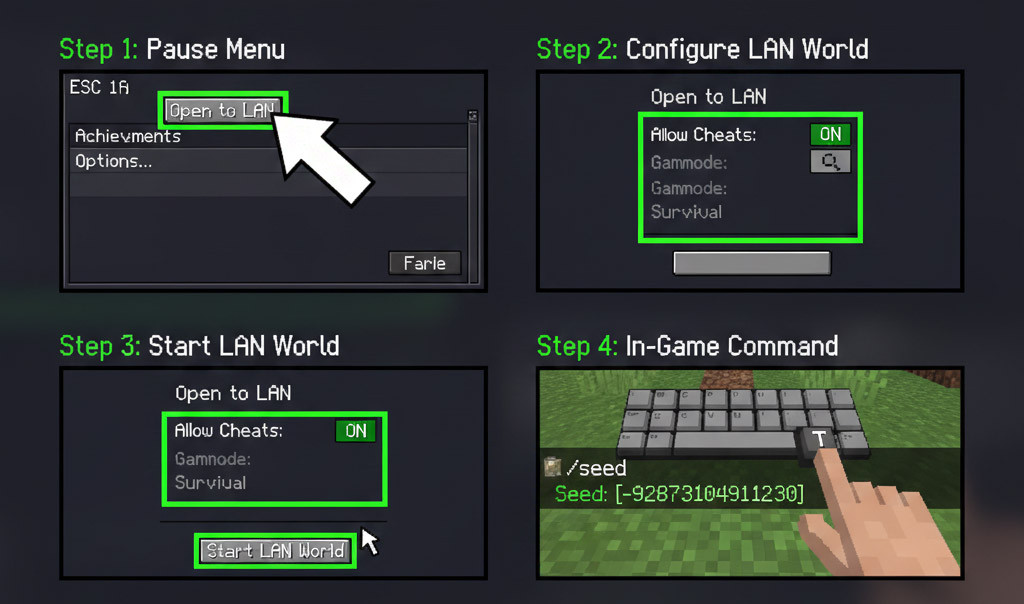
If you are playing in single player mode and the /seed command does not function, cheats must be enabled.
Steps:
- Press ESC and select Open to LAN.
- Set Allow Cheats to ON.
- Start the LAN session.
- Enter /seed in chat to display the seed.
This approach temporarily enables command execution in both single player and local multiplayer sessions.
For additional technical details about available commands and their syntax, refer to the guide Minecraft Commands.
Method Two: Using Tools to Discover the Seed Without Admin Access
Now assume you are on a public server and the administrator has no intention of sharing the seed. In that case, certain techniques based on reverse engineering can be used. These methods analyze world generation patterns such as structure placement and terrain features to mathematically infer the seed in Minecraft.
1. SeedCrackerX: Best option for Java Edition
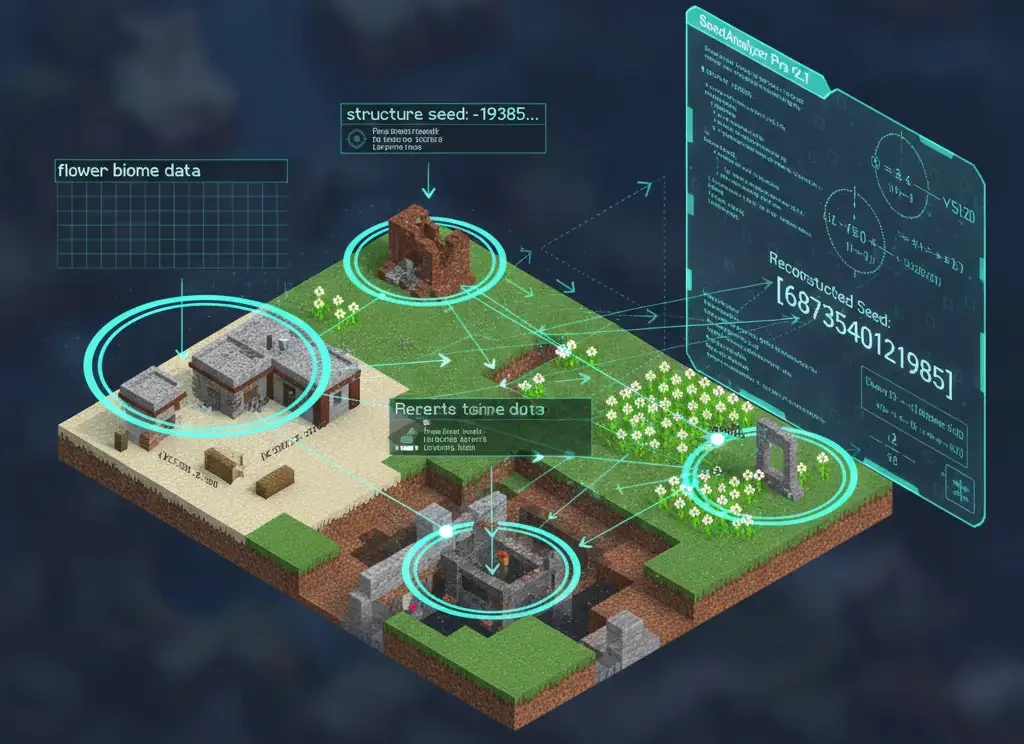
This is the most widely used tool among technical players. SeedCrackerX is a client-side mod, which means it only needs to be installed on your local machine and does not require server-side installation.
How it works:
As you explore the world, the mod collects structural and environmental data such as:
- Village coordinates
- Desert temples
- Ruined portals
- Strongholds
- Even certain decorative generation patterns such as flower distributions
Once sufficient data points are gathered, the mod applies deterministic world generation mathematics to narrow down and compute the server’s seed. The more structures you discover, the faster and more accurate the calculation becomes.
This method relies on the fact that Minecraft world generation is algorithmically deterministic. Given enough structural references, the original seed can be reconstructed.
2. Combining World Downloader and AMIDST
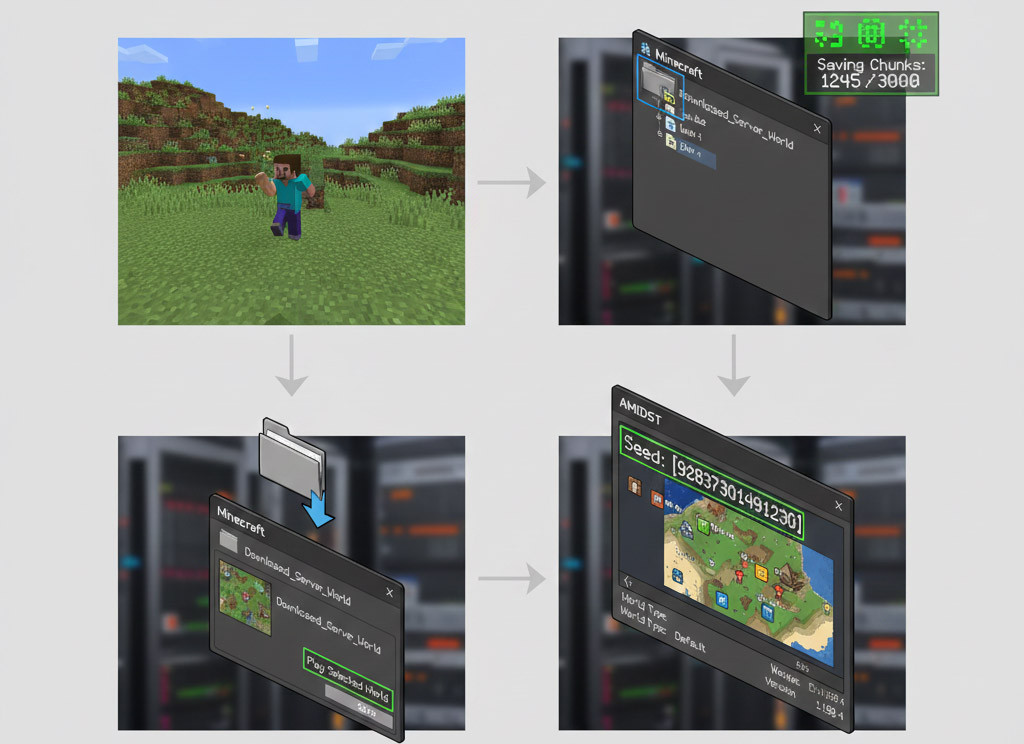
Another popular approach involves using World Downloader. World Downloader allows you to locally save explored chunks from a multiplayer server. As you move around the world, the mod stores all loaded chunks onto your computer. After leaving the server, you will have a local copy of the explored terrain inside your game’s save directory. Procedure overview:
- Join the server with World Downloader installed.
- Explore and load as many chunks as possible.
- Disconnect from the server.
- Locate the downloaded world folder.
- Copy it into your saves directory if necessary.
- Load it as a single player world.
At this stage, the world behaves like a local save. You can inspect its files directly, including the level.dat file, which contains world generation metadata.
To immediately visualize or confirm the seed, run AMIDST on the downloaded world folder. AMIDST reads the level.dat file and displays the stored seed along with biome and structure mapping.
In simple terms, World Downloader replicates the world locally, and once you have a local copy, seed extraction becomes technically feasible.
3. Structure Matching with Replay Mod
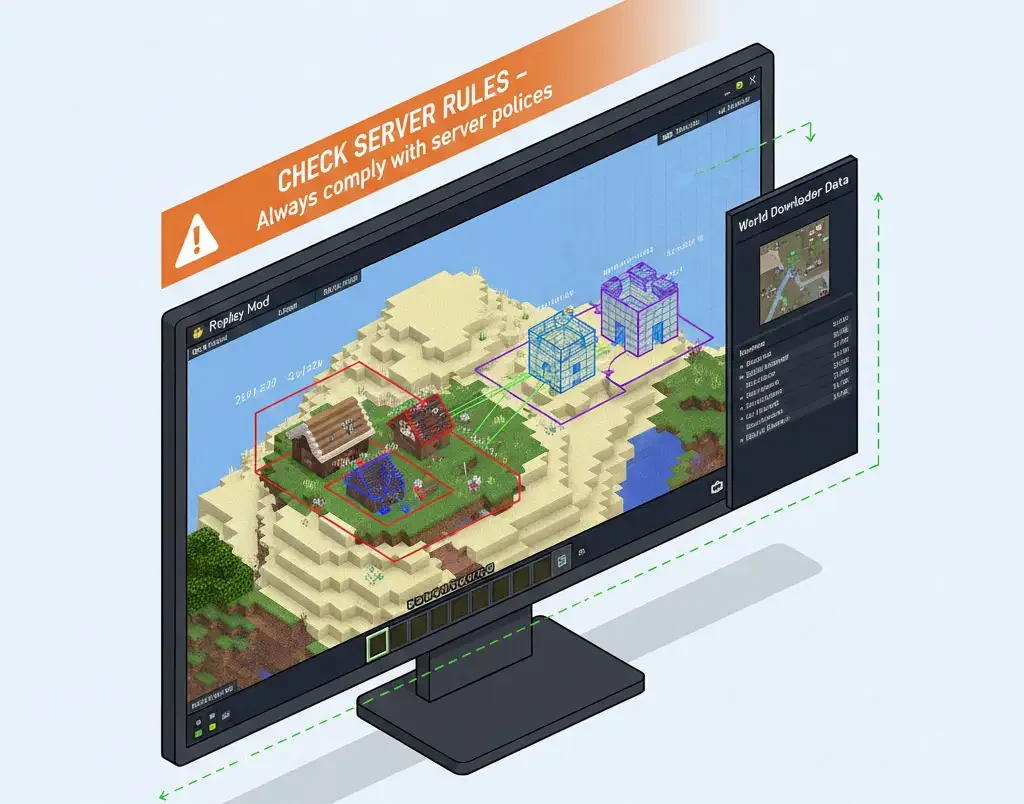
If you are familiar with recording and video editing tools, you may already know Replay Mod. This mod records gameplay sessions in detail.
Some advanced users analyze recorded footage and compare visible structures against known Minecraft world generation algorithms. By matching structure spacing, orientation, and biome transitions, they attempt to reverse engineer the seed.
This method is significantly more complex and requires strong mathematical and algorithmic knowledge. However, it is theoretically possible.
One suggested workflow is:
- Record extended exploration footage.
- Open the recording in Replay Mod.
- Identify major structures and coordinate relationships.
- Optionally combine this analysis with a locally downloaded map using World Downloader.
This hybrid approach increases available data points and improves reconstruction accuracy.
Important Consideration: Before attempting any of these techniques, review the server’s rules and policies. On many public servers, attempting to extract the seed without permission may violate server guidelines or result in penalties.
How to Use SeedCrackerX – Step-by-Step Guide
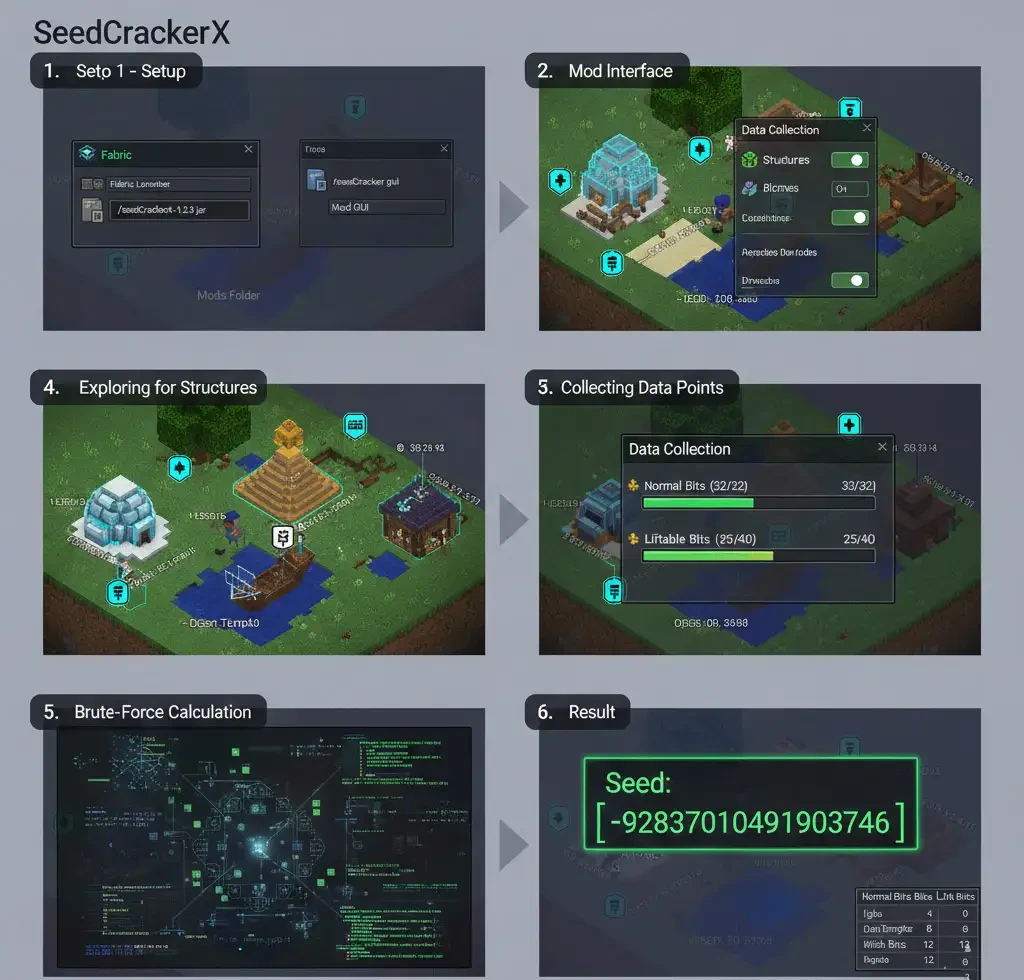
SeedCrackerX is currently considered the most advanced tool for extracting seeds in the Java edition. This tool runs as a Fabric mod and automatically collects data in the background. Every natural structure or feature found in the world contributes a certain number of "bits" or mathematical certainty to the algorithm. To start the brute-force process, typically $32$ normal data bits and $40$ bits from liftable structures are required.
|
Structure Name |
Normal Bits |
Liftable Bits |
Technical Importance |
|
Igloo |
9 |
9 |
Highly precise interior layout data |
|
Desert Pyramid |
9 |
9 |
Exact position at chunk center |
|
Shipwreck |
8 |
8 |
High variability in orientation |
|
Witch Hut |
9 |
9 |
Strict spawn location constraints |
|
Ocean Monument |
9 |
0 |
Complementary biome data |
To clarify the workflow, here are the general steps for using SeedCrackerX:
- Install Fabric or LiteLoader: First, ensure Fabric is installed on your server version, or you can access the corresponding version via a multi-instance launcher (MultiMC or similar).
- Download the mod: Download the SeedCrackerX-x.x.x.jar file (from the developer’s GitHub page or official links) and place it in the mods folder.
- Launch and set up: Start the game, then enter the command /seedcracker gui (or /seed gui in newer versions) in chat. In the mod window, make sure the required options are enabled (such as selecting biomes or structures to use).
- Explore the world: Now start moving around the server world. Look for natural game structures: temples, caves, guard towers, End cities, etc. Each identified structure helps the mod collect more data.
- Monitor progress: You can check your progress (the number of bits collected) using the command /seedcracker data bits or by observing mod messages in chat. Once enough data is gathered, the mod will automatically calculate and display the seed.
- Record the seed: After finding the seed, write it down. It is usually a long number (positive or negative).
The advantage of SeedCrackerX is its user-friendliness and automation. No manual operation is required; you just need to be in the game exploring. However, note that the mod depends on the game version and must match the server version. In some newer versions, before starting the mod (with /seedcracker gui), you need to specify which structures to search for (for example, in newer versions it is better to disable Emerald, Desert Well, and certain parts). Overall, without accessing server files, SeedCrackerX allows you to obtain the seed without being an OP.
Minecraft Bedrock: Can You Find the Seed?
Bedrock edition works differently. The network and world layers are distinct, and the /seed command does not exist in the client or server. On any Bedrock server (even local ones) typing /seed gives no response. On corporate servers or Realms, it also doesn’t work by default.
The only way to get the seed is by accessing the world files. In Bedrock, the seed is stored in level.dat or world settings. Opening this file reveals a variable RandomSeed that holds the numeric seed. Using a hex editor, you can read the next 10 bytes (int64) after RandomSeed to obtain the seed. In practice, this means downloading the world, opening it in a hex editor, and extracting the seed from RandomSeed.
For large-scale or official servers (like Realms), this is much harder. On personal servers, you can extract the seed via FTP or local file transfer.
Note: Unlike Java, Realms files are nearly inaccessible, so finding the seed without the owner’s cooperation is likely impossible.
Is Cracking Server Seeds Legal or Ethical?
In general, extracting a seed without permission may violate server rules or terms of service. For example, in a discussion on a Minecraft technical forum, one user wrote: “If the server you’re playing on hasn’t provided the seed, it’s best to respect the server admin’s decision. Cracking the seed could get you banned.” In other words, even if tools exist to crack seeds, it’s safer to use them only when you have the right and permission to do so (for example, on your own server or with the admin’s consent). Otherwise, it could breach server rules.
On the other hand, using tools like SeedCrackerX or World Downloader is generally not considered illegal, but you should account for the risk of account suspension or server bans. Some seed-cracking mods even include features like X-ray (seeing resources through walls), which are banned on many servers. In short, the technology itself is not illegal, but it may conflict with server rules or codes of conduct. Always proceed cautiously, and if you want to avoid risk, use servers where the seed is openly available or configure the server so the seed is visible.
Troubleshooting: Why You Can’t Find the Seed
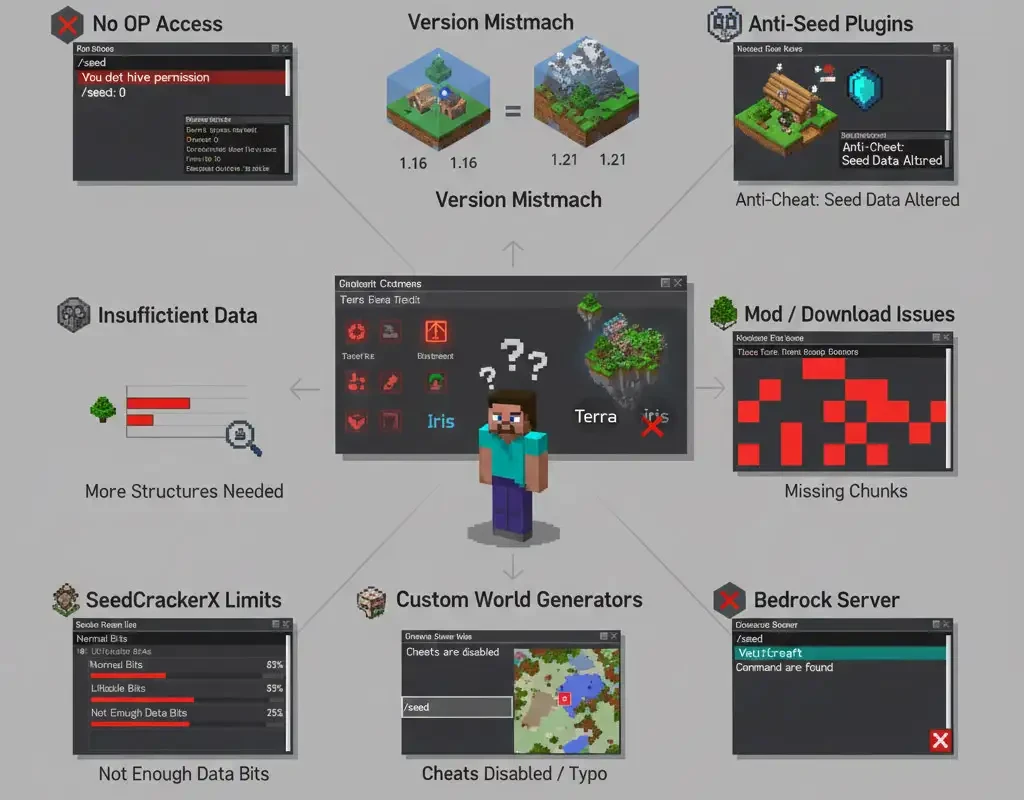
If you were unable to find the server seed after trying, the reasons may include the following:
- No OP access: Without administrator privileges on a Java server, the /seed command will not work (the F3 screen in multiplayer servers also shows 0).
- Different game versions: The same seed can generate different worlds across versions (for example, between Java 1.16 and 1.21). If you attempt to crack the seed using a tool or version that doesn’t match the server, you may not get results.
- Anti-seed-cracking plugins: Some advanced servers use plugins that slightly shift structures or send altered data to the client to confuse mods.
- Insufficient data: If you have only found one village, don’t expect the mod to provide the seed. Sometimes you need to locate 10–15 different structures before calculations can be completed.
- Custom world generators: Using plugins such as Terra or Iris, which significantly modify terrain generation algorithms, can render vanilla-based tools ineffective.
- Mods or incomplete downloads: With World Downloader, if you haven’t downloaded all required chunks or the process encountered errors, the extracted seed may be unreliable. Likewise, in SeedCrackerX, if you don’t find enough structures, the mod cannot compute the seed.
- Typo or Cheats disabled: If you type /seed in singleplayer and receive an error, make sure Cheats are enabled and the command is entered correctly.
- Bedrock server: As mentioned earlier, /seed does not exist on Bedrock servers. If you expect it to work, you are likely using the wrong method.
- Firewall or network restrictions: Some servers (especially professional hosts) may block unauthorized mods. Installing mods on an online server could lead to detection and banning.
In many cases, error messages or the lack of a response to /seed are related to one of the issues above. For example, if F3 shows 0, it means the SMP world does not reveal the seed. If you download a world with World Downloader and can see all chunks but still don’t know the seed, you may have made a mistake when loading the saved world. Carefully verifying version compatibility and tool configuration often resolves the problem.
Conclusion
As you have seen, finding a Minecraft seed is often possible, but it is not always simple or even permissible. Ultimately, if you want full control over world files, hardware resources, and server security, a Buy Minecraft VPS service with dedicated resources, root access, and the ability to install custom mods and plugins provides significant flexibility. For larger projects, high-population servers, or professional networks, Minecraft Dedicated Server Hosting with dedicated hardware, high stability, consistent performance, and full control over security configurations is a powerful and reliable option.