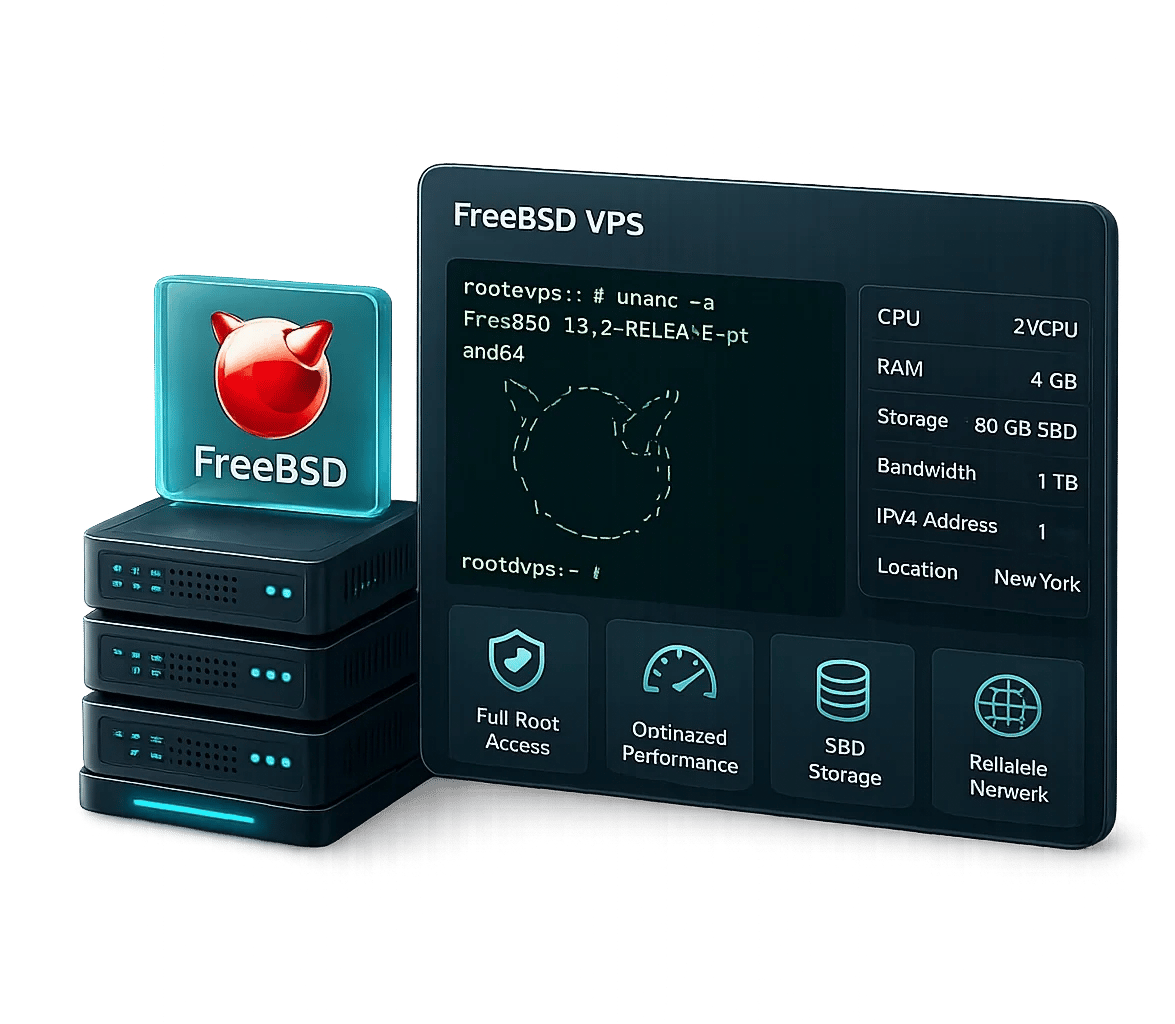
FreeBSD VPS Server:
Engineered for System Integrity and Network Precision
Run production workloads on a hardened FreeBSD VPS — built on a monolithic, unified OS architecture with native ZFS, kernel-enforced jails, and sub-millisecond network performance.
Full root access, native ZFS, and Ports Collection support—engineered for the precision of your network.
Flexible FreeBSD VPS Hosting Plans
Whether you are deploying a stateful firewall using PF, running high-throughput NGINX or Apache workloads, or architecting a custom network application stack, our FreeBSD VPS hosting plans are configured to meet strict performance and isolation requirements. Each plan provides dedicated vCPU allocation, guaranteed RAM (no memory ballooning), and NVMe-backed storage — eliminating the I/O contention common in oversold environments. All configurations support instant vertical scaling: CPU cores, RAM, and disk can be provisioned live without instance reboots or environment reconfiguration.
Rated 5 from 1 votes
- linux VPS
- windows VPS
- forex VPS
- RDP
Performance across plans
Geekbench 6 multi-core benchmarks measured on production hardware in Amsterdam, Netherlands
Why Choose FreeBSD VPS Hosting from MonoVM?
MonoVM FreeBSD VPS offers a stable, secure, and high-performance environment powered by the FreeBSD operating system. With dedicated CPU and RAM resources, full root access, and instant deployment, it is ideal for hosting, development, and enterprise workloads requiring reliability and strong network performance.
7-Day Money-Back Guarantee
Try any MonoVM VPS plan risk-free for 7 days. If you're not fully satisfied, request a complete refund with no cancellation fees or hidden conditions. Available on all monthly and annual VPS plans, with a simple and hassle-free refund process.
⚡ Trial Period: 7 days | Refund Processing: 3–5 business days
⚡ Coverage: All VPS plans | Setup Fee: None
99.9% Uptime SLA
MonoVM guarantees 99.9% network uptime, measured at the network edge. If availability falls below this level, service credits are automatically applied based on downtime, up to the full monthly service amount.
⚡ Uptime Guarantee: 99.9% | Measurement Point: Network Edge
⚡ Credit per Hour of Downtime: 5% | Maximum Credit: Up to 100% of the Monthly Invoice
24/7 Expert Support
Get help from experienced engineers around the clock. Live chat and ticket requests receive fast responses, while most technical issues are resolved quickly without unnecessary transfers or support delays.
⚡ Live Chat Response: < 5 minutes | Ticket Response: < 30 minutes
⚡ First-Contact Resolution Rate: 92% | Channels: Live Chat · Email · Support Tickets
Anycast-Routed Global Data Center Locations
Note: Latency values are approximate averages measured from Central Europe under normal network conditions and are updated regularly to reflect current routing performance. Actual latency may vary depending on your ISP, network congestion, and geographic location.
Choose Your OS & Control Panel
Customize your Canada VPS with the operating system and control panel that fits your workflow. From popular Linux distributions like Ubuntu, CentOS, and AlmaLinux to Windows Server, you get complete flexibility.
A reliable solution for VPS Server environments and enterprise deployments requiring a rock-solid operating system. Stability, security, and enterprise-level performance are not just benefits; they are the norm. These features are available to everyone daring to dream big and achieve more. Step into the AlmaLinux community, a community-driven Linux ecosystem tailored for those who crave a production-grade platform.
Latest Almalinux Versions
AlmaLinux 10.0 (Purple Lion) — May 27, 2025
AlmaLinux 9.6 (Sage Margay) — May 20, 2025
AlmaLinux 9.5 (Teal Serval) — November 18, 2024
AlmaLinux 9.4 (Seafoam Ocelot) — May 6, 2024
Enterprise-hardened with SELinux enforcing mode and extensive IPv6 support built into NetworkManager and firewall. Preferred for high-availability network applications requiring RHEL binary compatibility, long-term ABI stability, and auditd-compliant security logging in regulated environments.
Latest CentOS / CentOS Stream Versions
CentOS Stream 10 — December 12, 2024
CentOS Stream 9 — December 3, 2021
CentOS Stream 8 — September 24, 2019
Minimalist kernel footprint with full IPv6 stack support, including support for 6in4, 6to4, and ISATAP transition mechanisms. Optimal for resource-constrained long-term deployments or environments requiring Debian's proven security patching cadence and deterministic dependency management via APT.
Latest Debian Versions
Debian 13 (Trixie) — August 9, 2025
Debian 12 (Bookworm) — June 10, 2023
Debian 11 (Bullseye) — August 14, 2021
Debian 10 (Buster) — July 6, 2019
Ships with full dual-stack networking enabled by default. Supports advanced IPv6 features including Privacy Extensions (RFC 4941), DHCPv6-PD prefix delegation, and Netplan-based YAML network configuration. Ideal for DevOps teams managing containerized workloads via Docker or Kubernetes with IPv6 pod networking.
Latest Ubuntu Server Versions
25.10 (Questing Quokka) — October 2025
25.04 (Plucky Puffin) — April 2025
24.04 LTS (Noble Numbat) — April 2024
22.04 LTS (Jammy Jellyfish) — April 2022
latest Oracle Linux versions
Oracle Linux 10 — June 30, 2035
Oracle Linux 9 — June 30, 2032
Oracle Linux 8 — July 31, 2019
Latest Rocky Linux Versions
Rocky Linux 10 (Red Quartz) — June 11, 2025
Rocky Linux 9 (Blue Onyx) — July 14, 2022
Rocky Linux 8 (Green Obsidian) — May 1, 2021
Leading-edge kernel releases (typically within 2–4 weeks of upstream) with cutting-edge IPv6 features such as Multipath TCP (MPTCP), eBPF-based network tracing, and the latest DNSSEC/DNS-over-HTTPS tooling. Purpose-built for R&D teams and engineers who need to evaluate next-generation protocol implementations before upstream LTS stabilization.
Latest Fedora Server Versions
Fedora 42 (Adams) — April 15, 2025
Fedora 41 — October 29, 2024
Fedora 40 — April 23, 2024
Fedora 39 — November 7, 2023
latest openSUSE Leap versions
openSUSE Leap 16.0 — October 1, 2025
openSUSE Leap 15.6 — June 12, 2024
openSUSE Leap 15.5 — June 7, 2023
openSUSE Leap 15.4 — June 8, 2022
Full IPv6 support integrated into the Windows networking stack, including Teredo, ISATAP, and 6to4 transition technologies. Supports IPv6 in IIS, Active Directory, DNS, and RRAS — enabling smooth migration for organizations running Microsoft-standardized infrastructure without disrupting existing group policy or AD DS topologies.
Latest Windows Server Versions
Windows Server 2025 — November 1, 2024
Windows Server 2022 — August 18, 2021
Windows Server 2019 — November 13, 2018
Windows Server 2016 — August 2, 2016
Purpose-built for advanced Layer 3 and Layer 4 network operations. RouterOS provides full IPv6 routing support including OSPFv3, BGP with IPv6 address families, IPv6 firewall chains, and DHCPv6 server/client functionality. Ideal for organizations deploying VPN concentrators, traffic-engineered WAN links, or multi-tenant network virtualization environments.
latest MikroTik RouterOS stable release
RouterOS 7.20.1 (Stable) — Released in 2025
The gold standard for network-intensive and security-critical workloads. FreeBSD's KAME-derived IPv6 stack is one of the most complete and standards-compliant implementations available, with native support for IPsec, Router Advertisements, and SCTP. Its jails subsystem provides kernel-level OS-level virtualization with full IPv6 isolation, making FreeBSD VPS deployments ideal for firewalls, high-throughput proxies, and environments requiring ZFS data integrity guarantees alongside rock-solid network performance.
latest FreeBSD versions
FreeBSD 14.3 — June 10, 2025
FreeBSD 14.2 — December 3, 2024
FreeBSD 14.1 — June 4, 2024
FreeBSD 14.0 — November 20, 2023
latest OpenBSD versions
OpenBSD 7.7 — April 28, 2025
OpenBSD 7.6 — October 8, 2024
OpenBSD 7.5 — April 5, 2024
OpenBSD 7.4 — October 16, 2023
Our VM Hosting offers a customizable, robust hosting solution. Built with top-tier hardware, it delivers high-speed performance, root access, and compatibility with multiple Linux distributions for versatile functionality. Our servers are optimized for cPanel to ensure superior performance. Small business owners and personal website managers can handle multiple client projects effortlessly. Rely on our professional support team for seamless management and exceptional results. Easily manage your domains, create email accounts, and install applications using cPanel's intuitive, user-friendly interface.
cPanel System Requirements
CPU: 1.1 GHz processor (2+ cores recommended)
RAM: 2 GB minimum (4 GB recommended)
Storage: 20 GB minimum (40 GB+ recommended for production)
Architecture: 64-bit (x86_64 or AMD64)
DirectAdmin VPS System Requirements
CPU: 500 MHz minimum (multi-core recommended)
RAM: 4 GB minimum (plus at least 4 GB swap memory)
Storage: 2 GB free space minimum after Linux installation
Architecture: 64-bit (x86_64 or AMD64; Intel and AMD supported, Solaris/Sparc not supported)
ISPmanager VPS System Requirements
CPU: 1 core minimum (multi-core recommended for better performance)
RAM: 1 GB minimum (2 GB recommended)
Disk space: 10 GB minimum (more recommended for production environments)
Architecture: 64-bit (x86_64 or AMD64)
Software: Compatible with major Linux distributions (CentOS, AlmaLinux, Debian, Ubuntu)
CyberPanel System Requirements
CPU: 1 vCore minimum (2+ vCores for multiple websites)
RAM: 1 GB minimum (2–4 GB recommended for smooth performance)
Storage: 20 GB SSD/NVMe (expandable for website files, emails, and databases)
Let the Dokploy be your ultimate partner in deployment, designed to ignite passion in your development process. Crafted for engineers and developers, it simplifies application management, turning complexity into effortless pleasure. Get started instantly with pre-configured templates for tools like Supabase, Cal.com, and Pocketbase because your time deserves nothing less than pure satisfaction.
System Requirements
CPU: 2 vCores (4+ vCores recommended for CI/CD pipelines)
RAM: 2 GB minimum (4–8 GB recommended for optimal performance)
Storage: 25 GB SSD/NVMe (expandable for builds, images, and database storage)
Coolify is a comprehensive PaaS solution that seamlessly integrates with both hosted and self-hosted platforms like GitHub, GitLab, Bitbucket, Gitea, and more. Coolify simplifies deployments, resource management, and tool integration, offering endless possibilities. Best of all, it removes the hassle of server management and the complexities that come with it.
System Requirements
CPU: 2 vCores (4+ vCores recommended for multiple apps)
RAM: 2 GB minimum (4–8 GB recommended for smooth management)
Storage: 25 GB SSD/NVMe (expandable for app data, builds, and backups)
Plesk for Linux System Requirements
CPU: 1 core minimum (multi-core recommended)
RAM: 1 GB + 1 GB swap (minimum)
Disk space: 20 GB (minimum)
Architecture: 64-bit (x86_64 or AMD64)
Software: Compatible with major Linux distributions
Webmin System Requirements
CPU: 1 GHz minimum (multi-core recommended)
RAM: 1 GB minimum
Disk space: 2 GB minimum
Architecture: 64-bit (x86_64 or AMD64)
Software: Compatible with most major Linux distributions
VestaCP System Requirements
CPU: 1 GHz minimum
RAM: 512 MB minimum
Disk space: 20 GB minimum
Architecture: 64-bit (x86_64 or AMD64)
CWP (Control Web Panel) System Requirements
CPU: 1 core minimum (multi-core recommended)
RAM: 2 GB minimum (4 GB+ recommended)
Storage: 20 GB minimum (more recommended)
Architecture: 64-bit (x86_64 or AMD64)
Provision staging and production environments with native IPv6 endpoints for testing AAAA record resolution, dual-stack fallback (Happy Eyeballs RFC 8305), and HTTP/3 over QUIC.
A VPS offers the perfect balance of control and performance for web hosting. You can deploy servers like Apache for dynamic sites, Nginx for high-traffic applications, or LiteSpeed for maximum speed and caching efficiency.
Typical use cases include hosting multiple websites, managing CMS platforms like WordPress, and running custom web apps with full server control.
A VPS gives you dedicated power, flexibility, and reliability to host without limits.
A VPS delivers the speed, scalability, and control needed for running powerful e-commerce platforms like Magento, WooCommerce, and PrestaShop. With dedicated CPU and RAM, your store can handle higher traffic, faster checkouts, and secure payment processing.
Common use cases include:
- Hosting resource-intensive Magento or WooCommerce stores
- Running multiple PrestaShop storefronts on one server
- Managing custom plugins, caching, and SSL configurations
A VPS ensures fast performance, data security, and room to scale — essential for growing online businesses.
Gaming Use Cases for VPS Hosting
A VPS is perfect for hosting private or community game servers with full performance control and low latency. You can easily deploy popular titles like Minecraft VPS, CS:GO, and Rust, configure mods, and manage players securely.
Common use cases include:
- Hosting private multiplayer servers for friends or communities
- Running modded or custom game environments
- Managing backups, updates, and server monitoring independently
A VPS gives gamers dedicated power, low ping, and freedom to customize every aspect of their gaming experience.
A VPS is ideal for running reliable, controllable mail servers. With root access and dedicated resources, you can deploy:
- Postfix – fast, flexible SMTP for Linux
- Exim – highly configurable MTA with robust routing
- Microsoft Exchange – enterprise-grade email, calendar, and Active Directory integration (on Windows VPS)
Common use cases:
- Hosting business email with custom domains and DKIM/SPF/DMARC
- Running secure SMTP/IMAP/POP for teams and clients
- Managing mailing lists, aliases, and rate-limited transactional email
A VPS mail stack delivers deliverability control, security, and scalability you can’t get from shared hosting.
A VPS is ideal for running blockchain nodes or crypto infrastructure with full control, uptime, and network reliability. It provides the computing power and bandwidth required to maintain synchronization and validate transactions securely.
You can host major nodes such as:
- Bitcoin – run a full node to verify blocks and support the Bitcoin network
- Ethereum – deploy execution or consensus clients for staking or dApp development
- Monero – operate a privacy-focused node for secure, anonymous transactions
- Lightning Network – build fast Bitcoin payment channels with low fees
Common use cases:
- Running personal or public blockchain nodes
- Supporting Web3 or DeFi applications
- Participating in staking or validator networks
- Testing blockchain APIs and smart contracts
A VPS-based crypto node ensures decentralization, data sovereignty, and continuous uptime for blockchain enthusiasts and developers alike.
A VPS (Virtual Private Server) provides the isolation, performance, and control needed to host modern database management systems (DBMS) efficiently. With dedicated CPU, RAM, and storage I/O, it’s ideal for both development and production environments where data integrity and scalability matter.
You can deploy leading database engines such as:
- MySQL – reliable and widely used relational database for web applications
- PostgreSQL – advanced open-source SQL engine with rich data types and indexing
- Microsoft SQL Server (MSSQL) – enterprise-grade relational database for Windows-based applications
- MongoDB – NoSQL document-oriented database optimized for dynamic and unstructured data
Common VPS database use cases:
- Hosting production databases for websites, SaaS platforms, or APIs
- Running data analytics, reporting, or replication environments
- Managing development or staging databases with root-level access
- Supporting multi-database architectures for hybrid apps
A VPS database setup ensures fast query performance, secure storage, and full administrative freedom — key factors for data-driven applications and scalable infrastructures.
A VPS offers developers a flexible, isolated environment to build, test, and deploy modern applications. With root access and dedicated resources, you can easily run containerized or CI/CD setups using:
- Docker – to create and manage lightweight application containers
- Kubernetes – to orchestrate scalable, distributed container clusters
- GitLab – to host private repositories, automate deployments, and manage CI/CD pipelines
Common use cases:
- Building cloud-native apps in a private, secure environment
- Hosting full DevOps pipelines with version control and continuous integration
- Testing and staging microservices before production rollout
A VPS-based development environment provides speed, control, and isolation, empowering teams to innovate without dependency limits.
A VPS offers the low latency, stability, and 24/7 uptime required for modern trading environments. It allows traders and developers to run automated or manual strategies securely and without interruption.
You can deploy trading platforms and tools such as:
- Forex platforms like MetaTrader 4/5 for fast execution and minimal slippage
- Algorithmic trading bots using Python or Node.js frameworks
- Crypto trading terminals and API-based bots for Binance, Bybit, or Coinbase
- Multi-strategy setups integrating signals, backtesting, and live trading environments
Common use cases:
- Running EA bots or custom Python scripts continuously
- Managing multiple trading accounts and exchanges
- Hosting crypto arbitrage or automated market-making systems
A VPS ensures speed, reliability, and independence — essential for professional traders operating in Forex, crypto, or automated trading ecosystems.
A VPS provides the performance, uptime, and flexibility needed to host reliable VoIP (Voice over IP) systems. With dedicated resources and root access, you can easily deploy platforms like:
- Asterisk – open-source PBX engine for custom telephony solutions
- FreePBX – web-based GUI for managing Asterisk servers efficiently
- 3CX – feature-rich business phone system for Windows and Linux environments
Common use cases:
- Hosting corporate or call center phone systems
- Managing SIP trunks and VoIP gateways
- Running IVR menus, voicemail, and call routing applications
A VPS-hosted VoIP solution ensures low latency, secure communication, and full control over your telephony infrastructure
A VPS can serve as a secure and always-available remote workstation or remote access gateway, enabling users to connect from anywhere with complete control and privacy.
You can configure it for:
- Remote desktop environments using RDP or VNC
- Secure remote file management via SSH, SFTP, or web-based control panels
- Collaborative work setups with tools like Visual Studio Code Server or Remote IDEs
- Centralized access points for team resources or private networks
Common use cases:
- Running a remote Windows or Linux desktop
- Managing servers or corporate systems from different locations
- Providing remote access for developers, freelancers, or IT admins
A VPS enables secure connectivity, persistent uptime, and cross-location flexibility — making it ideal for remote teams and professionals.
A VPS provides the security, scalability, and control needed for building your own cloud storage or backup infrastructure. With dedicated disk space and root access, you can easily deploy:
- Nextcloud – a self-hosted cloud storage and collaboration platform
- OwnCloud – enterprise-ready file sync and sharing solution
- Bacula – advanced backup, recovery, and data verification system
Common use cases:
- Hosting private or team cloud drives
- Automating scheduled backups for servers or websites
- Managing encrypted off-site storage for critical data
A VPS-based setup ensures data privacy, redundancy, and complete ownership — ideal for businesses and individuals seeking independent cloud or backup solutions.
A VPS offers the flexibility, uptime, and isolation needed to run advanced network monitoring and infrastructure management tools. With full root access, you can deploy and configure essential systems like:
- Zabbix – for real-time network, server, and application performance monitoring
- Nagios – for infrastructure alerts, uptime tracking, and incident response
- Grafana – for visualizing metrics, logs, and analytics dashboards
- pfSense – for building secure firewalls, VPN gateways, and network routers
Common use cases:
- Monitoring server health, uptime, and bandwidth usage
- Managing firewalls and VPN gateways for secure infrastructure
- Collecting and visualizing metrics for DevOps or IT operations
- Setting up alert systems for network failures and anomalies
A VPS provides dedicated performance, high availability, and network-level control, making it the perfect environment for system administrators, DevOps teams, and network engineers managing complex infrastructures.
A VPS provides the stability, customization, and scalability needed to host modern learning management systems (LMS). With full administrative control, you can deploy platforms like:
- Moodle – open-source LMS ideal for schools, universities, and corporate training
- Open edX – enterprise-grade learning platform for large-scale online education
Common use cases:
- Hosting online courses and digital classrooms
- Managing student data, progress tracking, and assessments
- Integrating video lectures, plugins, and custom learning tools
A VPS-based LMS ensures high uptime, data privacy, and scalable performance, making it the perfect foundation for educators, institutions, and online academies.
A VPS provides the performance, uptime, and flexibility needed to run automation frameworks and background services reliably. With root access, you can deploy and manage tools such as:
- Telegram Bots – for community management, notifications, or automation tasks
- Discord Bots – for gaming, moderation, and engagement automation
- Selenium – for browser-based testing, scraping, and workflow automation
- n8n – for building low-code, self-hosted automation workflows connecting APIs and apps
Common use cases:
- Running chatbots or automated response systems
- Scheduling web tasks, API calls, or data synchronization
- Creating workflow automations without external SaaS limits
A VPS-powered automation stack ensures speed, control, and privacy, ideal for developers, startups, and tech communities automating repetitive operations.
Why Choose MonoVM's FreeBSD VPS Hosting?
A FreeBSD VPS is a hypervisor-isolated virtual instance running FreeBSD — a complete, self-contained UNIX operating system in which the kernel, drivers, and userland are co-developed and released as a single, coherent codebase. Unlike Linux distributions that assemble components from disparate upstream sources, FreeBSD servers ship as an integrated system, resulting in predictable ABI stability, consistent syscall behavior, and tighter security guarantees. Architecturally, FreeBSD delivers the ZFS storage subsystem natively, a mature MAC (Mandatory Access Control) framework, OS-level containerization via jails, and one of the most performant TCP/IP network stacks available in any open-source OS — making it the technically justified choice for workloads where system correctness and resource efficiency are non-negotiable.
- Network Security and Advanced Firewall Engineering: Leverage FreeBSD's PF stateful packet filter with ALTQ traffic shaping, CARP for high-availability failover, and VLAN tagging — a proven stack for building carrier-grade firewalls and custom routing appliances.
- Web and Application Hosting at Scale: Deploy NGINX, Apache, or Caddy on a low-overhead OS with a highly optimized TCP stack; FreeBSD's sendfile() implementation and zero-copy networking deliver measurable throughput gains under high concurrency.
- Custom VPN and Proxy Infrastructure: Build IPsec, WireGuard, or OpenVPN tunnels with kernel-native crypto acceleration; FreeBSD jails provide isolated routing namespaces for multi-tenant VPN deployments.
- Performance Testing and Benchmarking: FreeBSD's deterministic scheduler and minimal background process footprint produce low-variance benchmark results, making it the preferred environment for accurate, reproducible load and latency testing.
- Development and Sandbox Environments: Use FreeBSD jails to provision lightweight, OS-level containers with independent package trees — spinning up isolated build or staging environments without the overhead of full virtualization.

Why Choose MonoVM for FreeBSD VPS Hosting?
Our FreeBSD VPS hosting infrastructure is engineered for professionals who require verifiable reliability, low-level control, and predictable performance SLAs. Here is what differentiates the MonoVM platform:
Gain unrestricted shell access with full sudo and su privilege chains. Install packages directly from the FreeBSD Ports Collection, apply custom kernel patches, configure sysctl tunables, or deploy third-party compiled binaries — the server executes your specifications without restriction.
Every FreeBSD VPS provisioned on our platform supports ZFS out of the box — including RAID-Z configuration, dataset-level quotas and reservations, LZ4 transparent compression, instantaneous atomic snapshots, and end-to-end checksum verification (SHA-256/Fletcher-4) that eliminates silent data corruption at the block level.
FreeBSD's security model includes jails for strict process and filesystem namespace isolation, securelevels for runtime kernel protection enforcement, and Capsicum for capability-based sandboxing of userland applications. MonoVM augments this with BGP-announced DDoS mitigation at the edge and hypervisor-enforced tenant isolation at the hardware level.
Resource scaling is handled via live hypervisor reconfiguration — add vCPUs, expand RAM allocations, or extend NVMe storage volumes without instance reboot cycles, service interruptions, or manual partition resizing.
Ready to Elevate Your Hosting Experience Globally?
Trusted by a Worldwide Community
Your honest review is the best proof of a great customer experience. Leave your comments on the client's dashboard and help others with your candid review.
Most companies don’t accept Bitcoin, and that’s the main reason I prefer to choose Monovm.
AlexI'm new here and ordered a starter site. They’ve been in contact with me every day, and my site is now online. So far, I’m really satisfied with their service and support.
It’s great to have access to experts who can guide me through live chat, which is why I’ve been registering my domains and emails with Monovm for several years.
FAQs about FreeBSD VPS Server
FreeBSD is not a Linux distribution. It is an independent operating system derived from BSD UNIX, developed as a fully integrated codebase — kernel, userland, and core utilities are versioned and released together. This results in stronger ABI stability, consistent behavior across upgrades, and native features unavailable in Linux by default: ZFS (introduced in FreeBSD before most Linux distros), OS-level jails, and the Capsicum security framework.
Yes — and for measurable technical reasons. FreeBSD's TCP/IP stack is among the most optimized in open-source systems, with zero-copy sendfile() support, advanced congestion control algorithms (CUBIC, H-TCP), and low per-connection memory overhead. Combined with NGINX or Apache, a FreeBSD VPS handles high-concurrency web traffic with a smaller memory footprint than equivalent Linux configurations.
Yes. All FreeBSD VPS hosting plans provisioned through MonoVM include native ZFS support. You can configure RAID-Z pools, create incremental snapshots, enable dataset-level compression, and set per-dataset quotas immediately upon deployment — no additional kernel modules or third-party tooling required.
FreeBSD is optimally managed by users with proficiency in UNIX shell environments, familiarity with rc.conf-based service management, and working knowledge of the Ports/pkg ecosystem. Users migrating from Linux will find the FreeBSD Handbook a comprehensive reference for adapting to BSD-specific conventions.
FreeBSD 14.x runs on 512MB RAM at minimum, though 1GB RAM with 20GB NVMe SSD is the practical baseline for a functional server workload. ZFS deployments benefit significantly from 2GB+ RAM due to the ARC (Adaptive Replacement Cache) memory model; for production ZFS pools, 4GB RAM or more is recommended for optimal read cache performance.
Yes. With full root access you have complete control over the package ecosystem. Install pre-compiled binaries via pkg install, build from source with customized compile flags via the Ports Collection (/usr/ports), or deploy containerized workloads inside FreeBSD jails — each with an independent package tree and network namespace.
FreeBSD ships with a defense-in-depth security architecture: jails enforce process and filesystem isolation at the kernel level, securelevels restrict runtime modification of kernel parameters, and PF provides stateful packet filtering with fine-grained rule syntax. MonoVM adds infrastructure-layer protection including BGP-announced DDoS scrubbing, VLAN-isolated tenant networking, and continuous anomaly monitoring — delivering a hardened hosting environment from the hypervisor to the OS.
Yes. Our FreeBSD VPS hosting platform supports live vertical scaling — CPU cores, RAM, and NVMe storage can be increased via the control panel at any time. Resource adjustments are applied through hypervisor reconfiguration without requiring a snapshot restore, partition remap, or service downtime.
Global FreeBSD VPS Server Tutorials
Explore expert VPS hosting guides, setup tutorials, and performance tips — no matter where your server is located. Learn to manage, secure, and scale globally.