Deploy 37+ VPS Apps in One Click
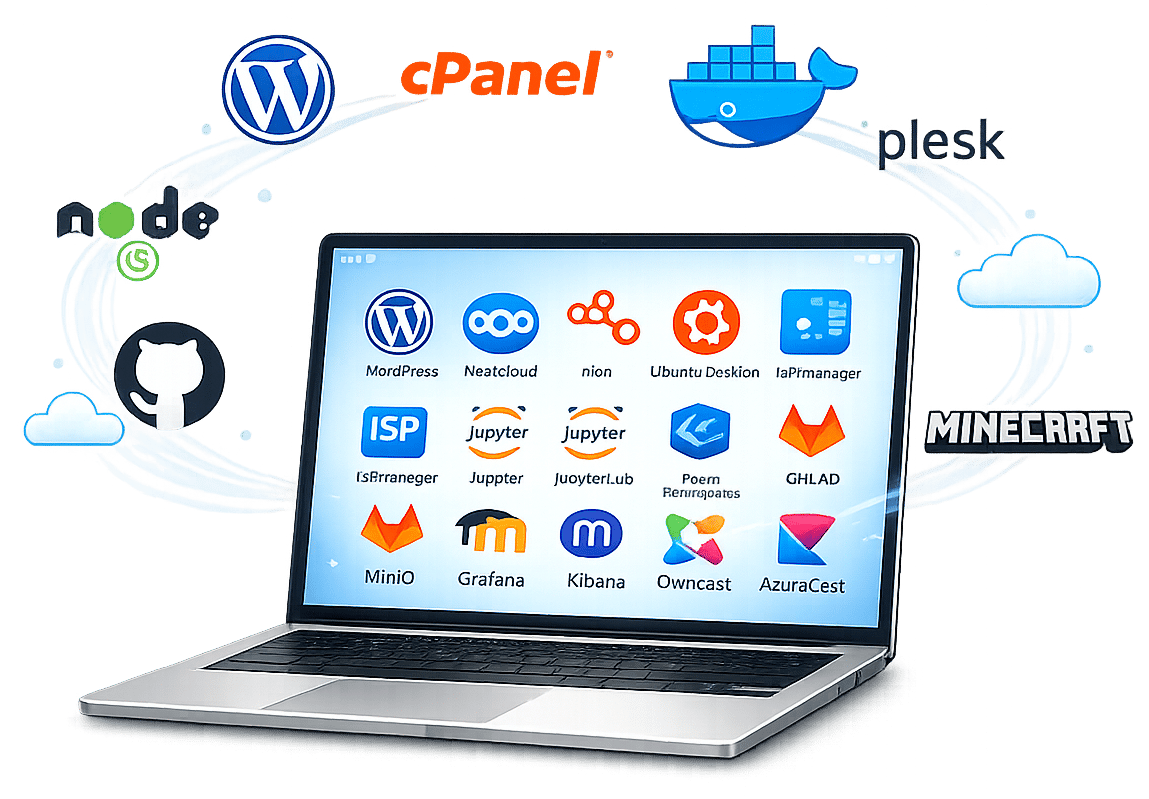
Choose from 37+ pre-configured applications, including control panels, development tools, CMS platforms, game servers, containers, databases, monitoring tools, and VPN solutions. Deploy your selected app on a MonoVM VPS in around 60 seconds.
Over
0+
Preconfigured Applications
More than
0+
Global Data Center Locations
About
0s
Average Deployment Time
Always
0/7
Dedicated Technical Support
Popular Applications
Explore popular choices for website publishing, containers, development, gaming, collaboration, monitoring, and private networking.
 WordPress
Build and manage websites, blogs, and online stores with the popular open-source CMS.
Install Now
 Node.js
Run fast and scalable server-side JavaScript applications.

 GitLab
Manage source code, CI/CD pipelines, and collaborative development workflows.
 Nextcloud
Host your own file storage, sharing, and collaboration platform.
 Grafana
Build dashboards and visualize application and infrastructure metrics.
 WireGuard
Deploy a lightweight and modern VPN protocol for secure connections.
Complete App Catalog
Browse 37+ pre-configured VPS applications across control panels, development tools, databases, CMS platforms, game servers, containers, monitoring, collaboration, and VPN software. Choose an application during VPS setup and start from a ready-to-use environment instead of installing everything from scratch.
Control Panels
 cPanelWeb hosting control panel
 PleskWebsite and server management panel
 CyberPanelLiteSpeed-powered hosting control panel
 ISPmanagerLinux server control panel
Game Servers
 MinecraftMultiplayer game server
LinuxGSMCommand-line game server manager
TeamSpeakLow-latency voice communication server
DevOps & Containers
 DockerContainer platform and runtime
 DokploySelf-hosted deployment platform
 CoolifySelf-hosted PaaS platform
MinikubeLightweight Kubernetes development cluster
MicroK8sLightweight Kubernetes distribution
Development
 GitLabDevOps and source code platform
Node.jsServer-side JavaScript runtime
MySQLRelational database management system
MongoDBDocument-oriented database
LaravelModern PHP application framework
Jupyter NotebookInteractive notebook environment
JupyterLabInteractive data science workbench
RabbitMQReliable message broker
CMS & E-commerce
 WordPressOpen-source content management system
 JoomlaFlexible content management system
MoodleOpen-source learning management platform
OpenCartOpen-source e-commerce platform
 MagentoScalable e-commerce platform
Cloud & Collaboration
NextcloudSelf-hosted file sharing and collaboration
 JitsiOpen-source video conferencing platform
Kasm WorkspacesBrowser-based desktop workspace platform
MastodonDecentralized social networking platform
Monitoring & Media
n8nWorkflow automation platform
GrafanaObservability dashboards and visualization
KibanaSearch and visualize Elasticsearch data
MinIOS3-compatible object storage
OwncastSelf-hosted live streaming platform
AzuraCastSelf-hosted web radio platform
VPN
OpenVPNOpen-source VPN server software
WireGuardLightweight modern VPN protocol
Why Choose MonoVM Apps?
Fast One-Click Deployment
Deploy supported applications in around 60 seconds without building the installation from scratch. Select your app during setup and let MonoVM handle the initial deployment.
Pre-Configured App Templates
Start with pre-configured application templates designed to simplify installation and reduce repetitive setup steps. You can customize your environment after deployment based on your workload.
Maintained App Templates
We maintain deployment templates for supported applications to keep installation options current. Updates to your application after deployment depend on the software and your server configuration.
App Deployment Included
One-click application deployment is available with supported MonoVM VPS hosting plans. Some third-party applications, control panels, or premium features may require a separate license.
24/7 Technical Support
Need help with deployment or server-side configuration? Our technical support team is available 24/7 to assist with supported VPS and application-related issues.
Global Deployment Options
Deploy your VPS closer to your users by choosing from multiple server locations across Europe, North America, Asia, and other supported regions.
Simple App Deployment
Choose Your VPS Plan
Select the CPU, RAM, storage, and server location that best match your application's workload.
Select Your App
Choose from 37+ supported applications during the VPS configuration process.
Deploy & Go Live
Your server is provisioned and the selected application is installed automatically, so you can move directly to configuration and customization.
Need Help Choosing an App?
Not sure which application or server configuration fits your workload? Speak with our team to choose the right VPS resources and application stack for your project.
Trusted by a Worldwide Community
Your honest review is the best proof of a great customer experience. Leave your comments on the client's dashboard and help others with your candid review.

Most companies don’t accept Bitcoin, and that’s the main reason I prefer to choose Monovm.
AlexI'm new here and ordered a starter site. They’ve been in contact with me every day, and my site is now online. So far, I’m really satisfied with their service and support.

It’s great to have access to experts who can guide me through live chat, which is why I’ve been registering my domains and emails with Monovm for several years.
FAQs
Find answers to common questions about one-click VPS app deployment, supported applications, licensing, configuration, updates, and server requirements.
MonoVM VPS apps are pre-configured application templates that simplify software deployment on a virtual private server. Instead of installing supported software from scratch, you can select an application during VPS setup and have the initial environment deployed automatically.
Choose your VPS resources and location, select a supported application during configuration, and complete your order. MonoVM provisions the server and installs the selected application so you can start configuring and using it sooner.
One-click deployment is available for supported applications without a separate app installation process. However, some third-party software, commercial control panels, or premium features may require their own license or additional fee.
Yes. After deployment, you can configure the application and server environment according to the access level, software requirements, and resources available with your VPS.
In many cases, yes. Multiple applications can share a VPS when the server has enough CPU, RAM, storage, and network resources and the applications do not have conflicting ports or dependencies. For better isolation, some workloads may be better deployed on separate servers.
Not necessarily. MonoVM can maintain the deployment templates used for supported applications, but updates to an application after deployment depend on the software itself and your server configuration. Always follow the application's recommended update and security practices.
The right VPS plan depends on the application's CPU, RAM, storage, and traffic requirements. Lightweight tools may run comfortably on smaller plans, while databases, collaboration platforms, game servers, and development platforms may require additional resources as usage grows.