If you’re researching why WordPress is best for SEO, you’re likely deciding whether it’s the right platform for long-term organic growth. Choosing the right content management system (CMS) plays a major role in your website’s search engine visibility and future scalability.
WordPress powers over 40% of the web, but its popularity alone doesn’t explain its strong search rankings. The real advantage lies in its technical flexibility and full control over SEO elements.
If you’re new to the platform, understanding What Is WordPress can help you see why it dominates the CMS market.
With WordPress, you can customize permalinks, meta titles, meta descriptions, schema markup, and internal linking structures. Its clean code and organized content architecture make it easier for search engines like Google to crawl and index your site efficiently.
Another reason WordPress is considered one of the best platforms for SEO is its powerful ecosystem. Plugins like Yoast SEO and Rank Math simplify on-page optimization, while developers can implement advanced technical SEO strategies when needed.
In short, WordPress combines ease of use with complete SEO control, making it a strong foundation for sustainable, long-term search engine growth.
Let’s begin with a clear, direct answer for both users and search engines.
Why WordPress Is Best for SEO?
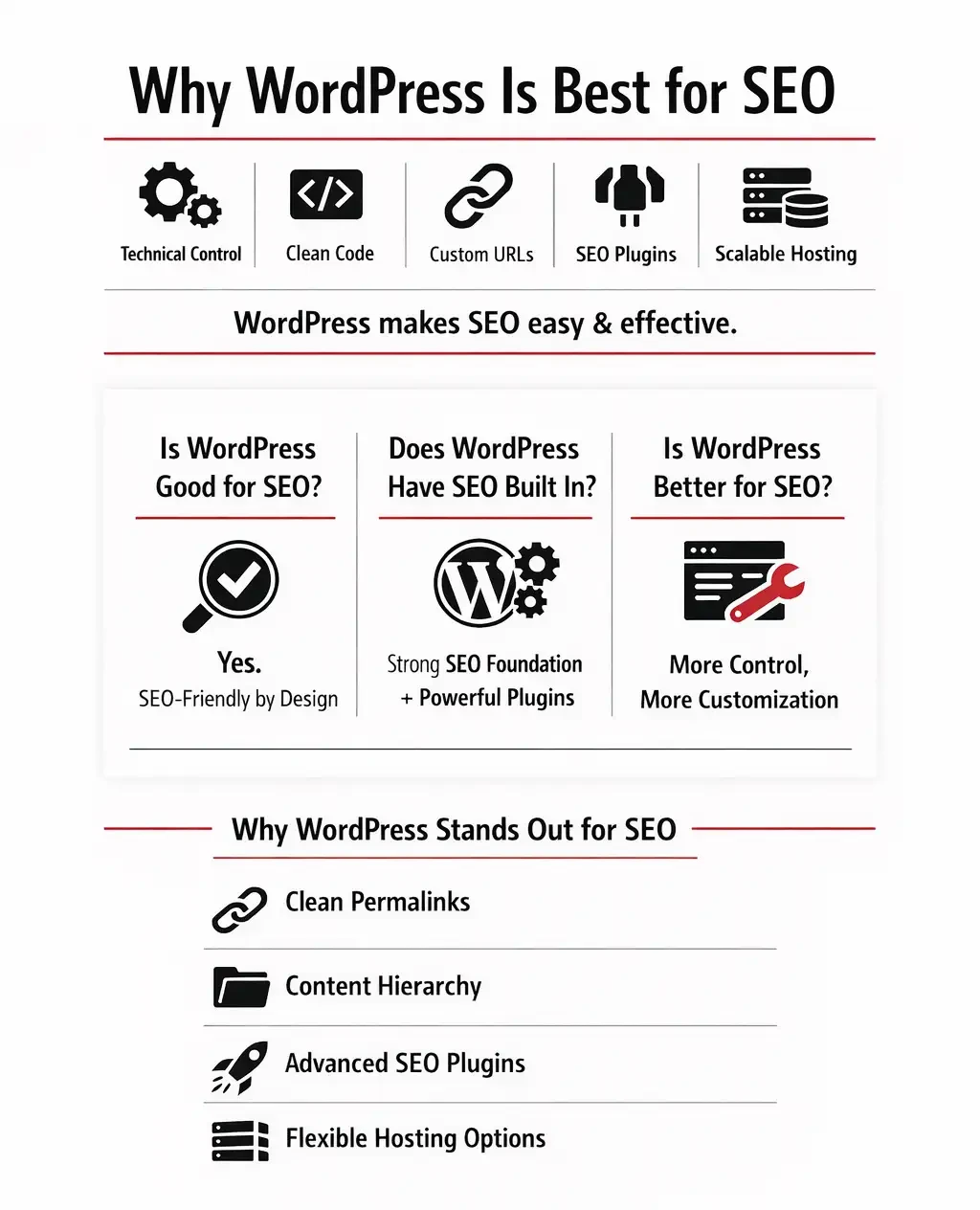
WordPress is considered one of the best platforms for SEO because it provides complete technical control, clean code structure, customizable URLs, powerful SEO plugins, and scalable hosting flexibility. All of these factors make it easier to optimize a website for search engines like Google and improve long-term organic rankings.
So, is WordPress good for SEO?
Yes. WordPress is SEO-friendly by design and allows both beginners and advanced users to optimize content without major platform limitations. Its structure supports proper indexing, internal linking, and search engine visibility from the start.
Does WordPress have SEO built in?
WordPress includes a solid foundational SEO framework, such as clean permalink settings and content hierarchy. When combined with plugins like Yoast SEO or Rank Math, it becomes one of the most powerful SEO platforms available.
Is WordPress better for SEO than other website builders?
In most cases, yes. WordPress offers deeper technical access, greater customization, and fewer restrictions compared to many closed platforms.
Now, let’s break down exactly how and why WordPress stands out for search engine optimization.
How Does SEO Work on WordPress?
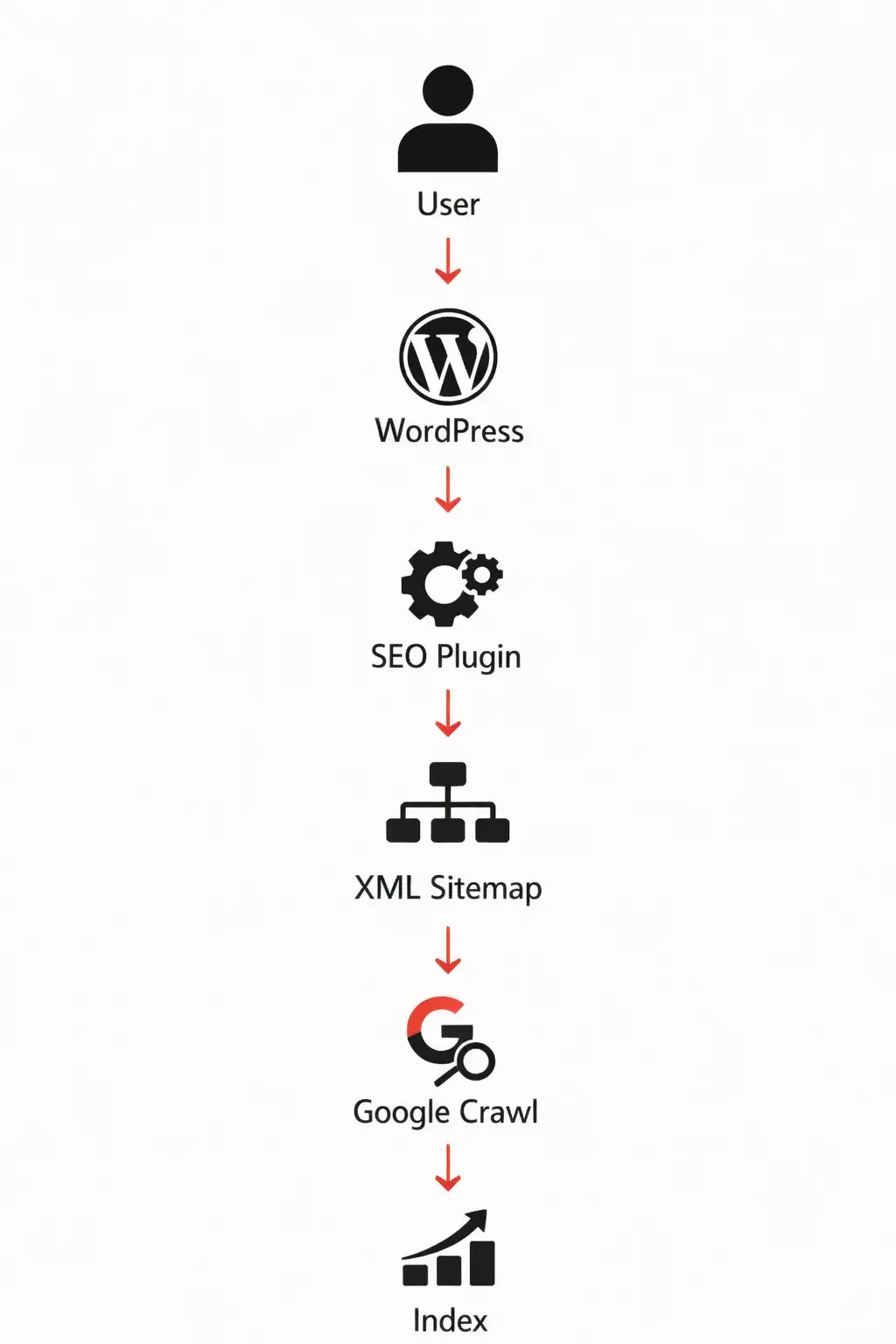
To understand how SEO works on WordPress, you first need to understand the SEO workflow built into the system. WordPress is designed to support search engine crawling, indexing, and ranking from the moment you publish content.
When you publish a post or page on WordPress, several important SEO processes happen automatically behind the scenes.
First, the WordPress CMS structures your content using clean, organized HTML. This helps search engines clearly understand headings, paragraphs, images, and internal links.
Second, an SEO plugin such as Yoast SEO or Rank Math adds essential metadata. This includes optimized title tags, meta descriptions, canonical URLs, and structured schema markup that improve visibility in search results.
Third, WordPress generates or updates an XML sitemap. The sitemap acts as a roadmap that tells search engines which pages exist and when they were last updated.
Fourth, search engines like Google crawl the XML sitemap and discover new or updated content on your website.
Finally, your pages are indexed and ranked based on content quality, keyword relevance, internal linking, backlinks, user engagement, and overall site authority.
This structured workflow is one of the main reasons WordPress is considered one of the most SEO-friendly content management systems available today.
If you’re still learning the fundamentals of optimization, reviewing What is SEO will clarify how search engines evaluate WordPress websites.
WordPress gives you direct control over the most important technical SEO elements that influence search rankings. You can fully customize your URL structure through permalinks, optimize meta titles and meta descriptions, edit your robots.txt file, and manage canonical tags to prevent duplicate content issues. It also allows you to implement schema markup for enhanced search visibility and build strong internal linking structures to improve crawl efficiency and topical authority.
The key point is simple: WordPress does not automatically rank your pages for you. Instead, it provides the tools, flexibility, and technical access needed to implement SEO correctly and strategically.
If you want to master optimization beyond plugins, these Best SEO Courses can accelerate your learning curve.
Why WordPress Is SEO Friendly?
The question “why is WordPress SEO friendly?” has a technical answer not a marketing one.
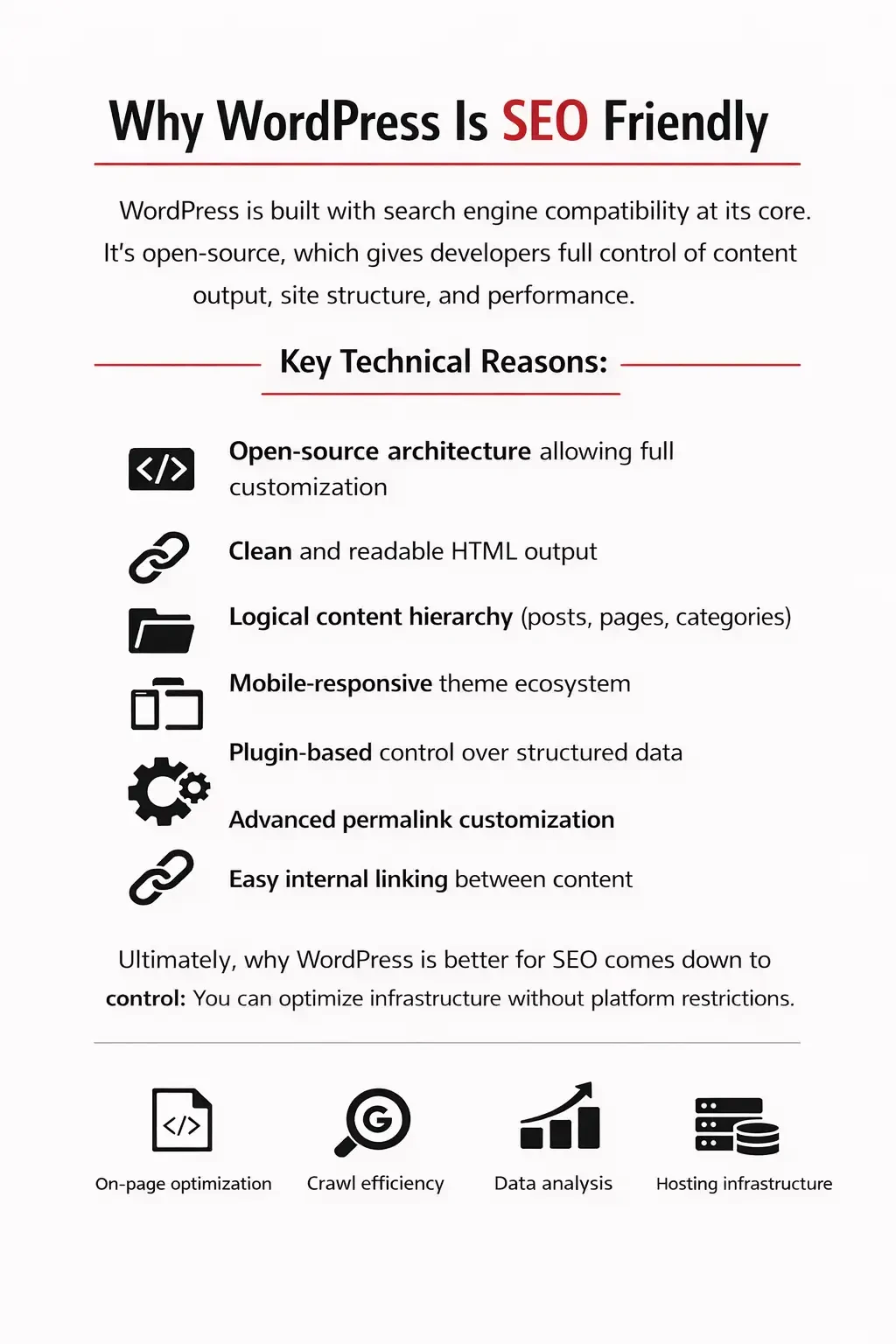
WordPress is built with search engine compatibility at its core. As an open-source content management system, it allows developers and website owners to control content output, site structure, and performance at both the CMS and server levels. This level of access is a major advantage for technical SEO.
Key technical reasons include:
• Open-source architecture allowing full customization
• Clean and readable HTML output
• Logical content hierarchy (posts, pages, categories)
• Mobile-responsive theme ecosystem
• Plugin-based control over structured data
• Advanced permalink customization
• Easy internal linking between content
Because of this flexibility, many developers agree that why WordPress is better for SEO ultimately comes down to control. You are not locked into a restricted environment or limited by built-in platform constraints.
Instead of forcing a simplified system, WordPress gives you the infrastructure to implement SEO correctly — whether you’re optimizing on-page content, improving crawl efficiency, or scaling long-term organic growth.
WordPress SEO Plugins – The Real Advantage
One major reason why WordPress is best for SEO is its powerful plugin ecosystem. Unlike closed website builders that limit functionality to built-in features, WordPress allows you to install specialized SEO plugins that significantly extend optimization capabilities.
Popular options such as Yoast SEO, Rank Math, and All in One SEO transform WordPress into a highly customizable SEO platform. These tools help manage on-page SEO analysis, generate and update XML sitemaps, automate schema markup, create breadcrumb navigation, control canonical URLs, and handle redirects efficiently.
They also provide SEO scoring systems that evaluate content based on keyword usage, readability, metadata optimization, and technical structure. Many users monitor their WordPress SEO score through these plugins as a quality checkpoint.
While a high SEO score does not guarantee top rankings in Google, it helps ensure that technical best practices are properly implemented — creating a stronger foundation for long-term organic search growth.
SEO Plugin Comparison Table
|
Feature |
Yoast SEO |
Rank Math |
All in One SEO |
|
On-page analysis |
✅ |
✅ |
✅ |
|
Schema automation |
Basic |
Advanced |
Moderate |
|
Redirect manager |
Premium |
Built-in |
Premium |
|
XML sitemaps |
✅ |
✅ |
✅ |
|
WooCommerce SEO |
Premium |
Built-in |
Premium |
This ecosystem is a major reason why WordPress is considered superior for SEO customization,but for advanced performance tracking and keyword research, explore these Top SEO Tools used by professionals.
Is WordPress Better for SEO Than Other Platforms?
Many business owners ask: which platform is best for SEO?
The answer depends on your goals, technical needs, and how much control you want over your website’s optimization strategy. Some platforms prioritize simplicity, while others prioritize flexibility and scalability.
Here is a neutral comparison based on technical SEO control, customization, scalability, and long-term growth potential.
WordPress vs Other Platforms
|
Feature |
WordPress |
Wix |
Shopify |
Webflow |
|
Full technical SEO control |
✅ |
Limited |
Moderate |
Moderate |
|
Server-level access |
✅ |
❌ |
❌ |
❌ |
|
Plugin ecosystem |
Extensive |
Restricted |
Restricted |
Limited |
|
Scalability |
High |
Medium |
Medium |
Medium |
|
URL customization |
Full |
Partial |
Limited |
Full |
WordPress stands out because it allows deep optimization at both the application level and the infrastructure level. You can control on-page SEO elements inside the CMS while also managing hosting performance, caching, server configuration, and advanced technical settings.
This dual-layer control is critical in competitive industries where small technical advantages can influence rankings. From site speed optimization and structured data implementation to custom URL architecture and crawl management, WordPress provides the flexibility needed to compete at a high level.
That level of access explains why WordPress is better for SEO in highly competitive markets it removes platform limitations and gives you full strategic control over your search performance.
Why WordPress Is the Best Blogging Platform for SEO?
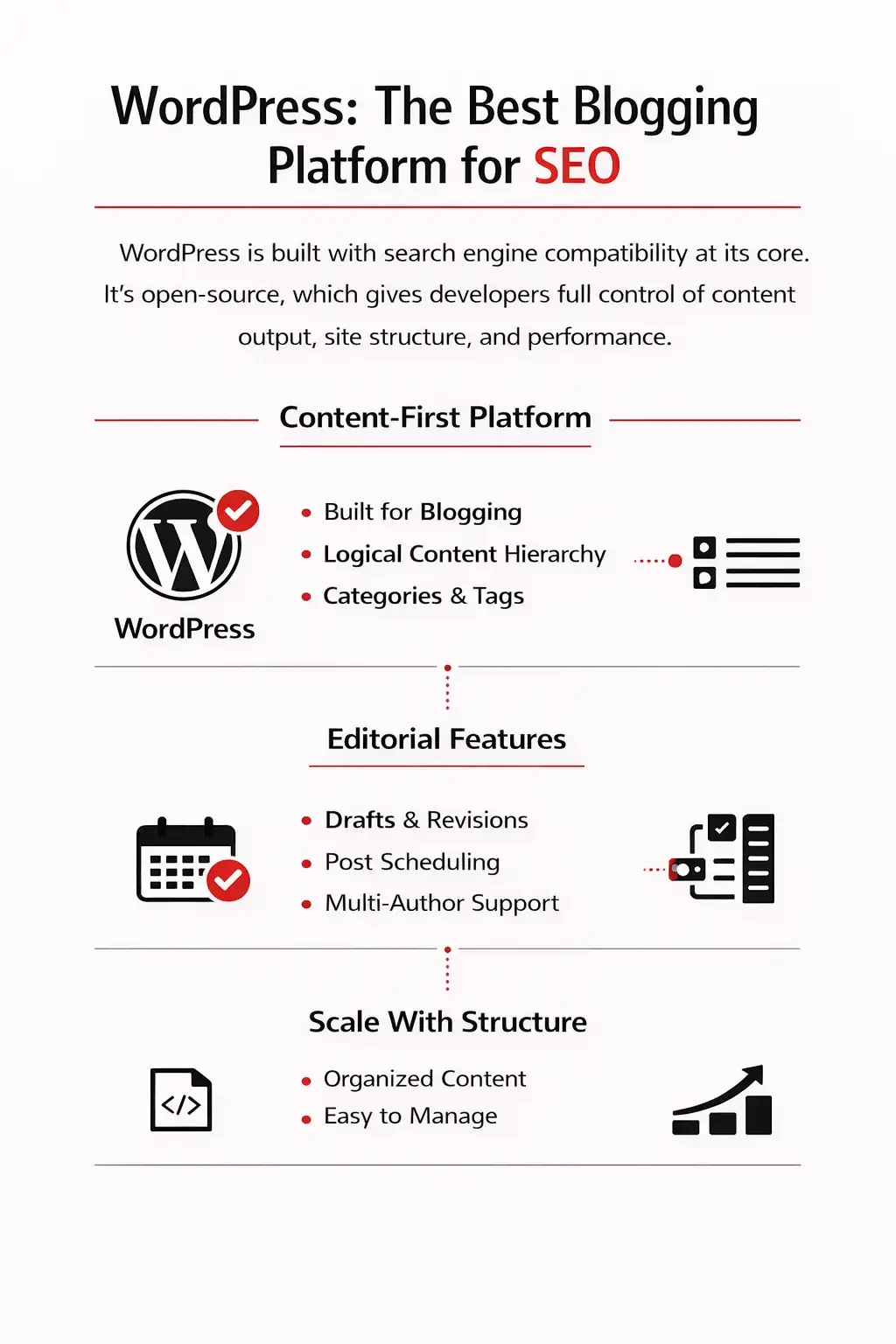
Content remains the core of organic growth. No matter how strong your technical setup is, search engines ultimately rank high-quality, well-structured content that satisfies user intent.
This is exactly why WordPress is the best blogging platform in 2026 for SEO-focused websites. It was originally built as a blogging system, and that publishing foundation still provides a major advantage today.
WordPress uses a structured post architecture with categories, tags, author pages, and archive systems. This creates a logical content hierarchy that helps search engines understand topical relationships and site organization.
Its editorial workflow features including drafts, revisions, scheduling, and multi-author management also make it easier to scale content production without losing structure or consistency.
Because WordPress is content-first by design, building and scaling blog-driven SEO campaigns becomes both strategic and manageable.
Is WordPress Bad for SEO?
Let’s address the concern directly: is WordPress bad for SEO?
No but mismanagement can create problems.
WordPress is a powerful and flexible platform, yet its performance depends heavily on how it’s configured and maintained. Poor technical decisions can negatively affect site speed, crawlability, and overall search performance.
Common mistakes include:
- Using low-quality shared hosting that slows down the site
- Installing too many unnecessary plugins that create conflicts or bloat
- Choosing poorly coded themes that generate messy HTML
- Ignoring updates and security patches that impact stability and performance
WordPress itself is not the issue. In most cases, performance problems stem from hosting choices, plugin overload, or weak technical setup.
When properly configured, optimized, and maintained, WordPress remains one of the most SEO-friendly platforms available.
WordPress Performance & SEO
SEO is no longer just about keywords. Core Web Vitals and page experience signals now directly influence search engine rankings, making technical performance a critical part of any SEO strategy.
Key performance factors that affect SEO include server response time, overall page load speed, proper image optimization, effective caching implementation, and CDN (Content Delivery Network) integration.
Each of these elements plays a role in how quickly your website loads and how smoothly users can interact with it. Slow server response times increase Time to First Byte (TTFB). Unoptimized images can delay rendering. Poor caching setups force browsers to reload resources unnecessarily. Without a CDN, global users may experience slower load times due to geographic distance from the server.
This is where hosting infrastructure becomes critical. Even the best SEO strategy can underperform if the technical foundation is weak.
WordPress Hosting & SEO Performance
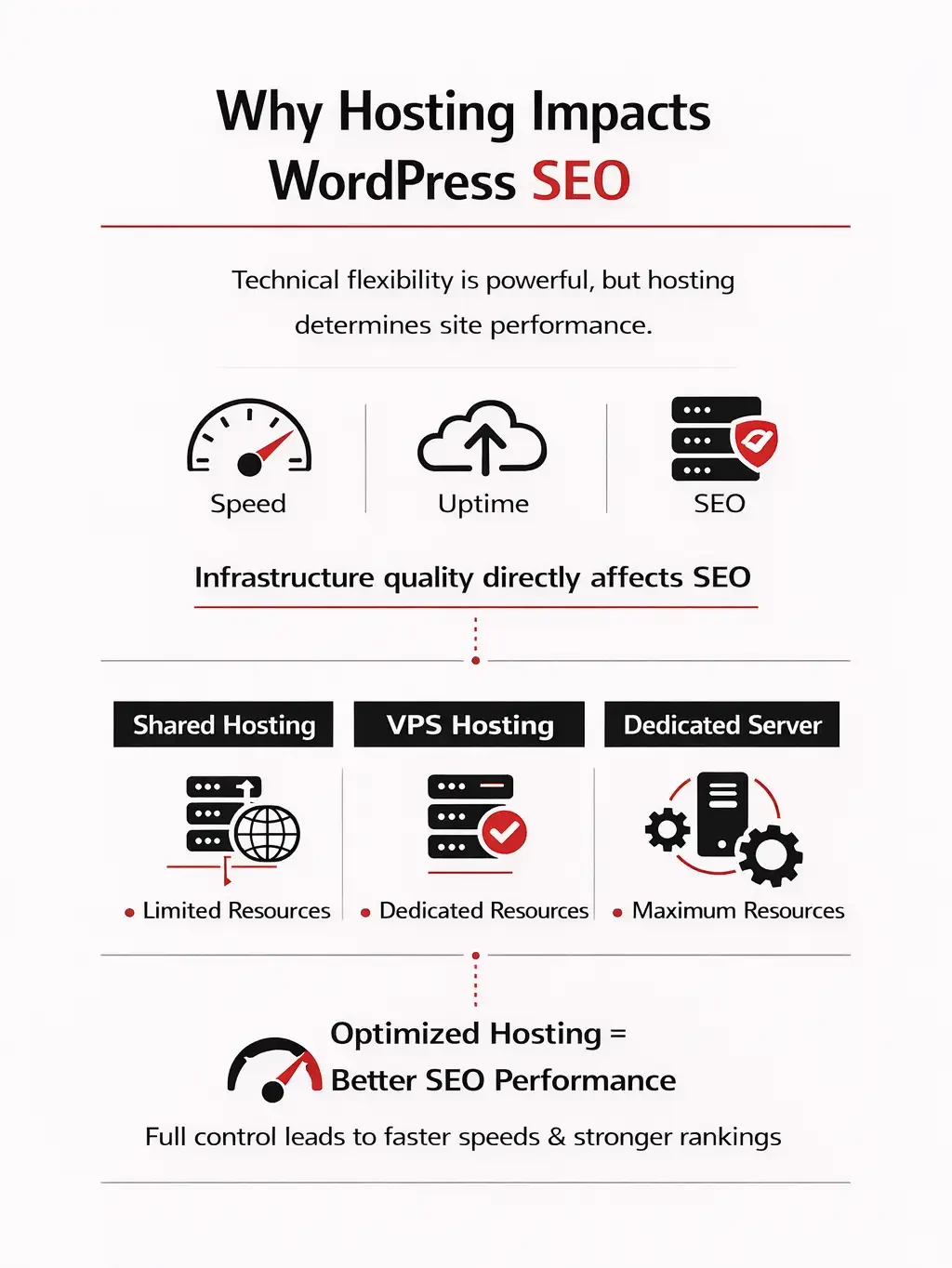
Technical flexibility is powerful but hosting determines execution quality.
WordPress gives you full control over optimization, but your hosting environment decides how well those optimizations actually perform. Infrastructure directly affects site speed, uptime, crawl efficiency, and overall SEO performance.
Shared hosting environments often limit CPU, memory, and bandwidth resources. This can result in slower load times, higher Time to First Byte (TTFB), and inconsistent performance during traffic spikes all of which negatively impact Core Web Vitals and search rankings.
VPS hosting provides dedicated resources within a virtualized environment, offering better stability, improved speed, and greater configuration control. Dedicated servers go even further, delivering maximum performance, customization, and scalability for enterprise-level or high-traffic websites.
If you’re unsure how hosting impacts rankings, this guide on What is WordPress hosting explains why infrastructure plays a critical role in SEO performance. For performance-focused deployments and greater resource control, you can also follow this step-by-step guide on Installing WordPress on VPS to unlock full optimization flexibility and scalability.
Optimized WordPress hosting ensures your SEO strategy is supported by stable, high-performance infrastructure rather than limited by it.
Advantages & Disadvantages of WordPress for SEO
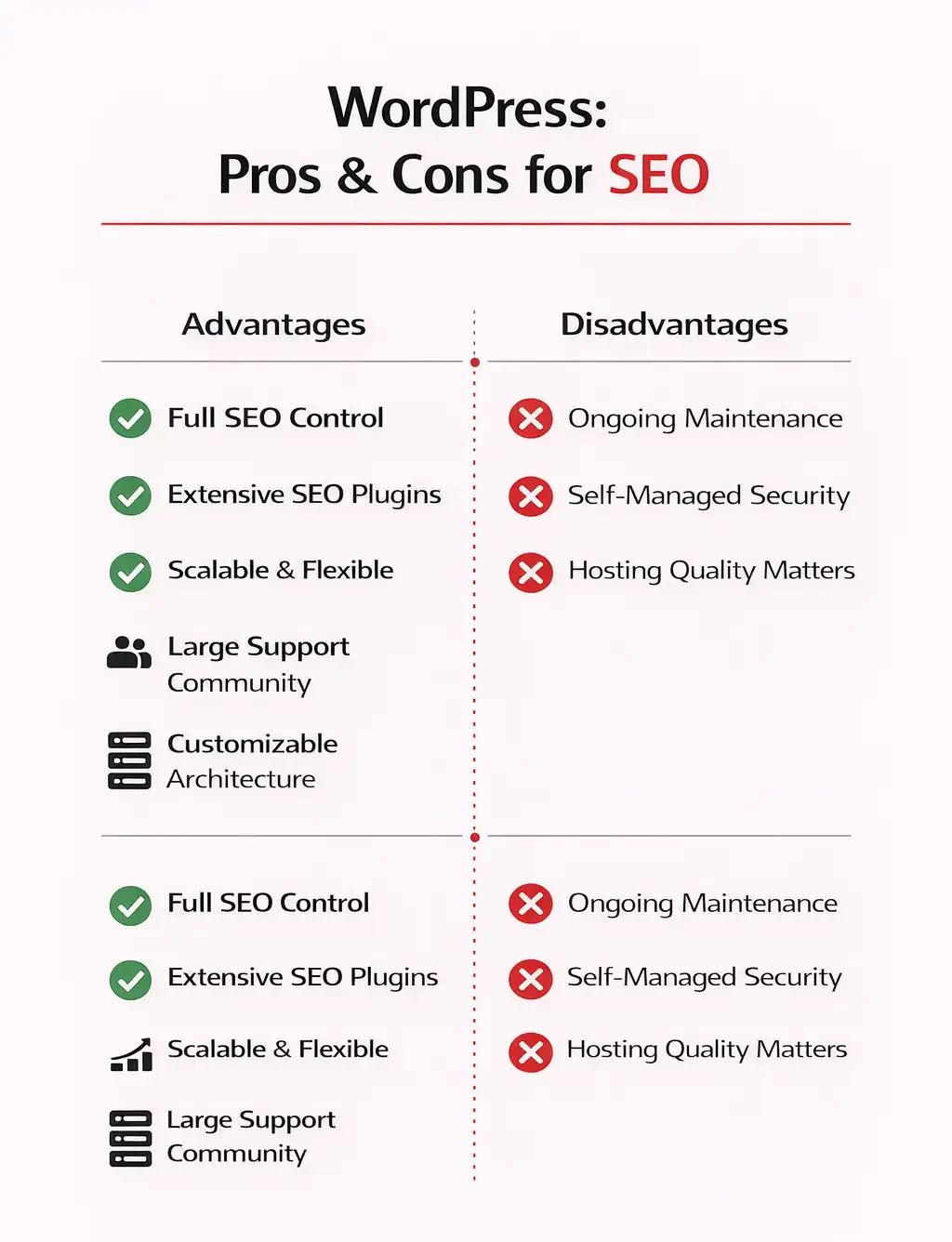
When evaluating WordPress for SEO, it’s important to look at both the strengths and the trade-offs. A balanced perspective helps with long-term planning and realistic expectations.
Advantages of WordPress for SEO
- Full control over technical SEO settings
- Extensive SEO plugin compatibility
- Scalable for small sites and enterprise projects
- Large developer and support community
- Flexible and customizable site architecture
These advantages make WordPress highly adaptable. Whether you are running a content-driven blog, an eCommerce store, or a high-traffic business website, the platform can scale alongside your SEO strategy.
Disadvantages of WordPress
- Ongoing maintenance is required
- Security management is the site owner’s responsibility
- Hosting quality directly affects performance
Because WordPress is open-source and flexible, it requires proper management. Updates, backups, performance optimization, and security configurations are part of maintaining a healthy site.
However, for most businesses focused on long-term organic growth, the benefits of control, scalability, and customization significantly outweigh these responsibilities.
This balanced evaluation builds trust and supports smarter decision-making when choosing a platform for SEO.
Does Google Prefer WordPress?
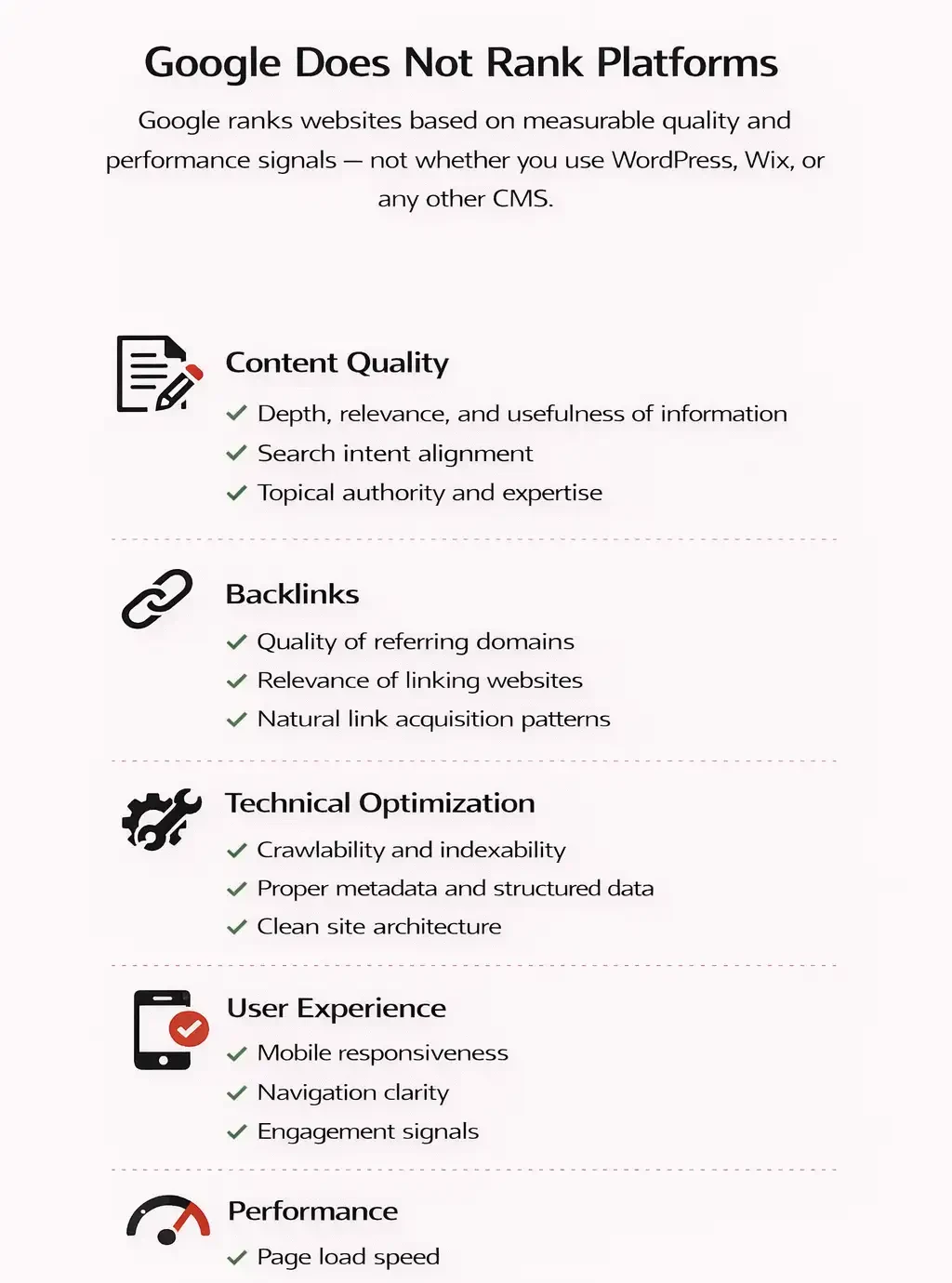
No. Google does not rank platforms.
Google ranks websites based on measurable quality and performance signals — not whether you use WordPress, Wix, or any other CMS.
Specifically, Google evaluates:
1. Content Quality
1.1 Depth, relevance, and usefulness of information
1.2 Search intent alignment
1.3 Topical authority and expertise
2. Backlinks
2.1 Quality of referring domains
2.2 Relevance of linking websites
2.3 Natural link acquisition patterns
3. Technical Optimization
3.1 Crawlability and indexability
3.2 Proper metadata and structured data
3.3 Clean site architecture
4. User Experienc
4.1 Mobile responsiveness
4.2 Navigation clarity
4.3 Engagement signals
5. Performance
5.1 Page load speed
5.2 Core Web Vitals
5.3 Server stability
WordPress itself is not a ranking factor. It simply makes optimizing these critical elements easier by giving you full technical access and flexibility.
Is WordPress Free?
Yes. WordPress.org is open-source and free to use. The core software can be downloaded, installed, and customized without licensing fees, which is one reason it remains so popular for SEO-focused websites.
However, while the software itself is free, there are potential costs involved in building and maintaining a professional WordPress site. These may include:
- Hosting services
- Premium themes
- Premium plugins
Hosting is required to make your website accessible online. Premium themes may offer better design, performance optimization, and support. Premium plugins often provide advanced SEO features, security enhancements, or performance tools beyond free versions.
The WordPress Foundation maintains the core software, ensuring ongoing development, security patches, and regular updates. This active maintenance helps keep WordPress stable, secure, and aligned with modern web standards.
Final Verdict
So, why is WordPress the best platform for SEO in 2026?
Because it combines the essential components required for sustainable organic growth:
- Technical flexibility
- Content-first architecture
- Deep plugin ecosystem
- Infrastructure scalability
- Full optimization control
WordPress gives professionals the ability to control both on-page and technical SEO without platform restrictions. From metadata and schema markup to site architecture and performance tuning, it provides the tools needed to meet modern search engine standards.
It’s not that Google prefers WordPress. Google does not rank platforms. Instead, WordPress makes it easier to implement the exact ranking factors Google evaluates including content quality, crawlability, performance, and user experience.
However, even the best SEO strategy can fail without strong hosting performance. Site speed, server stability, uptime consistency, and global delivery directly affect rankings through Core Web Vitals and page experience signals.
If your WordPress website targets competitive keywords and high-traffic growth, investing in reliable infrastructure becomes essential. Choosing optimized Wordpress Hosting ensures faster load times, improved Core Web Vitals, and stronger ranking stability. Hosting solutions like MonoVm offer instant setup, global data centers, and 24/7 expert support to ensure your SEO efforts are supported by stable, high-performance environments.

An experienced tech and developer blog writer, specializing in VPS hosting and server technologies. Fueled by a passion for innovation, I break down complex technical concepts into digestible content, simplifying tech for everyone.