Are you trying to set up your own website? For a website to exist on the internet and be available for visitors to browse on it, you need a hosting provider. Deciding on the right infrastructure is a major milestone, especially when choosing between modern web infrastructure models like cloud servers vs VPS hosting.
This hosting service provider will run your website on a server computer that processes all the requests sent its way and sends back data to virtually anyone who wants to visit your webpage. However, not every server is the same. Understanding the technical foundations of what is a web server can give you a clearer perspective on how your dynamic applications interact with server hardware components.
There are many different kinds, but in the past few years, Virtual Private Server hosting and cloud server hosting have become prevalent technologies and widely used by web developers to keep their pages online. What are these two kinds of hosting?
In this article, we’ll explore what a cloud server is, what a virtual private server is, and compare the two different kinds of hosting to find out which one is the ideal choice for you. We hope this article helps you! Whether you aim to build a corporate portal, an e-commerce platform, or an application hub, picking the right platform determines your long-term success.
⚙️ What is a VPS and how does it work?
If you want to set up a website or run web applications online, you could buy your own server, build it, configure it, and keep it maintained manually. However, for many people and businesses, this isn’t practical. It can be very costly and not sensible in the long term.
You will also have to hire employees to keep it running and operating at optimum conditions. Furthermore, your server may not even have the resources and capabilities to run a large site or handle many HTTP requests!
Okay, so then you decide to go with the conventional hosting from a web hosting provider. This is a great option, but even then, it probably won’t provide you with all the power you need to run your website.
Furthermore, you will be sharing it with many other websites - often, hundreds of websites are handled by a single server. This means that if any of those websites start demanding more resources, you suffer as a result. You also do not have your own unique Internet Protocol address that you can use to access your website, and you cannot configure the server exactly how you like. If you find your current shared environment struggling under heavy traffic loads, it is an optimal time to learn how to migrate a website from shared hosting to VPS to protect your data integrity and secure specialized operational stability.
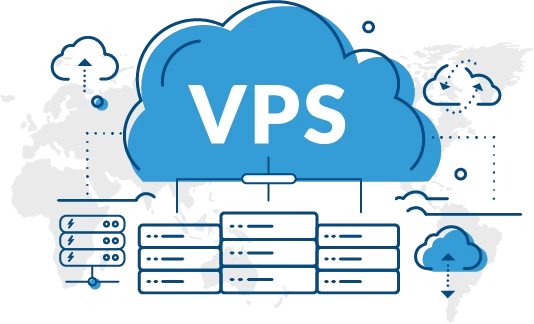
So, what do you do? Fortunately, there is a solution, and it is called a Virtual Private Server. With a Virtual Private Server, or VPS, you do not have to build and configure your own massive server machine and pay lots of money to have it consistently maintained. Furthermore, it isn’t like typical hosting where you share the server and the server computer’s identity with many other websites. If you want to deploy a cost-efficient setup right away, utilizing a professional vps server solution gives you immediate administrative command without the massive hardware expenses.
Instead, it’s basically your own “virtual” server on a massive server computer where you have virtually unlimited bandwidth and the ability to configure it in whichever ways you like!
You have your own unique slot with dedicated resources and the freedom to control that part of the server computer however you like. Therefore, you are not bunched up with hundreds of other websites, and you are not restricted in the ways that conventional hosting limits you!
This makes it extremely beneficial for businesses who want to run large websites or simulate intensive web applications that demand a lot of computing resources - or require the server to be modified in some way - to get brilliant hosting.
💡 Advanced Technical Architecture of a VPS
A VPS relies heavily on a specialized software layer called a hypervisor. The hypervisor partitions a singular, physical bare-metal server into multiple independent virtual machines. Each environment operates its own operating system (such as various Linux distributions or Windows Server packages) and runs isolated instances of services. Because these resource limits are hard-allocated to your specific container, activities on neighboring virtual slices on the same host computer will not compromise your site's processing speeds or software cycles.
☁️ What is a cloud server?

Cloud servers are part of cloud computing. They’re beneficial for both ordinary people and companies because they stop you from having to run your own server or use a hosting provider’s server to run your software or store your files. If you want to scale horizontally with massive resources spanning across interconnected nodes, selecting an enterprise-grade cloud vps ensures that hardware bottlenecks are eliminated entirely from your growth equation.
If there are any breaches, viruses, bugs, or problems with the server, they are typically dealt with very quickly by Google or whoever is providing the cloud servers. Compare that to running your technology on your server or one you are sharing with others, and it can be a lot more complicated, time consuming, and even expensive for you.
For these reasons, cloud technology is becoming increasingly popular among businesses, who can manage projects, take payments, hold their files and keep their papers online in a safe location that is accessible from everywhere with extremely minimal problems or interference. For deeper insights on how this ecosystem changes network deployment, reviewing a breakdown of what is cloud computing provides essential insight into distributed environments.
Cloud servers are versatile, flexible, and scalable, making them great for a vast range of applications. Whereas with a typical web server, if it crashes or gets corrupted, you could lose all your work and files, when you keep your gear on a cloud server, however, it is being saved throughout an extensive network of different computers and servers. This adds multiple layers of safety, reliability, and reinforcement, and it is why we call it a “cloud” server rather than just a typical server.
It is the same way that many email or communications services work. Your communications are kept secure and encrypted across a vast network of secured computers, so the service provider has hugely increased uptime, and problems are dealt with much faster.
Cloud servers have even more benefits for processing and storage, too. With a single server, you’re very limited by the computing resources that are available at any given time. However, when you use the cloud, there is a massive network of computers that can provide resources. When one server fails, is exhausted or all occupied, the connection simply moves to another server or group of servers and uses resources from those instead!
This makes cloud computing very affordable, effective, and safe for both individuals and corporations. The development of cloud service provision and software as a service has made this technology much more widely available in recent years.
So, which kind of web hosting do you need? It really depends. Cloud computing is super simple to use but also has excellent freedoms. Problems are dealt with very fast on average, and you can move between various servers if your main one(s) goes down. This makes it great for reliability.
However, if you want massive resources and the freedom to customize, modify, and configure your server vastly, then a Virtual Private Server is definitely the option for you.
💎 Structural Foundations of Distributed Cloud Architecture
Unlike a centralized architecture, a true cloud environment pools resources from dozens of clustered physical machines. Storage arrays are managed over an independent Storage Area Network (SAN), while computing metrics (RAM and CPU cores) are distributed dynamically. This decentralized layout prevents the traditional "single point of failure" vulnerability, offering unparalleled business continuity.
📊 Deep Architectural Analysis: Cloud Servers vs VPS
To fully grasp the practical distinctions when analyzing cloud servers vs VPS, we must evaluate how they handle mission-critical parameters such as scalability speed, file redundancy, and infrastructure customizability under heavy data loads.
| Feature Feature Comparison | Traditional Virtual Private Server (VPS) | Distributed Cloud Server Architecture |
|---|---|---|
| Resource Allocation | Fixed slices allocated from a single physical host machine. | Dynamically pulled from a vast pool of multi-server nodes. |
| Scalability Potential | Requires manual adjustments; limited by physical host boundaries. | Instantaneous automated scaling to handle intense traffic spikes. |
| Redundancy & Uptime | Vulnerable if the primary underlying hardware experiences a fault. | High availability; failover automatically switches to another node. |
| Root Configuration Access | Complete root access allows deep system-level customization. | Full root control, though structural storage uses a shared SAN pool. |
| Storage Implementation | Local drives configured on the specific physical unit (SSD/NVMe). | Distributed network storage mirroring data continuously. |
⚠️ Common Infrastructure Deployment Mistakes
- Ignoring High Availability Requirements: Deploying an enterprise e-commerce platform with fluctuating seasonal traffic onto a traditional localized VPS can result in unexpected downtime if traffic scales past physical host limits.
- Overlooking Latency Factors: Selecting a server node located thousands of miles away from your target customer demographic, causing poor initial page load speeds.
- Inadequate Backup Strategies: Assuming cloud architecture replaces the need for snapshots, leaving application configurations unversioned during updates.
💡 Expert Tips for Infrastructure Optimization
Pro Tip: When evaluating cloud servers vs VPS configurations, match your application architecture to your hosting system. If your applications run sustained, predictable processing tasks with zero structural variations, a traditional VPS offers unparalleled cost-efficiency. For highly volatile microservice networks, cloud platforms ensure seamless continuity.
🎯 Final Words
In this article, we talked about web hosting and modern technologies for getting your webpages on the available internet. We explained what a Virtual Private Server, or VPS, is and how it works. We also explored how selecting between a centralized resource limit and a decentralized cluster affects your overall infrastructure health and site performance over time.
We also explained what a cloud server is and how it works and then compared the two different kinds of hosting types to see their benefits and drawbacks. We then gave some advice on which type of web hosting you might need - virtual private server or cloud server! We hope this article helped you, and thanks for reading. Making an informed decision ensures your digital assets remain fast, secure, and accessible day and night.