

 25 May 2026 / 2 comments
Managed Dedicated Server
Rent a whole physical server and let MonoVM's engineers take on the server work you would rather not do yourself. You choose the tasks, sales confirms the scope and the price before you order, and you keep full root or Administrator access.
Server built, installed and handed over ready to log inOperating system and control panel installed for youAdmin tasks agreed with sales before you order24/7 support, with live chat replies in under 5 minutes
Choose the Server You Want Managed
Pick the server first. The list shows every dedicated server MonoVM offers, with live prices. Then contact sales before you order, tell them which tasks you want MonoVM to handle, and they will confirm what is covered for that server and what it costs. The prices in the list are for the server alone.
Rated 3.67 from 3 votes
Last updated 26 November 2026
·Pricing verified weekly
·Live
- All
- High Performance Servers
- Custom Dedicated Servers
- ECO Servers
- Fast Delivery Servers
- GPU Servers
Search:
Sort by:
Location:
Price:-$
CPU
Core:-c
RAM:-GB
Storage:-GB
HP DL380 G11 (8xSFF) 2x Intel Xeon 5520+View all Intel Xeon Gold 5520 servers⏳ Processing time is quick — usually completed within 1–2 business days.
CPU Dual x Intel Xeon 5520+ (56 cores)
Cores
Ram128 GB
Storage2x 960GB SSD WI
Port Speed1Gbps
Bandwidth30TB
Ip1 Free
LocationSingapore
 Singaporeip6
Dell R750 2x Intel Xeon Silver 4314View all Intel Xeon Silver 4314 servers⏳ Processing time is quick — usually completed within 1–2 business days.
CPU Dual x Intel Xeon 4314 (32 cores)
Cores
Ram128 GB
Storage2x 960GB SSD MU
Port Speed1Gbps
Bandwidth30TB
Ip1 Free
LocationSingapore
Singaporeip6AMD Ryzen 5 5500View all AMD Ryzen 5500 servers⏳ Processing time is quick — usually completed within 1–2 business days.
CPU 6 cores
Cores
LocationCanada
Server_ModelAMD Ryzen 5 5500
Ram32 GB DDR4 ECC (MAX 128GB)
Storage2 X 480GB NVMe SSD
NetworkPremium Network (Intelligent Optimized Routing)
Bandwidth33TB on Gbps Port
Uplink1 Gbps Uplink Port
IP5
 Canadaip6
AMD Epyc 4244pView all AMD EPYC 4244P servers⏳ Processing time is quick — usually completed within 1–2 business days.
CPU 6 cores
Cores
LocationCanada
Server_ModelAMD EPYC 4244p
Ram32 GB DDR5 ECC (MAX 128GB)
Storage2 X 480GB NVMe SSD
NetworkPremium Network (Intelligent Optimized Routing)
Bandwidth33TB on Gbps Port
Uplink1 Gbps Uplink Port
IP5
Canadaip6AMD Epyc 4344pView all AMD EPYC 4344P servers⏳ Processing time is quick — usually completed within 1–2 business days.
CPU 8 cores
Cores
LocationCanada
Server_ModelAMD EPYC 4344p
Ram32 GB DDR5 ECC (MAX 128GB)
Storage2 X 480GB NVMe SSD
NetworkPremium Network (Intelligent Optimized Routing)
Bandwidth33TB on Gbps Port
Uplink1 Gbps Uplink Port
IP5
Canadaip6AMD Epyc 4464pView all AMD EPYC 4464P servers⏳ Processing time is quick — usually completed within 1–2 business days.
CPU 12 cores
Cores
LocationCanada
Server_ModelAMD EPYC 4464p
Ram32 GB DDR5 ECC (MAX 128GB)
Storage2 X 480GB NVMe SSD
NetworkPremium Network (Intelligent Optimized Routing)
Bandwidth33TB on Gbps Port
Uplink1 Gbps Uplink Port
IP5
Canadaip6AMD Epyc 4584PXView all AMD EPYC 4584PX servers⏳ Processing time is quick — usually completed within 1–2 business days.
CPU 16 cores
Cores
LocationCanada
Server_ModelAMD EPYC 4584PX
Ram32 GB DDR5 ECC (MAX 128GB)
Storage2 X 480GB NVMe SSD
NetworkPremium Network (Intelligent Optimized Routing)
Bandwidth33TB on Gbps Port
Uplink1 Gbps Uplink Port
IP5
Canadaip6E3 1230v5+/8GB DDR3/1 x 1TB SATA / 1 x 120GB SSDView all Intel Xeon E3-1230 servers⏳ Processing time is quick — usually completed within 1–2 business days.
CPU E3 1230v5+
Cores 4
Ram8 GB
Storage1 x 1TB SATA / 1 x 120GB SSD
Traffic5TB @ 1Gbps port
LocationMulti-Location
multiple locationsip6
E-2234/8GB DDR4/1 x 1TB SATA / 1 x 120GB SSDView all Intel Xeon E-2234 servers⏳ Processing time is quick — usually completed within 1–2 business days.
CPU E-2234
Cores
Ram8 GB
Storage1 x 1TB SATA / 1 x 120GB SSD
Traffic5TB @ 1Gbps port
LocationMulti-Location
multiple locationsip6
E3 1270v6/16GB DDR3/1 x 2TB SATA / 1 x 240GB SSDView all Intel Xeon E3-1270 servers⏳ Processing time is quick — usually completed within 1–2 business days.
CPU E3 1270v6
Cores 4
Ram16 GB
Storage1 x 2TB SATA / 1 x 240GB SSD
Traffic5TB @ 1Gbps port
LocationMulti-Location
multiple locationsip6
2 x E5 2620v4/32GB DDR4/2 x 2TB SATA / 2 x 240GB SSDView all Intel Xeon E5-2620 servers⏳ Processing time is quick — usually completed within 1–2 business days.
CPU 2 x E5 2620v4
Cores 8
Ram32 GB
Storage2 x 2TB SATA / 2 x 240GB SSD
Traffic5TB @ 1Gbps port
LocationMulti-Location
multiple locationsip6
2 x Silver 4210/64GB DDR4/2 x 4TB SATA / 2 x 480GB SSDView all Intel Xeon Silver 4210 servers⏳ Processing time is quick — usually completed within 1–2 business days.
CPU 2 x Silver 4210
Cores 16
Ram64 GB
Storage2 x 4TB SATA / 2 x 480GB SSD
Traffic5TB @ 1Gbps port
LocationMulti-Location
multiple locationsip6
2 x E5 2630v4/64GB DDR4/2 x 3TB SATA / 2 x 480GB SSDView all Intel Xeon E5-2630 servers⏳ Processing time is quick — usually completed within 1–2 business days.
CPU 2 x E5 2630v4
Cores 8
Ram64 GB
Storage2 x 3TB SATA / 2 x 480GB SSD
Traffic5TB @ 1Gbps port
LocationMulti-Location
multiple locationsip6
Dell R740XD (12LFF) 2x Intel Xeon 4214 - T4View all Intel Xeon Silver 4214 + T4 servers⏳ Processing time is quick — usually completed within 1–2 business days.
CPU Dual x Intel Xeon 4214 (24 cores)
Cores
Ram128 GB
Storage2x 960GB SSD MU
GpuT4
Port Speed1Gbps
Bandwidth30TB
Ip1 Free
LocationAmsterdam, Netherlands
 Netherlandsip6
HP DL385 G11 (8SFF) 2x AMD EPYC 9334View all AMD EPYC 9334 servers⏳ Processing time is quick — usually completed within 1–2 business days.
CPU Dual x AMD EPYC 9334 (64 cores)
Cores
Ram128 GB
Storage2x 960GB SSD MU
Port Speed1Gbps
Bandwidth30TB
Ip1 Free
LocationAmsterdam, Netherlands
Netherlandsip6Who Does What on a Managed Server
Every MonoVM dedicated server comes built and installed. Management moves more of the work from your side of the table to ours.
| Task | Self-managed server | With management |
|---|---|---|
| Hardware, power, cooling and network | MonoVM | MonoVM |
| Building the server and installing the operating system | MonoVM | MonoVM |
| Installing a control panel you ordered | MonoVM | MonoVM |
| Operating system updates and security patches | You | MonoVM, when it is in your agreed scope |
| Firewall and remote access settings | You | MonoVM, when it is in your agreed scope |
| Web server, database and mail setup | You | MonoVM, when it is in your agreed scope |
| Moving sites and data from an old server | You | MonoVM, when it is in your agreed scope |
| Backups | You | You; ask sales about extra storage for them |
| Your application code and content | You | You |
| Support by live chat and ticket, 24/7 | Included | Included |
What You Can Hand Over to MonoVM
These are the tasks customers most often ask MonoVM's engineers to take on. None of them is automatic: you choose what you need, and sales confirms the scope and the price in a ticket before you order.
Operating System Updates
Operating system updates and security patches, applied on a schedule you agree.
Security Settings
Firewall rules, SSH or Remote Desktop access and the removal of services you do not use.
Control Panel Administration
cPanel, Plesk or DirectAdmin installed and configured, with accounts, domains and mail set up for you.
Software Stack Setup
Web server, database, PHP or other runtimes installed and tuned for the application you run.
Migration
Sites, databases and mailboxes moved from your old server, with the switch planned to keep downtime short.
Troubleshooting
An engineer investigates when the server misbehaves, on request through live chat or ticket, at any hour.
What Stays With You
Management has edges, and it is better to know them before you order.
Your Application and Content
Code, plugins, themes and the data inside your application are yours to maintain, and so are services you install yourself.
Backups
Dedicated servers do not include automatic backups. Keep copies outside the server and test that you can restore them.
Monitoring Your Sites
MonoVM monitors its own servers and infrastructure 24/7. It does not watch your websites or applications, so set up your own alerts for those.
Software Licences
Paid software such as cPanel, Plesk and Windows Server is priced separately and shown on the order form.
Your Gateway to Global Connectivity
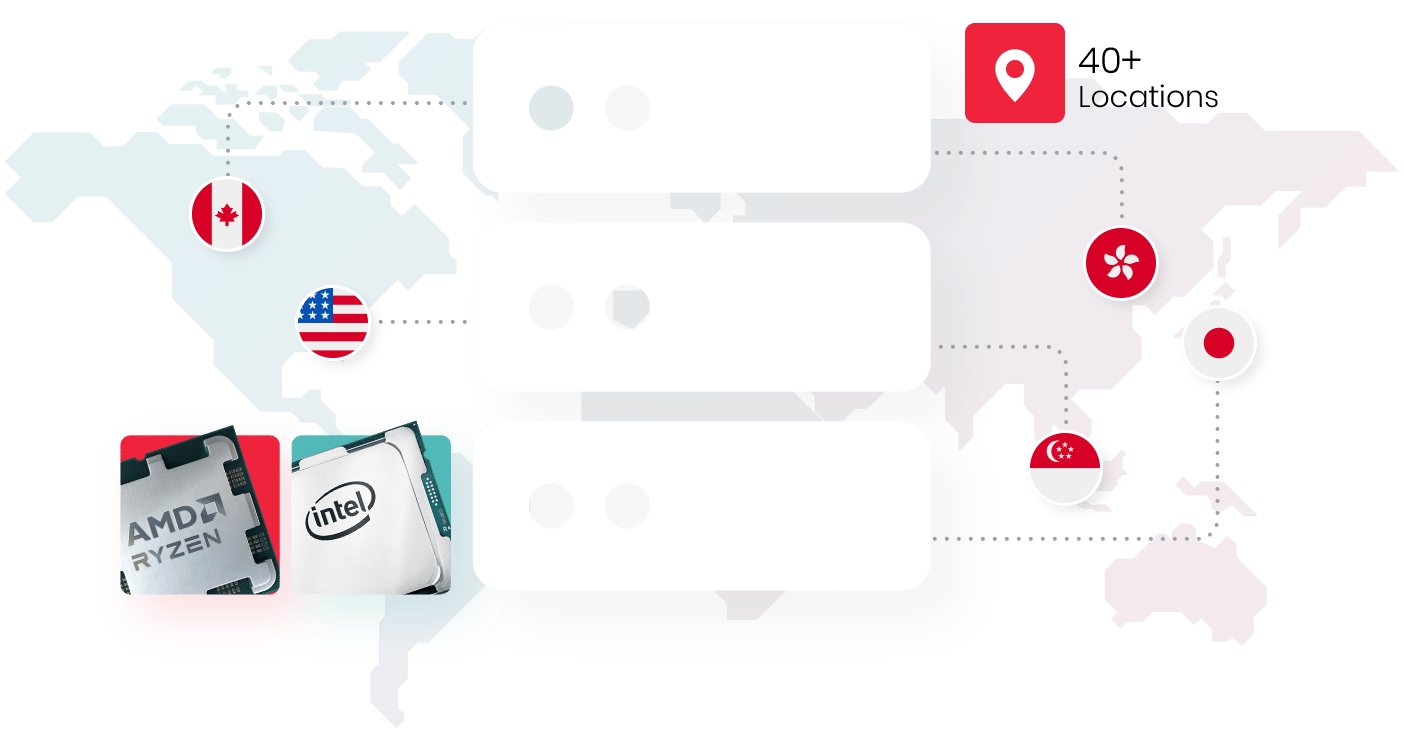
Management is not tied to one data center. Choose the location closest to your users in Europe, North America or Asia, and ask sales to confirm the management scope for a server there.
Europe
- Amsterdam – Netherlands

- Barcelona – Spain

- Belgrade – Serbia

- Berlin – Germany

- Bratislava – Slovakia

- Bruxelles – Belgium

- Bucharest – Romania

- Budapest – Hungary

- Copenhagen – Denmark

- Dublin – Ireland

- Frankfurt – Germany
- Helsinki – Finland

- London – UK

- Madrid – Spain
- Manchester – UK
- Milan – Italy

- Oslo – Norway

- Paris – France

- Prague – Czech Republic

- Roma – Italy
- Sofia – Bulgaria

- Stockholm – Sweden

- Vienna (Wien) – Austria

- Vilnius – Lithuania

- Warsaw – Poland

- Zurich – Switzerland

- Dubai – UAE

- Hong Kong – China

- Mumbai – India

- Noida/Delhi – India
- Pune – India
- Singapore – Singapore

- Tokyo – Japan

North America
- Atlanta – USA

- Dallas – USA
- Los Angeles – USA
- Miami – USA
- Montreal – Canada

- New Jersey – USA
- New York – USA
- Phoenix – USA
- San Francisco (SF) – USA
- Seattle – USA
- Tampa – USA
- Washington – USA
Oceania
- Sydney – Australia

- Sao Paulo – Brazil

- Lagos – Nigeria

- Johannesburg – South Africa

- Seoul – South Korea

i
Note: Latency values are approximate averages measured from Central Europe under normal network conditions and are updated regularly to reflect current routing performance. Actual latency may vary depending on your ISP, network congestion, and geographic location.
Open Looking Glasshttps://lg.monovm.com/
 AlmaLinux
 9 is a community-driven, enterprise-grade Linux distribution designed as a 1:1 binary-compatible replacement for RHEL 9. Optimized for stability and long-term support, it includes updated security features, improved container tools, and enhanced performance for web servers, databases, and cloud deployments.
AlmaLinux Versions
AlmaLinux 10.0 (Purple Lion)
AlmaLinux 9.6
AlmaLinux 8.10
 RockyLinux
Rocky Linux is a RHEL-compatible, open-source enterprise OS designed for stability and production workloads. Version 8.6 offers long-term support with security patches, while Rocky Linux 9 introduces newer kernels, Python 3.9, and enhanced cloud/container tooling. Both versions serve as reliable alternatives to CentOS.
 Ubuntu Server
Ubuntu is a free and open-source operating system and Linux distribution based on Debian. Developed and maintained by Canonical, Ubuntu offers free, guaranteed security updates and support for every release, from its launch date through to the official end-of-life (EOL). We provide Ubuntu 14.04 LTS, 16.04 LTS, 18.04, 22 and 24 LTS to support a wide range of deployment requirements.
 Debian
 is a Unix-like operating system built entirely from free software and maintained by contributors to the Debian Project. Known for its stability and extensive resources, Debian gives users access to online repositories containing more than 51,000 software packages—the largest software collection available. While Debian is committed to free software, paid applications can also be downloaded and installed from its official repositories. We provide Debian 7, Debian 8, Debian 9, Debian 11 and 12 to support a range of deployment needs.
 Fedora Server
Fedora is a Linux distribution developed by the community-driven Fedora Project and sponsored by Red Hat. Fedora features software licensed under a variety of free and open-source agreements, and is designed to deliver the latest advancements in open-source technology. We provide Fedora 27, Fedora 28, and Fedora 41 for flexible and up-to-date deployment options.
 CentOS Stream
Enterprise-grade Linux based on RHEL, perfect for dedicated servers that demand stability, security, and long-term support. Ideal for hosting control panels, web servers, and database environments.
 OpenSUSE
Flexible Linux distribution with powerful YaST management tools, perfect for developers and sysadmins managing complex dedicated environments.
 Oracle Linux
For enterprises seeking a powerful and optimized dedicated server, MonoVM provides robust dedicated server hosting with Oracle Linux. This is the ultimate platform for running Oracle Database and enterprise applications, ensuring peak performance and full compatibility. By choosing us as your dedicated server provider, you get a certified environment that reduces software costs compared to other enterprise solutions, ensuring your dedicated server hosting cost is invested in superior performance and unwavering support, not just licensing.
 Windows Server
 is Microsoft’s dedicated server operating system platform. It includes all Windows OS versions branded as “Windows Server,” offering enterprise-grade flexibility for managing virtual appliances and optimizing traffic routing. We provide Windows Server 2012, 2016, 2019, 2022, and 2025 to meet diverse infrastructure demands.
 FreeBSD
 is a powerful, open-source Unix-like operating system focused on performance, networking, and advanced storage solutions. Known for its ZFS filesystem, jails (lightweight containers), and DTrace debugging, FreeBSD is ideal for servers, networking appliances, and high-availability environments.
 OpenBSD
When your absolute priority is security, MonoVM's dedicated server hosting with OpenBSD is the definitive choice. We provide a pristine, audited platform for hosting a dedicated server that acts as a secure gateway, firewall, or trusted network service. The minimal attack surface and legendary code quality of OpenBSD mean your data is protected by design. With MonoVM, the dedicated server price gives you unparalleled peace of mind and the most secure foundation available for your critical infrastructure.
 ArchLinux
For developers and power users who demand total control and the latest software, MonoVM’s dedicated server web hosting with Arch Linux is the perfect solution. Build your ideal environment from the ground up on our high-performance hardware, enjoying the benefits of a rolling-release OS. This approach to hosting a dedicated server allows for a perfectly tailored, bloat-free system. As your dedicated server provider, we give you the raw power and flexibility to innovate, making the dedicated server cost a direct investment in your agility and development velocity.
 VMWare ESXI
VMware ESXi is an enterprise-class type-1 hypervisor developed by VMware for deploying and serving virtual computers. As a true type-1 hypervisor, ESXi is not simply a software application installed on an existing operating system; instead, it is directly integrated with essential OS components to deliver maximum performance and security. We offer VMware ESXi versions 6, 6.5, 6.7, 7 and 8 to support a variety of deployment needs.
 Proxmox VE
 (Virtual Environment) 7 is an open-source server virtualization platform based on Debian Linux. It combines KVM hypervisor and LXC containers for flexible virtual machine and container management. With built-in clustering, live migration, and backup tools, Proxmox 7 supports enterprise-grade virtualization with a user-friendly web interface.
 Microsoft Hyper-V
For Windows-centric businesses, MonoVM offers dedicated server solutions with Microsoft Hyper-V, creating a seamless and integrated virtualization environment. This allows you to maximize your investment by running multiple Windows Server VMs on a single powerful dedicated server. As your experienced dedicated server provider, we help you navigate licensing to create a cost-effective setup. This optimizes your dedicated server hosting price, providing a familiar, manageable, and high-performance platform that integrates perfectly with your existing Microsoft ecosystem.
 XCP-ng
Why pay exorbitant licensing fees? With MonoVM, you can leverage enterprise-grade virtualization on our dedicated servers with XCP-ng at a fraction of the dedicated server hosting cost. XCP-ng delivers powerful features like live migration and high availability without the premium price tag of VMware. Choosing us as your dedicated server provider means you get a full-featured cloud-like environment where the dedicated server price is transparent and invested entirely in hardware performance, not software licenses, making it the smart choice for cost-conscious businesses.
 cPanel
When you need the industry standard for reliability and ease of use, choose MonoVM's dedicated server hosting with cPanel. This powerful combination provides the most familiar and supported environment for managing websites, emails, and databases. As your trusted dedicated server provider, we help you navigate licensing to ensure you get the best value. While the dedicated server hosting price includes a premium for cPanel, you're investing in unmatched stability, a vast knowledge base, and seamless tool integrations, reducing your management time and providing a proven experience for you and your clients.
 DirectAdmin
Maximize the value of your dedicated server without sacrificing power. MonoVM offers dedicated server hosting with DirectAdmin, a lightweight and highly efficient alternative to cPanel. Enjoy a modern, intuitive interface and all essential features for web hosting at a fraction of the dedicated server hosting cost. By choosing DirectAdmin on your MonoVM server, you benefit from superior performance due to lower overhead and a transparent, predictable licensing model. It's the smart choice for savvy users and resellers who demand quality while consciously managing their dedicated server price.
 ISPmanager
Scale your hosting business efficiently with MonoVM's dedicated servers powered by ISPmanager. This enterprise-grade control panel is built for professionals, offering advanced cluster management, superior reseller tools, and granular control over DNS and infrastructure. As your dedicated server provider, MonoVM paired with ISPmanager provides a powerful platform to manage multiple servers and clients from a single, unified interface. This optimizes your operational workflow, making the overall dedicated server hosting cost a strategic investment in growth and scalability, not just a simple expense.
 CyberPanel
Unlock unparalleled website speed and performance on your MonoVM dedicated server with CyberPanel. This modern, open-source panel is engineered for the LiteSpeed webserver, delivering dramatic improvements in loading times for WordPress and other PHP applications. The best part? The core panel is free, significantly reducing your dedicated server cost. By choosing MonoVM for hosting a dedicated server with CyberPanel, you get a high-performance, cutting-edge stack that enhances user experience and SEO, giving you a competitive edge without inflating your budget.
 CWP
Seeking a full-featured cPanel alternative without the licensing fee? MonoVM's dedicated server web hosting with CWP (Control Web Panel) is your answer. This powerful open-source panel provides all the tools you need for website, email, and server management, mirroring the functionality of expensive alternatives at a $0 software cost. This dramatically lowers your dedicated server hosting price. As your dedicated server provider, MonoVM delivers the robust hardware for CWP to run smoothly, giving you a comprehensive and cost-effective hosting solution.
 CWPPlesk
For developers and agencies managing diverse applications, MonoVM's dedicated servers with Plesk are the ultimate platform. Plesk excels where other panels don't: with advanced tools for WordPress, support for .NET, Node.js, Python, and seamless Git integration. This powerful synergy between MonoVM's hardware and Plesk's software streamlines your workflow and empowers you to manage everything from a single pane of glass. The dedicated server hosting cost includes a panel designed to boost your productivity, making it an invaluable tool for professionals who build and manage websites for a living.
 Webmin
Take complete technical control of your dedicated server with MonoVM's Webmin/Virtualmin option. This free, open-source combination is the ultimate tool for sysadmins who demand granular control over every service and configuration, all through a comprehensive web interface. Hosting a dedicated server with Webmin/Virtualmin on MonoVM's robust hardware means you pay $0 in panel licensing fees, allowing you to invest your entire dedicated server cost into pure performance and flexibility. It's the perfect choice for the hands-on expert who refuses to be limited by simpler tools.
 VestaCP
Get your projects online quickly and efficiently. MonoVM offers dedicated server hosting with VestaCP, the straightforward and lightweight open-source control panel. Perfect for personal projects, development servers, or basic hosting needs, VestaCP provides all essential features without any bloat or cost. This keeps your dedicated server price as low as possible while still providing a clean web interface for management. Choose MonoVM and VestaCP for a simple, no-fuss, and budget-friendly hosting solution.
 Enterprise Web Hosting
high-traffic websites, portals
 Large-Scale eCommerce Platforms
Magento, WooCommerce, PrestaShop
 SaaS Application Hosting
multi-tenant platforms, CRMs
 Database Servers
MySQL, PostgreSQL, MSSQL, MongoDB
 Virtualization Platforms
(VMware, Proxmox, Hyper-V, XCP-ng
 Private Cloud Infrastructure
OpenStack, CloudStack
 Containerization & Orchestration
Docker, Kubernetes
 ERP & Financial Software
SAP, Odoo, QuickBooks, Oracle ERP
 VoIP
Asterisk, FreePBX, 3CX
 CDN Hosting & Edge Servers
Varnish, Nginx, custom CDN
 Video Streaming & Broadcasting
Wowza, Red5, FFmpeg
 Backup & Disaster Recovery
Veeam, Bacula, Duplicati
 Big Data & Analytics
Hadoop, Apache Spark, ElasticSearch
 AI & Machine Learning
TensorFlow, PyTorch, JupyterHub
 Blockchain Infrastructure
Bitcoin, Ethereum, Lightning
 CI/CD & DevOps
Jenkins, GitLab CI, ArgoCD
Managed or Self-Managed: Which Fits You?
The hardware is the same. The question is who looks after the software on it.
Choose Managed If
You have no system administrator, the server runs something your business depends on, or your team's time is better spent on the product than on patching.
Choose Self-Managed If
You have administrators who want full control, you run an unusual stack, or you already automate your servers with your own tools.
Just Need a Website Online?
Managed hosting gives you a hosting account with hands-on help and no server to run, at a far lower price than a dedicated machine.
How a Managed Server Is Set Up
Five steps from choosing a server to handing over the work.
01Pick a Server
Choose a configuration and a location from the price list. If you are unsure what your workload needs, ask sales first.
02Tell Sales What You Want Managed
Before you order, describe the tasks you want MonoVM to handle and the software you run.
03Get the Scope and Price Confirmed
Sales replies with what is covered and what it costs. Nothing is added to your order without your agreement.
04MonoVM Builds and Installs the Server
The server is typically ready within 1 to 5 working days, with the operating system and any control panel you ordered installed.
05Log In and Hand Over the Rest
Your login details arrive by email. From then on, send agreed tasks to support by ticket or live chat at any hour.
What Every Dedicated Server Includes
Whichever configuration you pick, you get the following.
01The Whole Machine
No other customer shares the CPU, memory or disks. Every core and every gigabyte in the listing is yours, so performance does not depend on what your neighbours are doing.
02Full Root or Administrator Access
Log in as root over SSH on Linux or as Administrator over Remote Desktop on Windows, and install and configure whatever your project needs.
03Your Choice of Operating System
AlmaLinux, Rocky Linux, Ubuntu, Debian, Windows Server and more, with cPanel, Plesk or DirectAdmin if you want a control panel. Licensed software is priced separately.
04Delivery in 1 to 5 Working Days
Dedicated servers are built to order and are typically ready within 1 to 5 working days. If you have a deadline, tell sales before you order.
0524/7 Support
Real engineers answer around the clock. Live chat replies in under 5 minutes and tickets in under 30 minutes.
06Flexible Payment
Pay by card, PayPal, bank transfer or cryptocurrency. See dedicated servers with Bitcoin for how crypto payments work.
More Dedicated Server Options
Choose by hardware, storage, operating system or level of management on these pages.
VPS Hosting
A smaller budget or a quicker start: virtual servers from a few dollars a month.
Tell Us What You Want Managed
Tell us the workload and the location you need. Live chat replies in under 5 minutes.
Send your requirements to support@monovm.com and get a configuration and delivery estimate.
For custom hardware, extra IP addresses or billing questions. Tickets are answered in under 30 minutes.
Managed Dedicated Server FAQ
What buyers ask before ordering a managed server.
A physical server rented by one customer, where the provider's engineers also carry out agreed server administration work. With MonoVM, every dedicated server is built and installed for you. Management extends that to tasks you would otherwise do yourself, such as updates, security settings or software setup.
That is agreed per customer. Tell sales which tasks you want handled, for example operating system updates, control panel administration, security settings or a migration, and they will confirm the scope and the price before you order. This page does not list a fixed package, because the right scope depends on your server and your software.
It depends on the scope and the server, so sales quotes it with your order. The server prices in the list above do not include management.
Yes. You keep full root or Administrator access. If MonoVM's engineers look after part of the system, tell support before you make large changes there, so both sides know the state of the server.
No. Dedicated servers do not include automatic backups, and your data remains your responsibility. Ask sales about additional storage for backups, and keep at least one copy outside the server.
MonoVM monitors its servers and infrastructure 24/7 to maintain service quality, detect issues early and respond to incidents as quickly as possible. That is not a monitoring service for your websites or applications. Use your own monitoring tool for those; support can help when an alert points to the server.
Choose managed hosting if you only need a website online: MonoVM runs the server and you get a hosting account with hands-on help. Choose a managed dedicated server when you need a whole machine, for example for heavy traffic, custom software or several large sites. If you want a server and prefer to run it yourself, a VPS is the lower-cost starting point.
Dedicated servers are built to order and are typically ready within 1 to 5 working days after the order is confirmed. The exact time depends on the configuration and on stock in the data center, so ask sales if you are working to a deadline.
You can choose Linux distributions such as AlmaLinux, Rocky Linux, Ubuntu and Debian, or Windows Server. Control panels such as cPanel, Plesk and DirectAdmin can be added. The full list is in the configuration section on this page.
By credit or debit card, PayPal, bank transfer or cryptocurrency. Crypto payments are explained on the dedicated server with Bitcoin page.
No. Under the Terms of Service, dedicated servers are not refunded, except where a technical problem on MonoVM's side cannot be resolved. A server is built for your order, so check the configuration and location with sales before you pay.
What Customers Say About MonoVM
Recent feedback from MonoVM customers.

Most companies don’t accept Bitcoin, and that’s the main reason I prefer to choose Monovm.
AlexI'm new here and ordered a starter site. They’ve been in contact with me every day, and my site is now online. So far, I’m really satisfied with their service and support.
Sophie from France
It’s great to have access to experts who can guide me through live chat, which is why I’ve been registering my domains and emails with Monovm for several years.
Hakan
Server Management Guides
Background reading from the MonoVM blog.
25 May 2026 / 2 comments 14 Jun 2026 / 0 comments
How to Backup a Server or VPS: The Ultimate 2026 Guide
Learn how to backup a server or VPS using Linux rsync, Windows Server Backup, and offsite storage. Ensure 100% data recovery with our expert checklist.
 17 Jun 2026 / 2 comments
Dedicated Server Security Checklist for 2026 🛡️
Use this dedicated server security checklist to protect your infrastructure from common threats. Learn the essential hardening, monitoring, access control, and backup practices.
Ready to Hand Over the Server Work?
Pick a server, tell sales what you want managed and get the scope confirmed before you pay.