Broadcom’s acquisition of VMware, has led to a major shift in IT infrastructure strategies. Today, organizations no longer make decisions based solely on technical features. Financial sustainability, cost predictability, and avoiding vendor lock-in have become top priorities. On one side, VMware, focused on large enterprise customers, has moved toward a more proprietary and expensive ecosystem. On the other, Proxmox VE has evolved from an option mainly associated with small businesses into a serious choice for teams that want to regain control over their infrastructure. But Proxmox vs VMware, which is better? Join us as we compare these two virtualization platforms across key areas to help you make a more informed decision.
The Reality of VMware Today: The Post-Broadcom World

After acquiring VMware, Broadcom adopted a strategy focused on maximizing profitability from large enterprise customers. The company not only completely eliminated perpetual licenses, but also reshaped its subscription models in a way that has put small and mid-sized customers under severe cost pressure.
By 2026, you can no longer purchase vSphere Standard or Enterprise Plus licenses separately. Everything is offered through four main bundles, which forces customers to pay for features they may not need. At the same time, the licensing model has shifted from per processor to per core. With minimum requirements ranging from 16 to 72 cores, costs have increased significantly. In other words, even if you have a server with 8 cores, you must pay for 16 or even 72 cores.
The result of these changes has been dissatisfaction even among VMware’s loyal customers. Broadcom’s focus on VCF 9.0 may make sense for very large enterprises, but for a mid-sized business, this platform feels like buying a Boeing 747 just to travel between two neighborhoods in the same city.
For a deeper understanding of this platform and its evolution, check out What is VMware to see how it fits into modern IT infrastructure.
The Rise of Proxmox: Why Is Everyone Moving in This Direction?
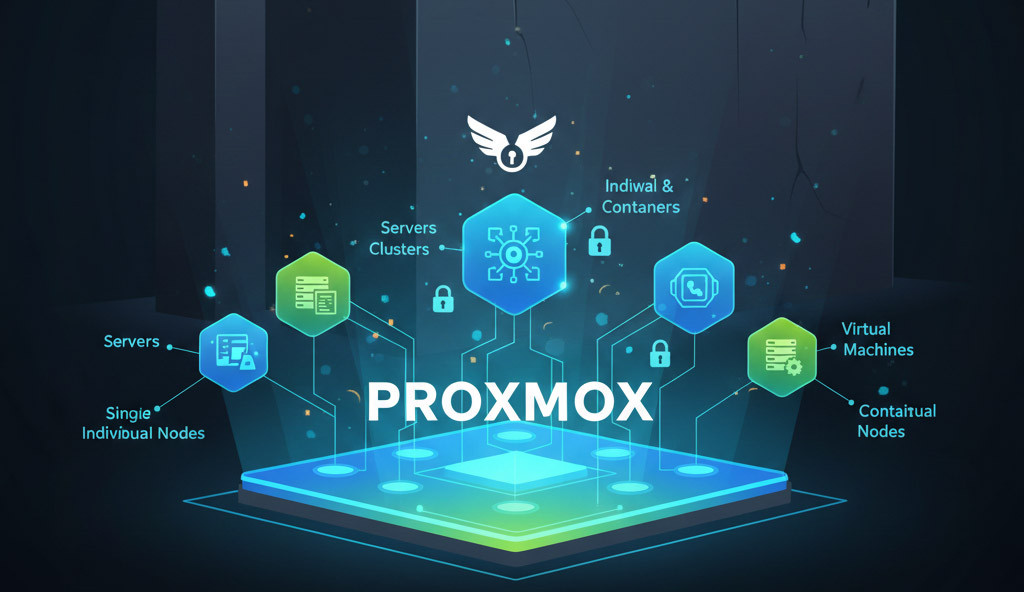
While VMware was building higher walls around its ecosystem, Proxmox Virtual Environment (VE) emerged as a powerful and open alternative. Proxmox is a platform built on Debian Linux, using Debian 13 Trixie in newer releases, and it relies on two leading technologies: KVM for virtual machines and LXC for containers.
One of the biggest reasons behind the rapid adoption of Proxmox in 2026 is the introduction of Proxmox Datacenter Manager (PDM). This tool was exactly the missing puzzle piece Proxmox needed to compete with vCenter. PDM allows you to manage dozens of separate clusters and thousands of nodes from a single user interface, without worrying about the high licensing costs of vCenter.
The main appeal of Proxmox is that all advanced features such as clustering, live migration, built-in backup, and high availability are available even in the free version. In practice, you are not paying for permission to use the software. Instead, if you choose, you pay for commercial support and access to more stable enterprise repositories. This model is the complete opposite of Broadcom’s current policies.
To learn more about the different setups you can run, check out Virtual Machine Types and see which one fits your workloads best.
A Deep Architectural Comparison: Two Different Philosophies
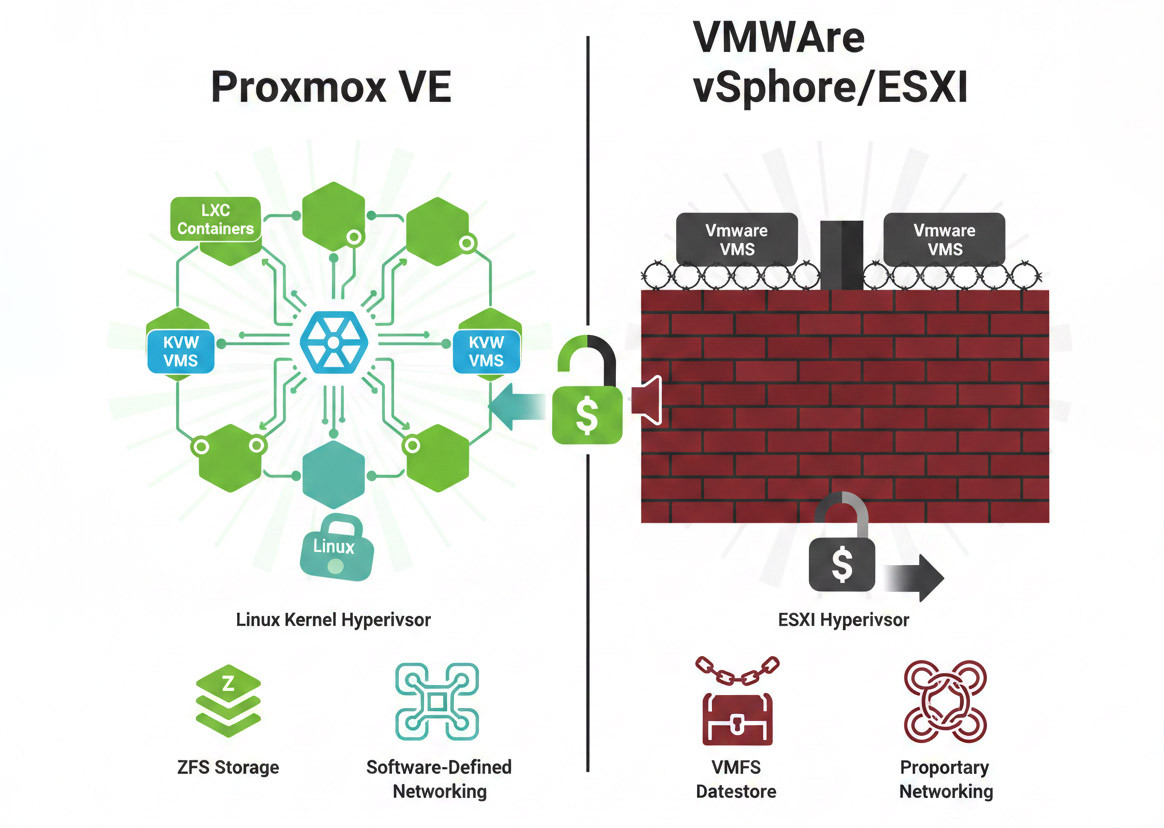
Let’s take a look under the hood of these two platforms. Understanding their architectural differences helps you see why a specific workload may perform better on one than the other.
|
Parameter |
Proxmox VE |
VMware vSphere/ESXi |
|
Hypervisor type |
Type-1, based on the Linux kernel and KVM |
Type-1, VMware proprietary VMkernel |
|
Host platform |
Debian Linux with optimized KVM and LXC layers |
ESXi, VMware’s lightweight non-Linux operating system |
|
Management |
Multi-node cluster management with an integrated web interface |
Centralized management via vCenter with a separate GUI |
|
Guest disk format |
qcow2, default in Proxmox, plus vmdk and raw |
VMDK, VMware proprietary format |
|
Storage file system |
ZFS, BTRFS, pmxcfs, LVM, compatible with Ceph |
VMFS, and vSAN for HCI |
|
Shared storage |
Support for NFS, iSCSI, Ceph built in, and ZFS RAID |
Support for NFS and iSCSI, with internal vSAN |
|
Linux containers |
Yes, via LXC |
No, requires Docker or a separate architecture |
|
Migration support |
Live migration within Proxmox clusters using Corosync, cluster membership required |
vMotion and Storage vMotion, requiring vCenter and advanced bundles |
|
Networking and virtual switching |
Linux networking stack including bridges, VLANs, and OVS |
Standard or distributed virtual switches, NSX with additional licensing |
Now let’s go a bit more technical to understand what is really happening beneath the surface of these two systems.
1. Proprietary Hypervisor vs Linux-Based Hypervisor
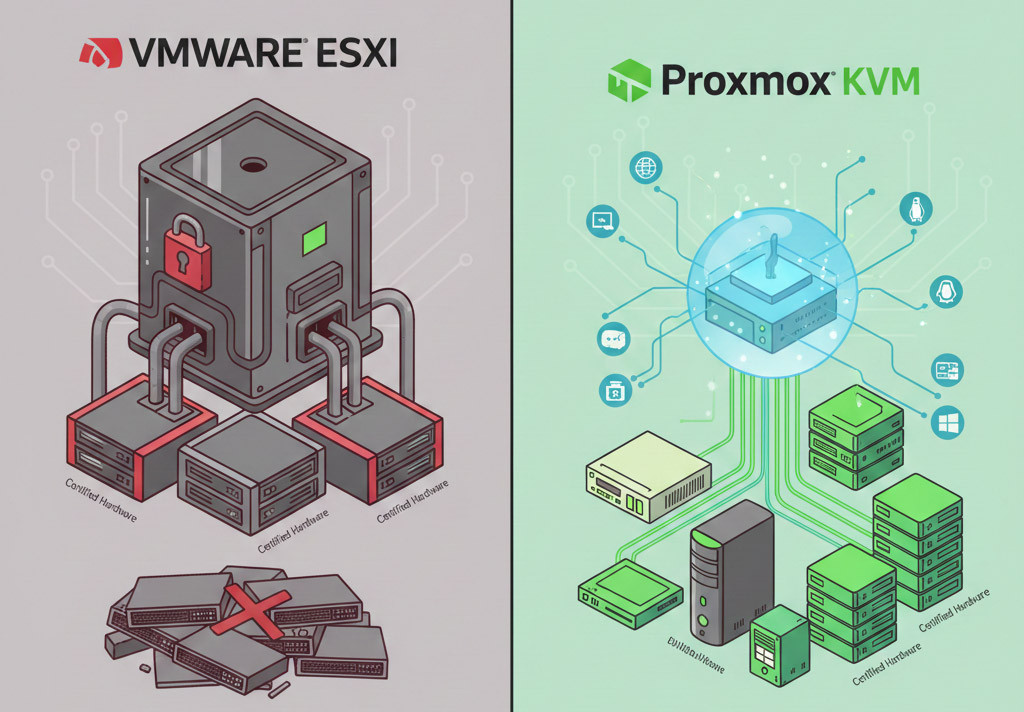
VMware uses its proprietary ESXi hypervisor, which is installed directly on the hardware and is known for high stability. However, it limits you to hardware listed in VMware’s Hardware Compatibility List. In contrast, Proxmox is built on KVM and Linux. Thanks to access to Linux drivers and tools, it runs well on a much wider range of hardware, including older servers.
2. Virtual Machines vs Containers
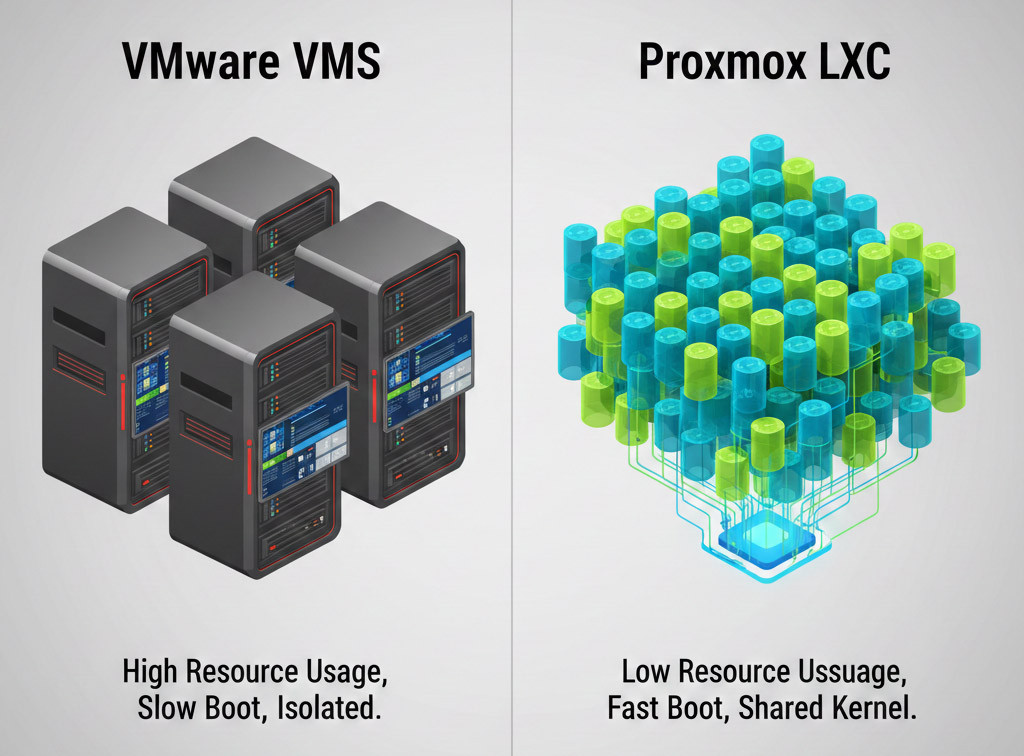
This is where Proxmox has a serious advantage. In VMware, if you want to deploy a small service such as a simple DNS server, you must create a full virtual machine with a heavyweight operating system. Proxmox, on the other hand, natively supports LXC Linux containers. Containers share the host operating system kernel, which means they consume far less memory and CPU. You can run hundreds of containers on a server that might only be able to host around ten VMware virtual machines.
Performance Comparison: What Do the Numbers Say?
This question always comes up: which one is faster? In 2026, the performance gap between KVM, which is the core of Proxmox, and ESXi has become minimal. In fact, in about 90 percent of standard scenarios, you will not notice any difference in application execution speed.
1. CPU performance
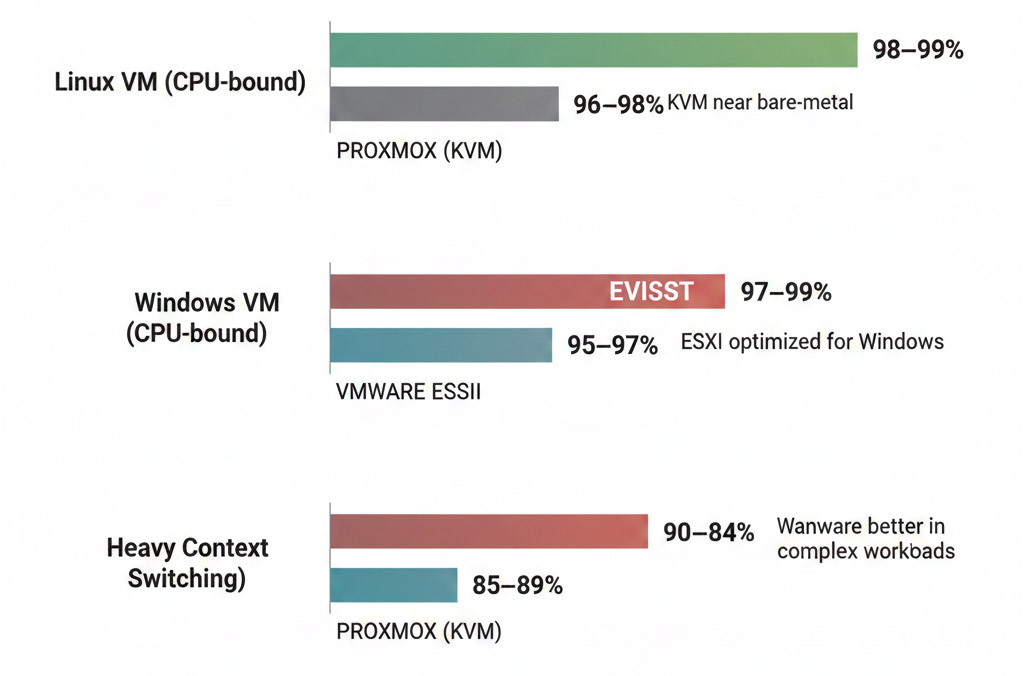
From a raw compute perspective, both hypervisors deliver very similar performance. VMware still has a slight edge in handling very heavy workloads and dynamic resource scheduling such as DRS. However, Proxmox, thanks to newer Linux kernels in 2026, has reduced system-level latency and shows very strong performance in real-time workloads.
|
Scenario |
Proxmox (KVM) |
VMware ESXi |
Technical explanation |
|
Linux VM, CPU-bound workload |
98 to 99 percent of native |
96 to 98 percent of native |
KVM runs very close to bare metal |
|
Windows VM, CPU-bound workload |
94 to 96 percent of native |
97 to 99 percent of native |
ESXi is more optimized for Windows |
|
Heavy context switching |
Slightly better |
More consistent |
VMware has an advantage in complex workloads |
If your workloads are mostly Linux based, such as web services, APIs, and microservices, Proxmox usually delivers equal or even slightly better performance.
If your environment is Windows heavy, VMware still has the upper hand.
2. Memory management
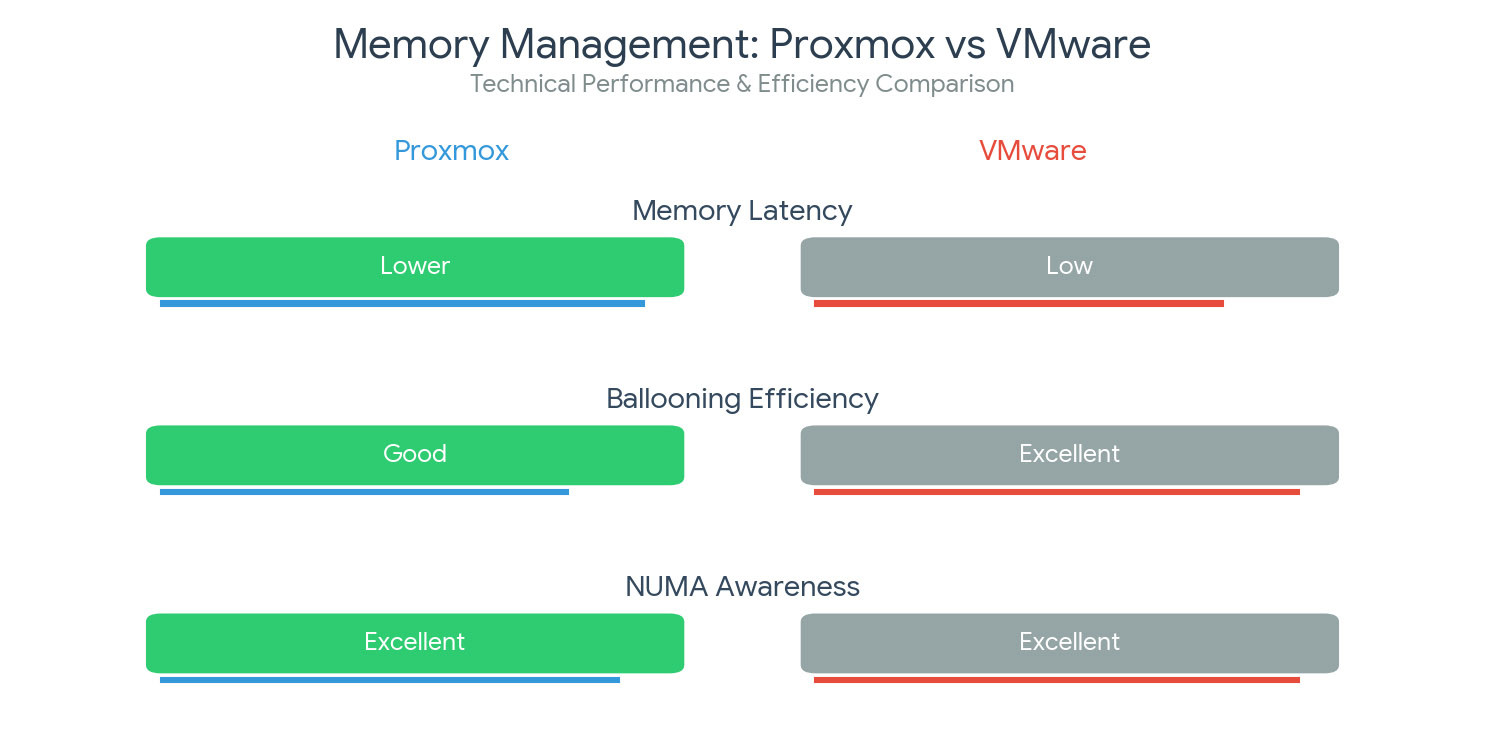
VMware has long been strong in memory management and optimizes RAM usage with Transparent Page Sharing. Proxmox offers similar functionality through KSM, although it consumes slightly more CPU. That said, in 2026 many administrators are moving toward Proxmox containers, which fundamentally reduce memory management complexity.
|
Metric |
Proxmox |
VMware |
|
Memory latency in Linux VMs |
Lower, around 3 to 5 percent |
Slightly higher |
|
Ballooning efficiency |
Good |
Excellent |
|
NUMA awareness |
Good |
Excellent |
VMware is more mature in complex memory management scenarios such as NUMA and heavy overcommitment. However, in typical environments, the difference is not significant enough to be a deciding factor.
3. Storage performance and latency
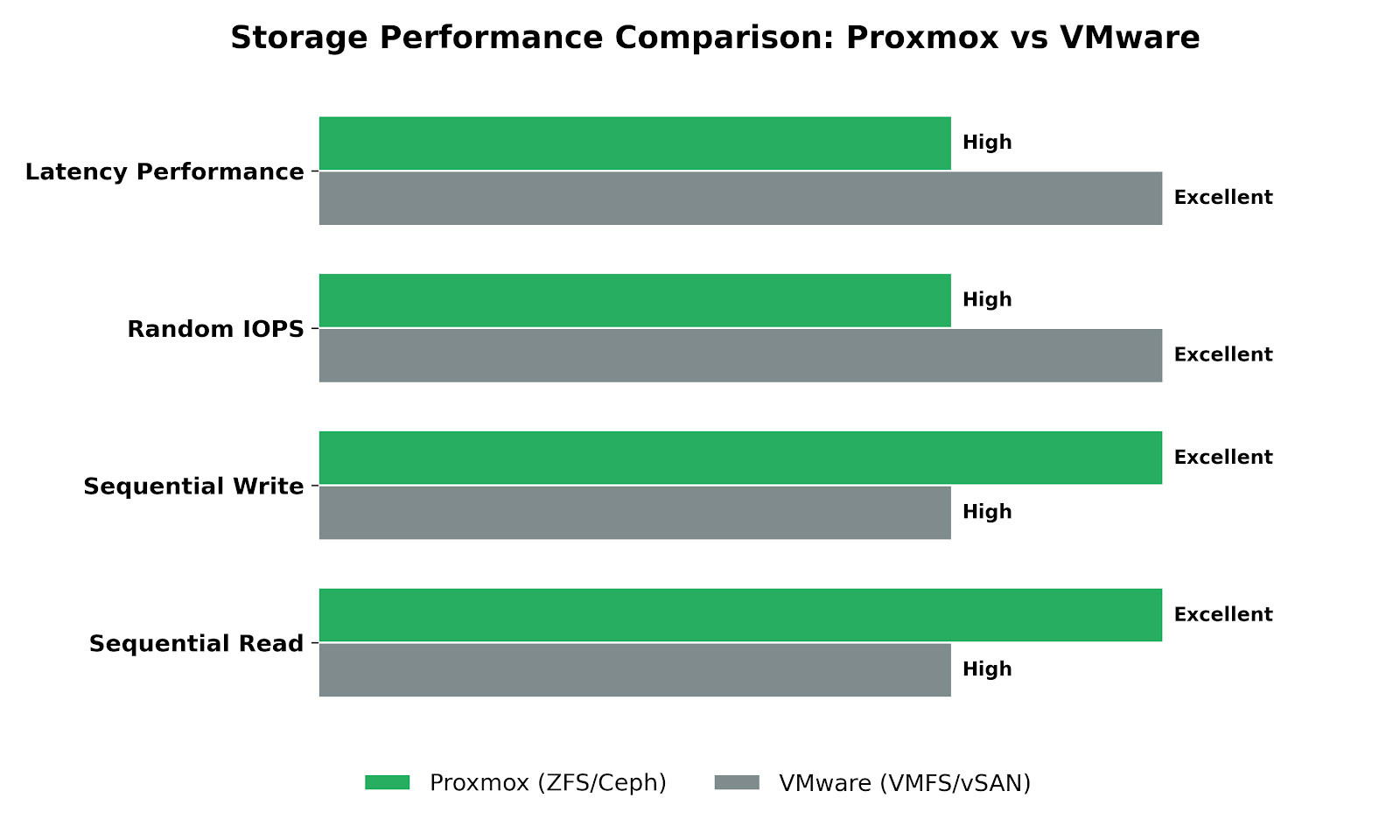
In data centers using NVMe over TCP, Proxmox has shown lower latency than VMware due to highly optimized drivers in the Linux kernel. Using ZFS in Proxmox allows you to leverage system memory as a cache through ARC, dramatically increasing read performance. Achieving similar capabilities in VMware usually requires expensive vSAN licensing.
|
I/O test |
Proxmox (ZFS or Ceph) |
VMware (VMFS or vSAN) |
|
Sequential read |
95 to 100 percent of native |
90 to 95 percent of native |
|
Sequential write |
85 to 95 percent depending on ZFS tuning |
90 to 97 percent |
|
Random IOPS, 4K |
Excellent but dependent on ZFS configuration |
More consistent |
|
Latency consistency |
Variable, Ceph is sensitive |
More stable |
Important technical note: If ZFS is not properly tuned, including ARC size and recordsize, performance can degrade. On the other hand, vSAN is simpler to deploy but comes with licensing costs.
In the end, Proxmox versus VMware performance benchmarks show that the performance difference is usually under 5 percent. The real differentiators are not raw speed, but workload type, operational complexity, and licensing and cost considerations.
Licensing and Pricing in 2026: The Financial Shock
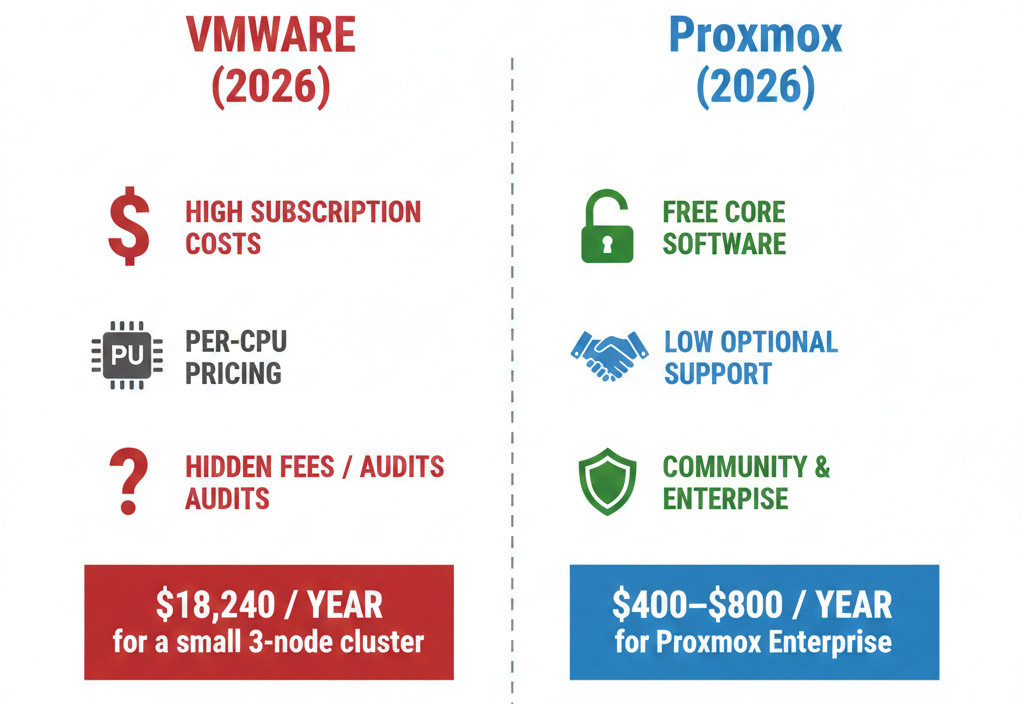
Let’s be honest; the main reason behind all the debate is money. Broadcom’s pricing policies have made VMware maintenance costs unreasonable for many companies.
|
Parameter |
VMware vSphere/ESXi |
Proxmox VE |
|
License model |
Subscription-based, per CPU core |
Open source: core software is free; optional support subscription per CPU socket (starting at €120) |
|
Entry cost (per CPU) |
~$190 per core (Foundation plan) |
~€120 (~$130) per socket (Community plan) |
|
Support cost |
Official commercial support packages (expensive) |
Optional support with multiple tiers (€370–€1100) |
|
Base software cost |
None (use only with subscription) |
Free (no license needed) |
|
Hidden costs |
Recurring support guarantees, training, and approved hardware |
Standard hardware cost (no dependency on specific HCL) |
|
HA/Migration features |
Paid license required |
Free and native |
|
Impact on SMBs and home labs |
Often expensive and complex for small businesses |
Ideal for small businesses and lab environments |
Imagine you have a small VMware cluster with three nodes, each with two 16-core CPUs (96 cores total). In 2026, to run this cluster with basic features like High Availability and vMotion, you must purchase the vSphere Foundation (VVF) package. At roughly $190 per core, you would pay about $18,240 annually just for licenses, and advanced features could easily double or triple this cost.
In contrast, Proxmox is 100% free with no limits on cores or features. For production environments, however, I always recommend purchasing an “Enterprise” subscription. This gives you access to software repositories thoroughly tested by the Proxmox team. For the same 3-node cluster, this subscription would cost roughly $400–$800 per year.
Security and Isolation: How Safe Are We in 2026?
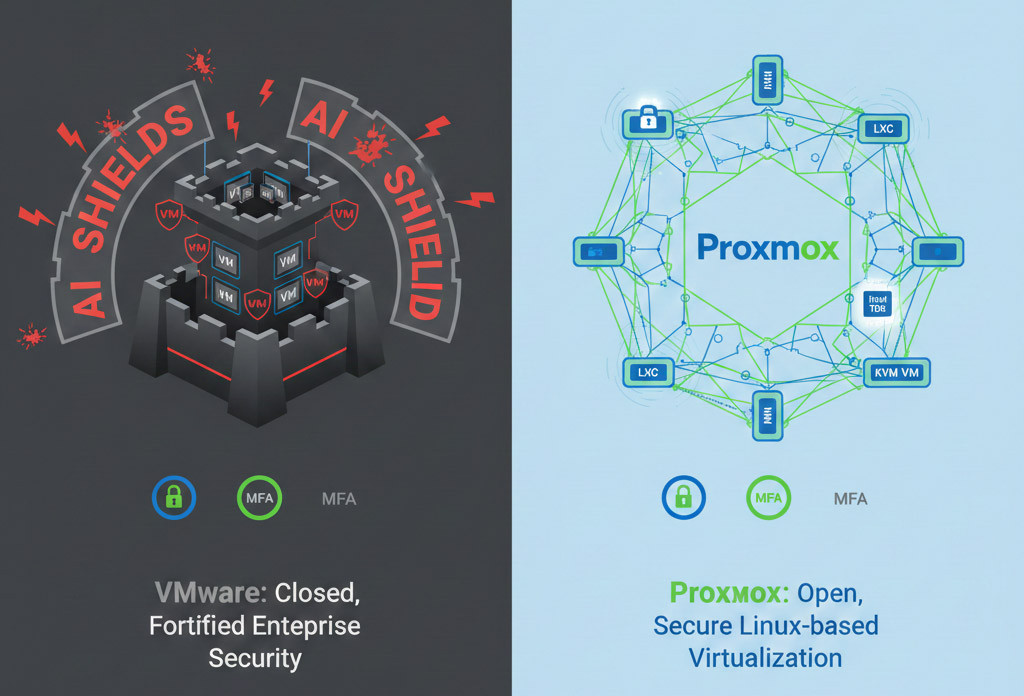
In virtualization, security means that if one virtual machine (VM) is compromised, the attacker cannot access other VMs or the hypervisor itself.
- VMware: Due to its closed-source nature and long-standing presence in sensitive industries like banking, VMware enforces very strict security standards. In VCF 9.0, Broadcom focuses on a feature called vDefend, which uses AI to detect suspicious network behavior and can automatically quarantine compromised VMs. Tools like NSX elevate network security to an advanced level. However, this level of protection depends on having the necessary budget.
- Proxmox: Proxmox leverages the robust Linux security stack. In version 9.1, Intel TDX support was added, allowing you to encrypt VM memory so that even the system administrator cannot view its contents. This makes isolation in KVM very strong. Being open-source, however, means more responsibility falls on you to configure the system correctly and keep updates applied regularly.
Overall, both platforms support features like MFA (multi-factor authentication) for management access, so basic administrative security is well covered.
Real-World Scenarios: Which Platform Is Built for Whom?
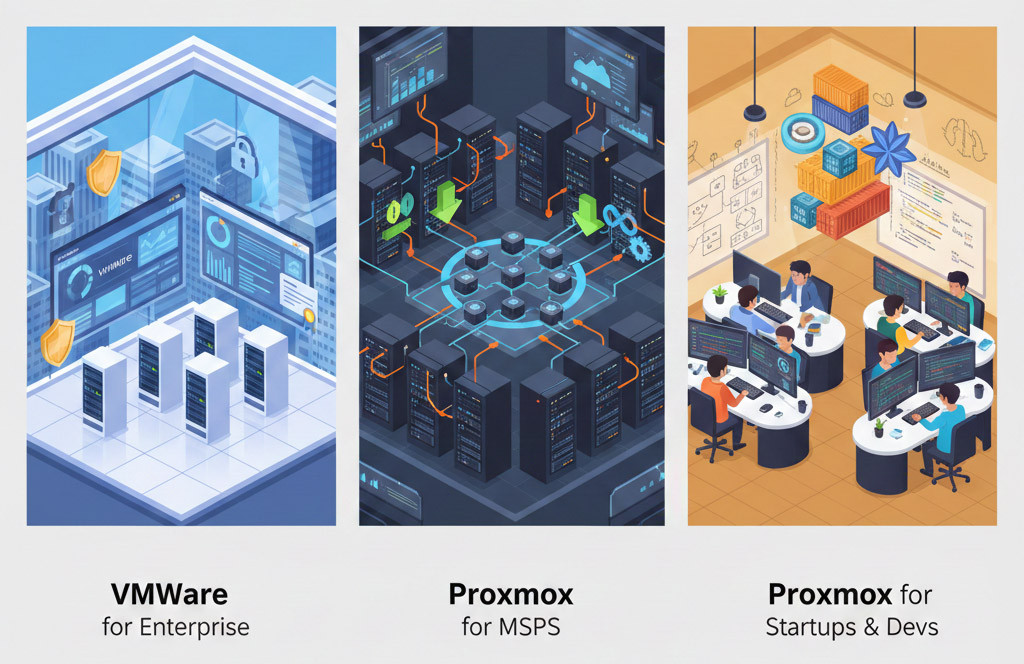
Every tool is designed for a specific purpose. Here are a few real-world scenarios to help you decide. If you have a different scenario in mind, ask us in the comments and we’ll guide you.
Scenario 1: Banks and Large Government Organizations
If you work in an organization that requires strict security certifications (like FIPS or FedRAMP), and your technical team prefers working with a polished GUI instead of dealing with Linux code, and licensing costs are not a concern, VMware remains the logical choice.
Scenario 2: Cloud Service Providers (MSPs) and Modern Data Centers
Many MSPs in 2026 have migrated to Proxmox due to Broadcom’s removal of the “White Label” model. Proxmox allows them to offer cloud services to customers at highly competitive prices without paying licensing fees to third-party vendors. Native integration with Ceph in Proxmox enables the creation of fast, distributed storage systems without relying on specific hardware.
Scenario 3: Startups and Software Companies
For teams using Docker, Kubernetes, and DevOps tools, Proxmox is a real paradise. Running LXC containers alongside virtual machines, combined with powerful APIs for automation via Terraform and Ansible, dramatically accelerates development speed in these organizations.
To dive deeper into hypervisor technologies and their differences, explore KVM vs Xen to see which one suits your environment best.
Migration Notes: How to Move from VMware to Proxmox
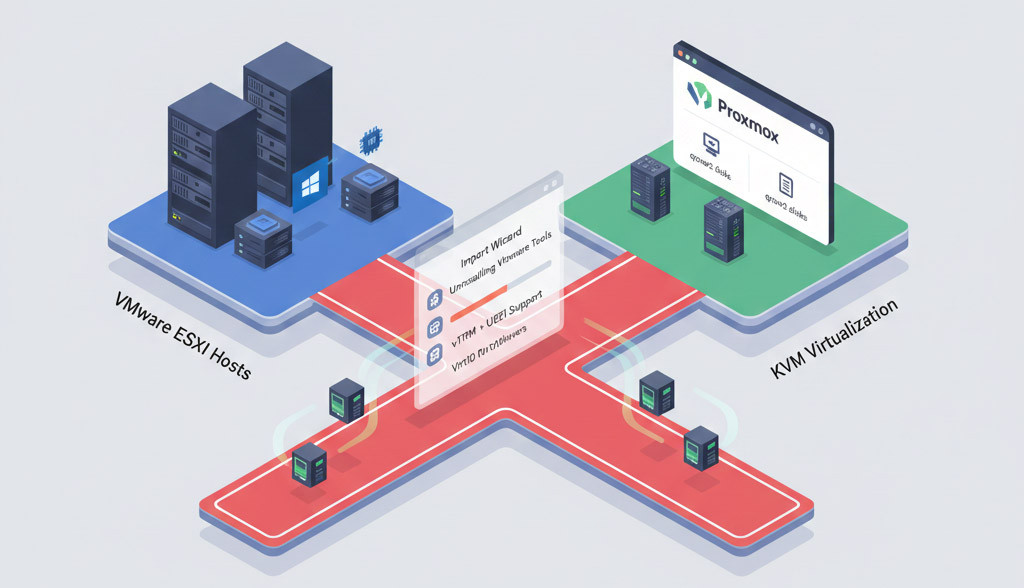
The biggest fear for IT administrators is the migration process. But in 2026, Proxmox has rolled out a red carpet for VMware users. The Import Wizard, introduced in recent releases, has greatly simplified the process. Here are the technical migration steps:
- Prepare the virtual machine: On Windows or Linux, always uninstall VMware Tools first. Failing to do so may result in a Blue Screen of Death (BSOD) after migration in Windows.
- Direct connection: Proxmox can connect directly to your ESXi server and display the list of virtual machines. Simply select the VM and click the “Import” button.
- vTPM and UEFI challenges: If your VM is running Windows 11 with vTPM, Proxmox 9.1 can now preserve the vTPM state in the qcow2 files, making migration of these machines much easier.
- VirtIO drivers: After the first boot in Proxmox, you need to install VirtIO drivers to ensure that network cards and disks operate at full speed.
Curious how open-source virtualization stacks up against enterprise solutions? Explore KVM vs VMware to see the differences.
VMware vs Proxmox vs Other Options (Hyper-V and Nutanix)
.jpg?1770454317082)
When choosing a virtualization platform, comparing just two options is not enough. In the real world, Hyper-V and Nutanix AHV are often on the table as well, especially if you are dealing with Windows-based infrastructure, HCI, or large enterprise environments. In the table below, I have placed these four solutions side by side from a practical, decision-oriented perspective so you can quickly see where each one shines and where it falls short.
|
Comparison criteria |
Proxmox VE |
VMware vSphere |
Microsoft Hyper-V |
Nutanix AHV |
|
Licensing model |
Open source with optional subscription |
Mandatory subscription (Broadcom) |
Included with Windows Server |
Enterprise subscription |
|
Overall cost |
Very low |
Very high |
Medium |
High |
|
Base hypervisor |
KVM + LXC |
ESXi |
Hyper-V |
KVM |
|
Linux performance |
Excellent |
Very good |
Good |
Very good |
|
Windows performance |
Good |
Excellent |
Excellent |
Very good |
|
Management and UI |
Good but technical |
Very mature |
Simple |
Very professional |
|
Built-in storage |
ZFS / Ceph |
VMFS / vSAN |
Storage Spaces |
AOS |
|
HCI deployment |
Moderate and more complex |
Simple but expensive |
Moderate |
Very simple |
|
Container support |
Native (LXC) |
Indirect |
Limited |
Indirect |
|
Homelab suitability |
Excellent |
Poor |
Moderate |
Poor |
|
SMB suitability |
Excellent |
Poor to moderate |
Good |
Moderate |
|
Enterprise suitability |
Moderate |
Excellent |
Good |
Excellent |
|
Vendor lock-in |
Very low |
Very high |
Moderate |
High |
If I were to summarize this comparison as clearly as possible:
- Proxmox is the best choice for those who want flexibility, low cost, and full control over their infrastructure, especially for homelabs, startups, and SMBs.
- VMware is still very strong in terms of enterprise maturity, but high costs and vendor lock-in have made decision-making more difficult.
- Hyper-V is a logical choice for Windows-centric environments, but it lags behind in ecosystem breadth and flexibility.
- Nutanix is excellent for large organizations with sufficient budgets and a strong focus on HCI, but for most scenarios it is overly complex and expensive.
In the end, as always, the best option is the platform that aligns with your organization’s size, workload type, and budget. To explore how VMware stacks up against Microsoft’s solution, see our comparison VMware vs Hyper-V for insights on performance, features, and use cases.
The Final Decision Framework: Which One Is Better for You?
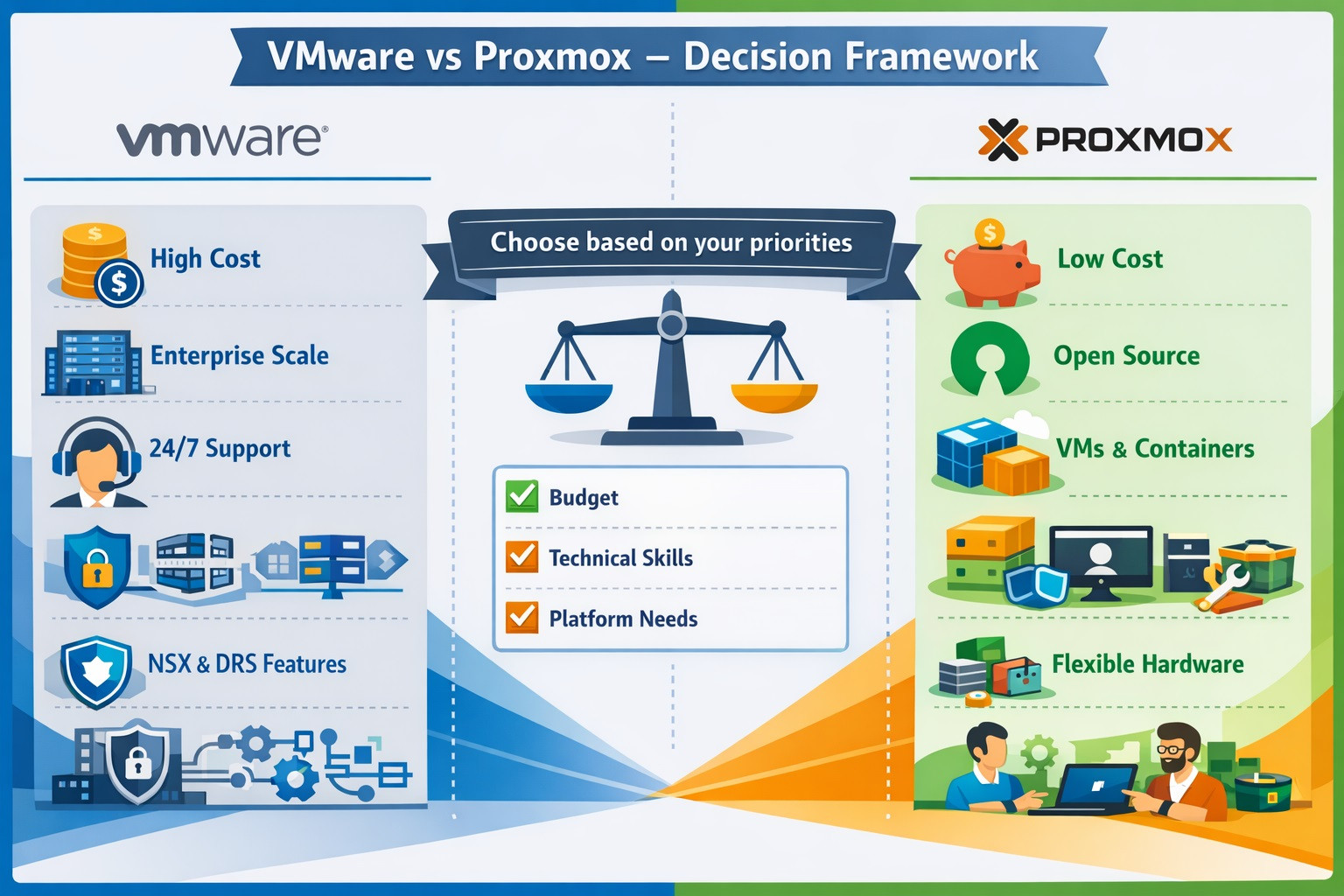
Choosing the “better” option between VMware and Proxmox does not mean there is a single, absolute winner. It depends on your priorities. Use this simple framework to guide your decision:
Choose VMware when:
- Your organization runs thousands of virtual machines and has a multi-million-dollar licensing budget.
- You need 24/7 phone support with strict, enterprise-grade contracts and SLAs.
- Your team has no Linux experience and no time to learn it.
- Your teams have deep experience with vSphere and have no interest in learning other tools.
- You require specific features such as NSX for software-defined networking, DRS for automatic resource balancing, or deep integration with the VMware cloud ecosystem. These capabilities are available only in VMware.
Choose Proxmox when:
- You want to reduce infrastructure costs by 80 to 90 percent.
- You are looking for a platform that manages virtual machines and containers side by side.
- You want to eliminate hardware restrictions and rigid HCL requirements.
- Your technical team is creative and enjoys working with open and flexible tools.
- Your team is more comfortable with Linux and prefers open-source solutions.
To support your decision, you can prioritize the points above and see which platform aligns most closely with your needs. As a practical recommendation, if you are still in the research phase, we suggest testing Proxmox in a controlled environment, for example by running a few VMs on a single server. This allows you to become familiar with the platform while making a hands-on comparison against your real-world requirements.
Ready to Choose the Right Virtualization Platform?
The world of technology is constantly changing. The year 2026 taught us that no company is so large that it cannot be replaced. VMware is still an excellent product, but its new commercial policies have pushed Proxmox from a secondary tool to the “new standard” in many data centers. Ultimately, if you are looking for a strong and reliable infrastructure to run either of these platforms, you can explore our Virtual Machine Hosting services at MonoVm to find the best infrastructure tailored to your needs.

An experienced tech and developer blog writer, specializing in VPS hosting and server technologies. Fueled by a passion for innovation, I break down complex technical concepts into digestible content, simplifying tech for everyone.