
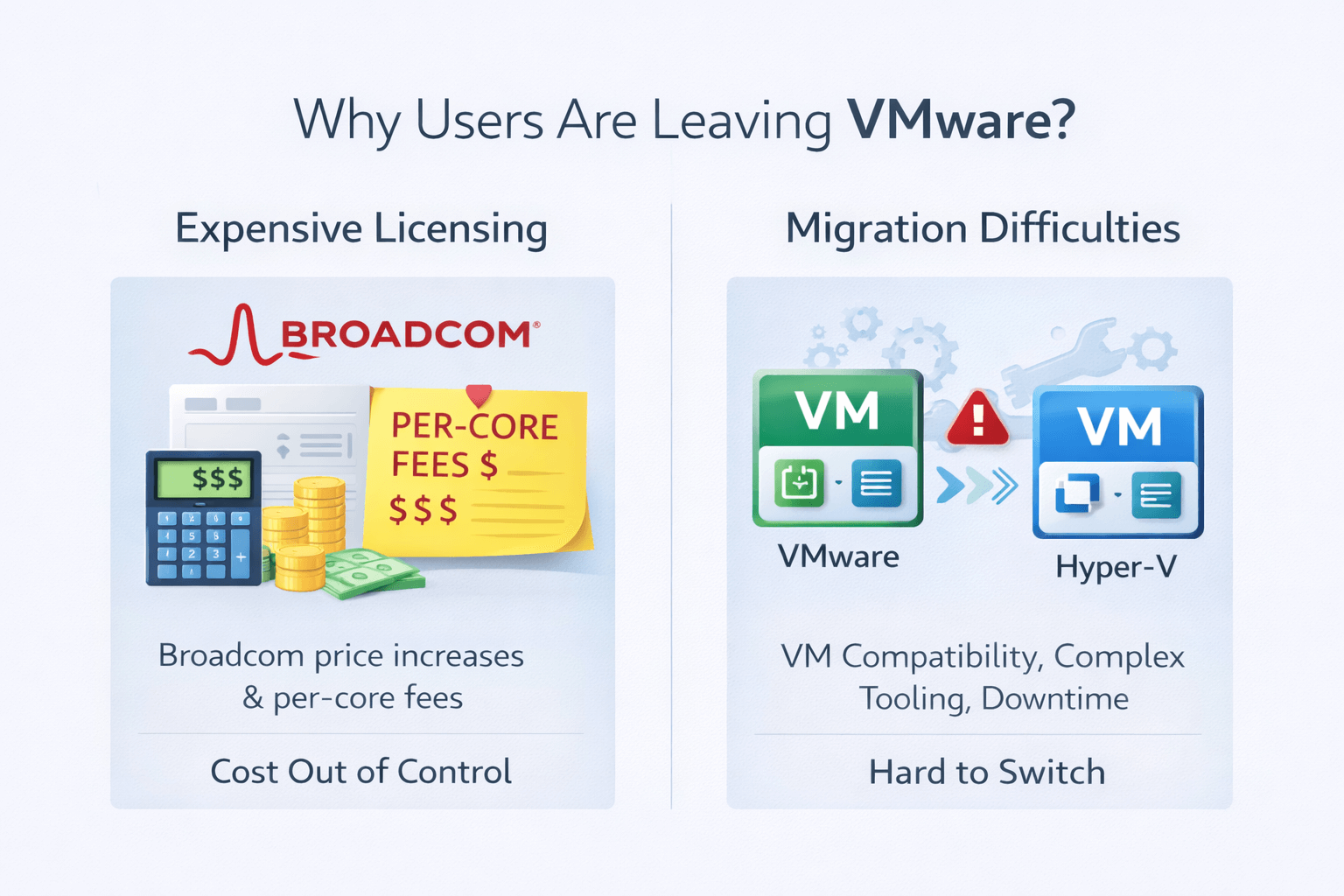
The debate around VMware vs Hyper-V is not new but in 2026, it has become more intense than ever. The Broadcom acquisition of VMware has reshaped licensing models, pricing structures, and long-term trust among enterprises, small and medium businesses, and hosting providers. As a result, many organizations are re-evaluating their virtualization strategy and asking:
- Which is better: Hyper-V or VMware?
- Is VMware still worth the cost in 2026?
- What are realistic VMware - Hyper-V alternatives?
Explore a practical, decision-driven comparison of VMware vs. Hyper-V, covering performance, cost, security, real-world use cases, and migration considerations. We also review key alternatives such as KVM, Proxmox, Nutanix, and VirtualBox, helping you choose the right platform—whether you’re running a home lab or managing an enterprise data center.
What Is VMware?
VMware is one of the most established and influential virtualization platforms in modern IT. Best known for VMware ESXi and VMware vSphere, VMware was a pioneer of x86 virtualization and has played a central role in shaping how enterprise data centers are designed and operated today.
At its core, VMware ESXi is a Type-1 (bare-metal) hypervisor, meaning it runs directly on physical server hardware rather than on top of a host operating system. This design minimizes overhead, improves performance, and provides a strong security boundary between workloads. ESXi is most commonly managed through vCenter Server, which delivers centralized administration, lifecycle management, automation, and deep visibility across large virtual environments.
What truly differentiates VMware is the depth and maturity of its ecosystem. Over time, VMware evolved from a hypervisor into a full software-defined data center (SDDC) platform:
- vCenter Server – Centralized management for hosts, clusters, and virtual machines, with advanced automation and policy control
- vSAN – Software-defined storage that aggregates local disks into a shared, resilient datastore
- NSX – Network virtualization and micro-segmentation, enabling advanced security and software-defined networking
- VMware Horizon – Virtual Desktop Infrastructure (VDI) for secure, centralized desktop and application delivery
This tightly integrated stack allows organizations to virtualize not just compute, but also storage, networking, and security, using consistent policies and tooling.
Where VMware Is Commonly Used
VMware remains a dominant choice in environments where stability, scale, and operational maturity matter most, including:
- Large enterprise data centers with complex workloads
- Regulated industries such as finance, healthcare, and government, where compliance and isolation are critical
- Legacy or long-running infrastructures with heavy automation, scripting, and third-party integrations
In many organizations, VMware is deeply embedded into operational processes, backup strategies, disaster recovery plans, and staff skill sets—making it a platform that is powerful, but not easily replaced overnight.
To dive deeper into how VMware works under the hood, check What is VMware.
VMware is a Type-1 hypervisor platform offering enterprise-grade virtualization, advanced networking, and storage features, primarily used in large-scale data centers.
What Is Hyper-V?
Microsoft Hyper-V is Microsoft’s native virtualization platform, built directly into Windows Server and supported editions of the Windows client operating system. It enables organizations to run and manage virtual machines without relying on third-party hypervisors, making it a natural fit for Microsoft-based environments.
Like VMware ESXi, Hyper-V is a Type-1 (bare-metal) hypervisor. Its architecture uses a parent partition running Windows to manage hardware resources, while child partitions host the virtual machines. This design allows Hyper-V to maintain strong workload isolation while integrating deeply with Windows services.
Hyper-V integrates closely with core Microsoft technologies, including:
- Active Directory for identity and access management
- PowerShell for automation and scripting
- System Center for centralized management
- Windows Server Failover Clustering for high availability
Hyper-V is widely adopted in:
- Windows-centric environments
- SMBs with Microsoft licensing
- Organizations already invested in Windows Server
Read more about Windows Server Hyper.
VMware vs Hyper-V Architecture Comparison
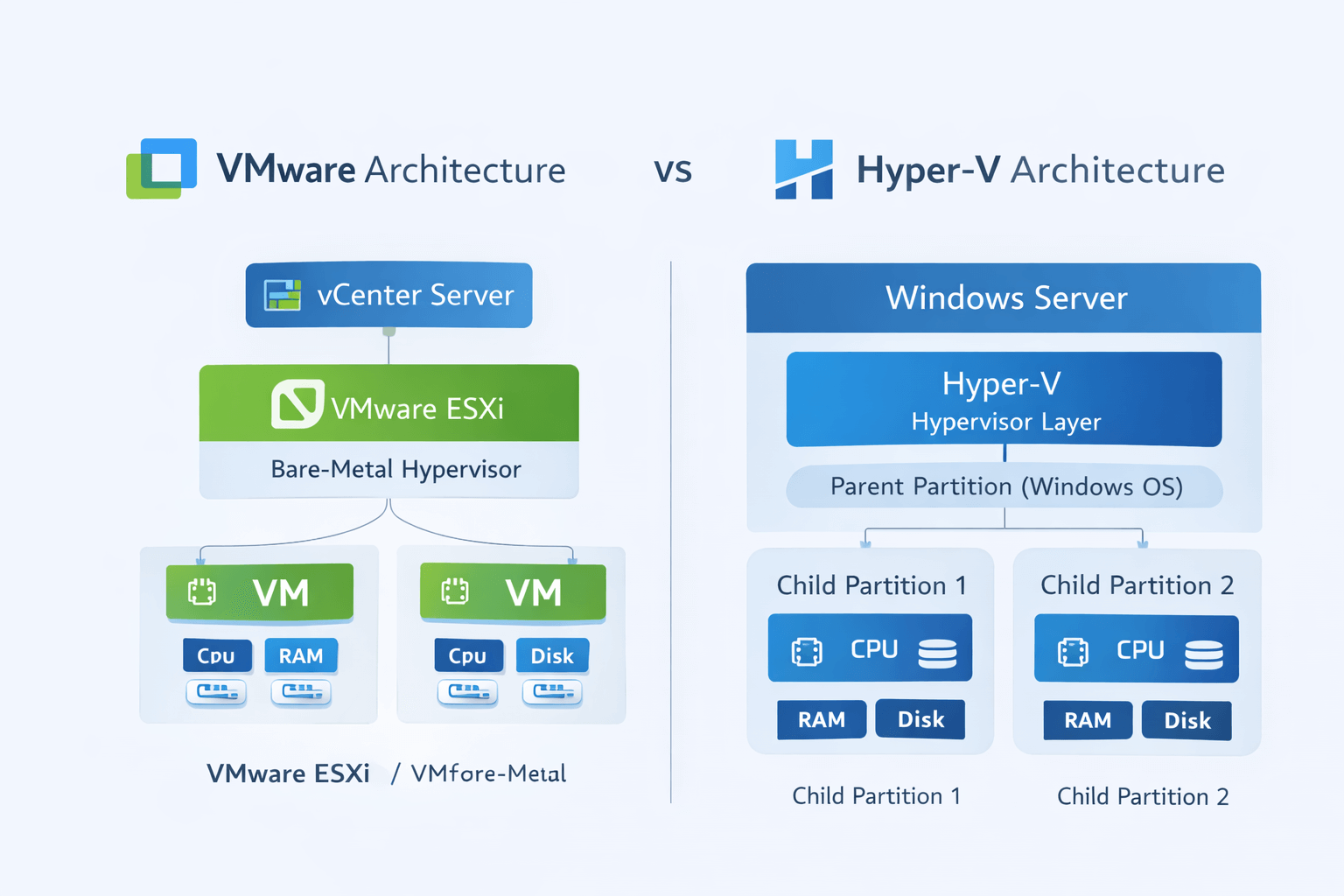
VMware Architecture
VMware ESXi uses a lightweight bare-metal design with minimal footprint. Hardware resources are abstracted by ESXi and allocated to virtual machines through VMware’s proprietary scheduler.
Key characteristics:
- Direct hardware access: Runs directly on physical servers, reducing overhead and delivering consistent, high-performance virtualization.
- Centralized management via vCenter: Provides unified control, automation, and monitoring across hosts and clusters from a single management plane.
- Strong abstraction of CPU, memory, storage, and networking: Abstracts CPU, memory, storage, and networking from underlying hardware, enabling workload portability and advanced features like live migration and high- availability.
- Hardware compatibility list (HCL) dependency: Requires supported hardware for stability and vendor support, which improves reliability but can limit hardware flexibility.
Hyper-V Architecture
Hyper-V places the hypervisor layer beneath Windows, using a parent partition to control hardware access and manage child virtual machines. This architectural approach allows Hyper-V to integrate closely with the Windows operating system while still delivering Type-1 hypervisor performance and isolation.
Key Characteristics
- Windows OS dependency: Hyper-V relies on a Windows-based parent partition, meaning the stability and patching of the host OS directly influence the virtualization layer.
- Deep integration with Windows drivers: Hardware drivers run within Windows, improving compatibility with a wide range of devices and simplifying driver management in Windows-focused environments.
- Easier troubleshooting for Windows administrators: Familiar Windows tools, logs, and workflows make diagnosing issues more intuitive for admins already experienced with Windows Server.
- Slightly larger attack surface: Because the host Windows OS is part of the virtualization stack, the overall attack surface is broader compared to minimal bare-metal hypervisors, requiring strong patching and security practices.
Key takeaway:
The architectural difference explains why VMware Hyper-V are not compatible at the hypervisor level, making migrations non-trivial.
VMware vs Hyper-V Performance (Benchmarks & Reality)
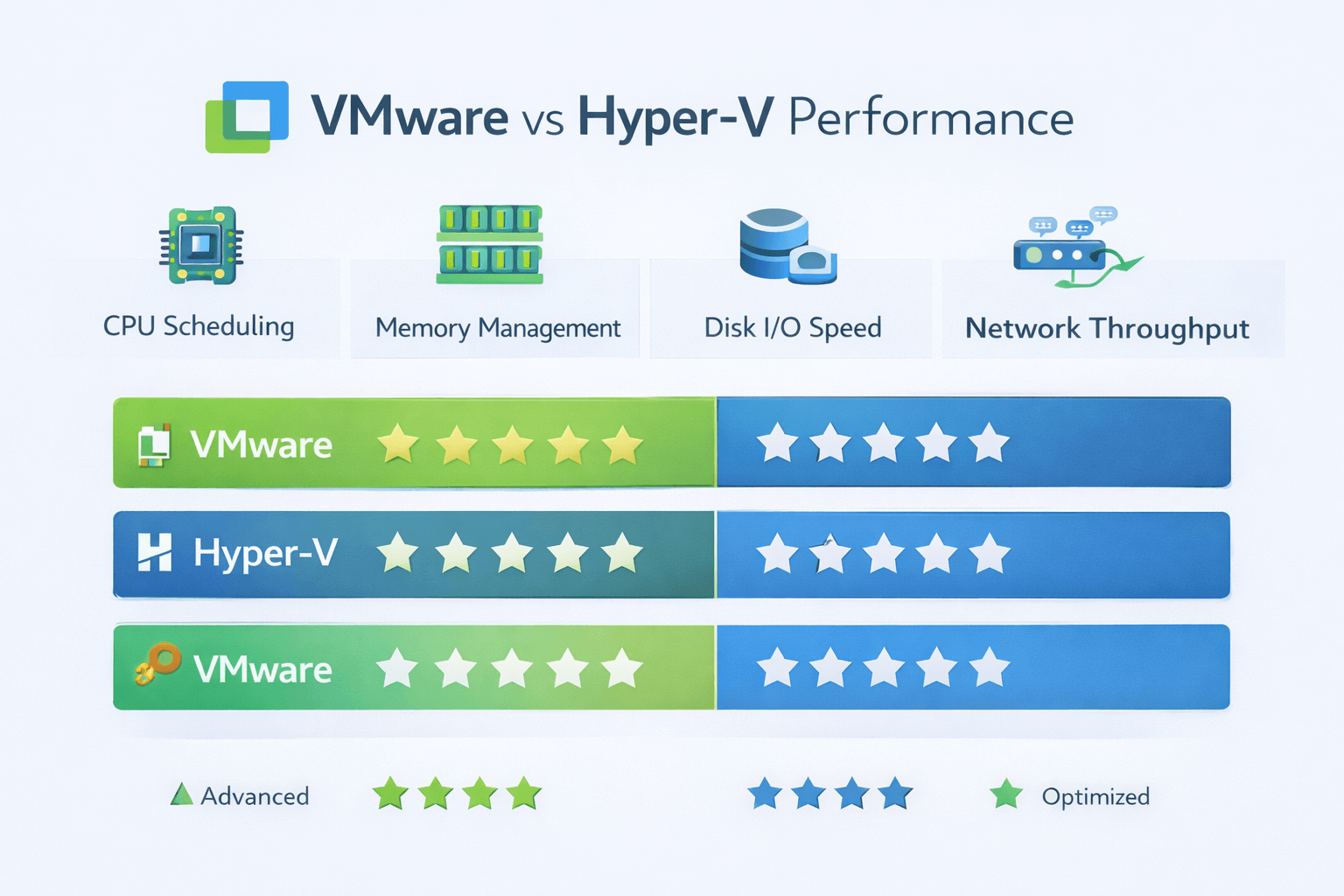
When users search for Hyper-V vs VMware benchmark or VMware vs Hyper-V performance, they often expect a clear winner. In 2026, however, the comparison is far more nuanced. Both platforms have matured significantly, and real-world performance now depends more on workload characteristics and infrastructure design than on the hypervisor itself.
CPU Performance
VMware has historically been known for strong CPU scheduling and advanced NUMA awareness, particularly in large and complex environments. Hyper-V, however, has closed the gap considerably with recent Windows Server releases, delivering comparable CPU performance for most enterprise workloads when systems are properly sized.
Memory Management
VMware uses techniques such as transparent page sharing and memory ballooning to optimize memory utilization and increase VM density. Hyper-V relies on Dynamic Memory, which integrates well with Windows workloads and provides stable, predictable performance without aggressive overcommitment.
Disk I/O
VMware excels in disk I/O performance through vSAN and deep integration with enterprise SAN solutions. Hyper-V performs strongly with Storage Spaces Direct (S2D), offering high throughput and low latency on modern hardware, especially in hyper-converged deployments.
Network Throughput
Both platforms support SR-IOV, NIC teaming, and advanced virtual switching, resulting in similar raw network performance. VMware differentiates itself with NSX, which provides more granular microsegmentation and advanced network virtualization capabilities.
VMware vs Hyper-V Performance Comparison Chart
|
Metric |
VMware |
Hyper-V |
|
CPU Scheduling |
Excellent |
Very Good |
|
Memory Efficiency |
Excellent |
Good |
|
Disk I/O |
Excellent |
Very Good |
|
Network Throughput |
Excellent |
Good |
|
Windows VM Performance |
Good |
Excellent |
Key Insight:
Performance differences are workload-dependent, not vendor-dependent.
VMware vs Hyper-V Cost Comparison (2026 Reality Check)
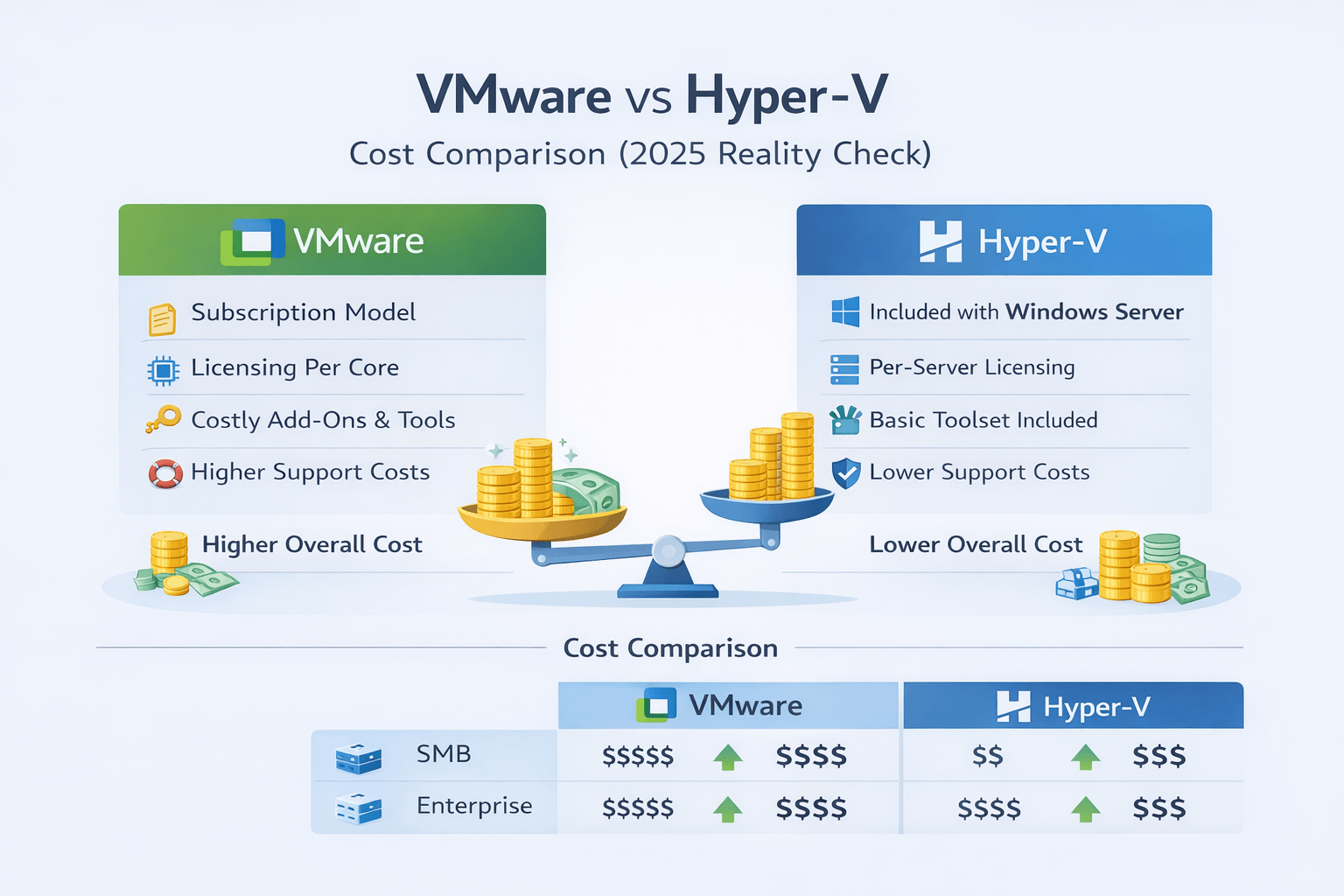
In 2026, cost has become one of the most decisive factors when comparing VMware and Hyper-V. Recent licensing changes—especially on the VMware side—have significantly altered the economics of on-prem and hybrid virtualization.
VMware Licensing (Post-Broadcom Era)
- Subscription-only licensing with no perpetual options.
- Per-core pricing model, which can dramatically increase costs on modern CPUs
- Bundled SKUs, reducing flexibility and forcing customers to pay for features they may not need
- Major price increases in 2024–2026, impacting both renewals and new deployments
- Higher dependency on premium support tiers for enterprise-grade stability
Hyper-V Licensing
- Included with Windows Server, with no separate Hyper-V license required
- Costs are tied directly to Windows Server licensing, not virtualization features
- More predictable and transparent pricing, especially attractive for SMBs and cost-sensitive environments
- Seamless integration with the Microsoft ecosystem (AD, Azure, System Center)
Hidden Costs to Factor In (Both Platforms)
- Support and maintenance contracts
- Third-party backup and disaster recovery tools
- Operational and management overhead
- Scaling and expansion costs (CPU cores, hosts, and licensing increments)
- Training and staffing requirements for platform expertise
For many organizations in 2026, Hyper-V offers a lower and more predictable total cost of ownership, while VMware increasingly targets higher-budget, enterprise-only use cases. The right choice ultimately depends on scale, feature requirements, and long-term budget strategy.
VMware vs Hyper-V Cost Comparison Table
|
Use Case |
VMware Cost |
Hyper-V Cost |
|
SMB |
High |
Low |
|
Enterprise |
Very High |
Moderate |
|
Home Lab |
Prohibitive |
Free |
|
Hosting Provider |
Rising |
Predictable |
This VMware vs Hyper-V 2026 cost reality is driving mass migrations.
Security Comparison: VMware vs Hyper-V
Security is a critical consideration when choosing a virtualization platform. Both VMware and Hyper-V offer enterprise-grade security capabilities, but they approach protection, isolation, and management differently.
VMware Security Strengths
- Strong VM isolation backed by a long-standing, hardened hypervisor architecture
- Mature and well-documented patching lifecycle, widely adopted in large enterprises
- Advanced microsegmentation with VMware NSX, enabling granular east–west traffic control at the VM level
- Proven compliance history, with widespread certifications and adoption in regulated industries (finance, healthcare, government)
- Extensive ecosystem of security integrations and third-party tools
Hyper-V Security Strengths
- Windows-based patching cadence, aligned with Microsoft’s regular security update cycle
- Secure Boot and Shielded VMs, protecting virtual machines from host-level tampering and unauthorized access
- Deep integration with Microsoft Defender, including endpoint detection and response (EDR) capabilities
- Leverages Active Directory and Azure security tooling for centralized identity and access control
- Strong alignment with Zero Trust and hybrid-cloud security models
Key Security Considerations for Both Platforms
- Hypervisor security is only as strong as its configuration and hardening
- Timely patching and updates are critical regardless of platform
- Network segmentation and access controls play a major role in limiting lateral movement
- Backup security, credential management, and monitoring often rely on external tools and processes
Is Hyper-V More Secure Than VMware?
No platform is inherently “more secure” by default.
Security outcomes depend on:
- How well the environment is configured and maintained
- The organization’s patching discipline
- The level of workload isolation and network segmentation
- The surrounding security ecosystem and operational maturity
VMware vs Hyper-V for Different Use Cases
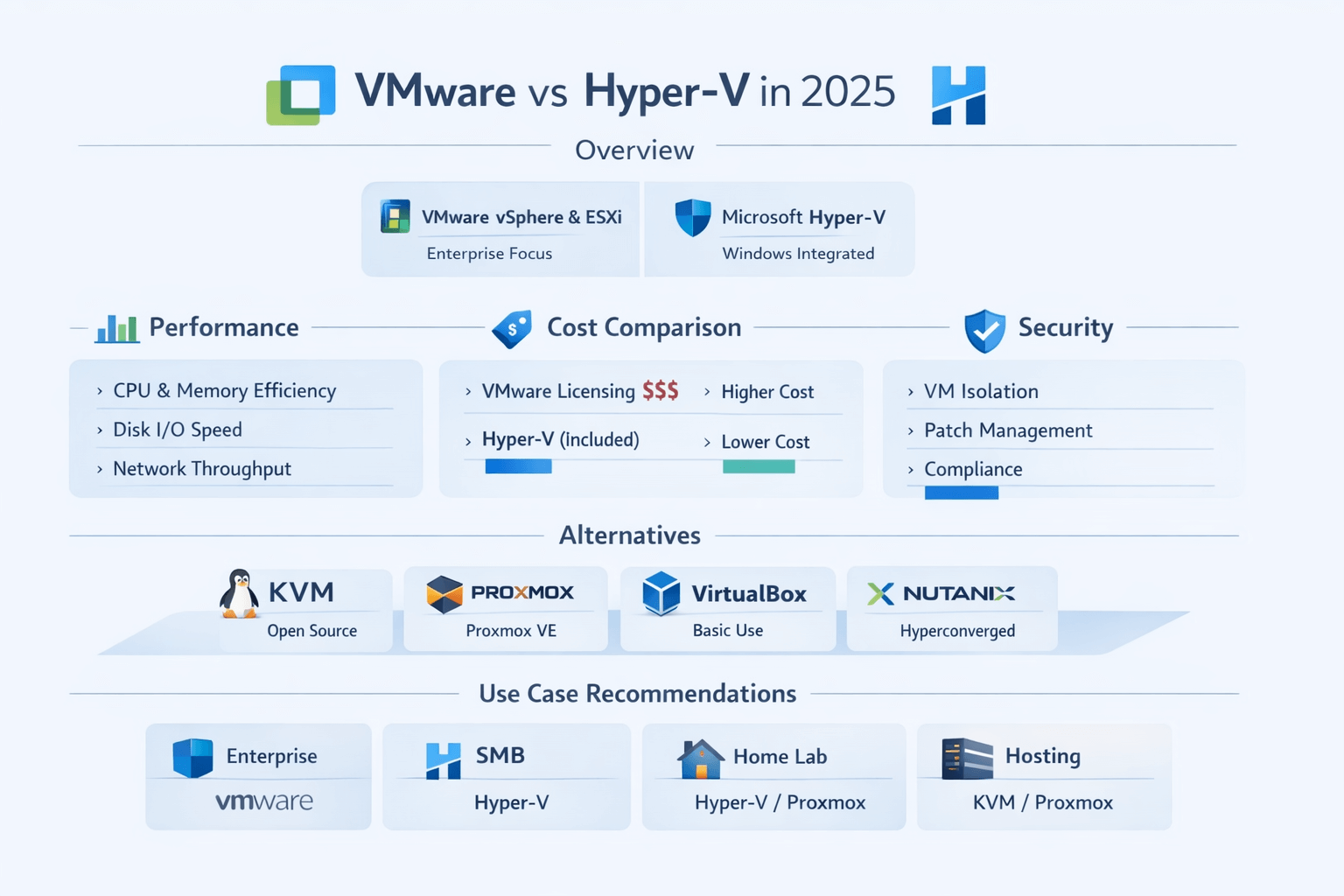
Enterprise Data Centers
- VMware remains dominant for complex, multi-site environments
- Advanced automation and ecosystem maturity
Small & Medium Businesses
- Hyper-V offers better ROI
- Lower licensing complexity
Home Lab & Testing
- Hyper-V or Proxmox preferred
- VMware licensing limits lab usage
Hosting & VPS Providers
- Increasing shift away from VMware
- Preference for KVM-based stacks
|
Use Case |
Best Choice |
|
Enterprise |
VMware |
|
SMB |
Hyper-V |
|
Home Lab |
Hyper-V |
|
Hosting |
KVM / Proxmox |
VMware vs Hyper-V vs Alternatives (KVM, Proxmox, VirtualBox, Nutanix)
The virtualization conversation in 2026 no longer stops at VMware vs. Hyper-V vs. VirtualBox. Organizations now evaluate a wider ecosystem of hypervisors and platforms, each optimized for different scales, budgets, and operational models.
KVM vs. VMware vs. Hyper-V
- KVM (Kernel-based Virtual Machine) is fully open-source and built directly into the Linux kernel
- Highly scalable and performant, especially in large-scale and cloud-native environments
- Widely used by cloud providers and hosting companies (OpenStack, OpenShift, public clouds)
- Offers flexibility and cost efficiency, but typically requires strong Linux expertise
- Compared to VMware and Hyper-V, KVM shifts more responsibility to the operator for tooling and support
Read more about their difference in KVM vs VMware
Proxmox vs. VMware vs. Hyper-V
- Proxmox VE combines KVM for virtual machines and LXC for containers in a single platform
- Provides a simple web-based management interface with clustering, HA, and backups included
- Excellent fit for SMBs, labs, and cost-conscious environments
- Lower licensing costs compared to VMware, with optional paid support
- Not as deeply entrenched in large enterprises, but rapidly growing in adoption
Nutanix vs VMware vs Hyper-V
- Nutanix delivers a tightly integrated hyperconverged infrastructure (HCI) platform
- Simplifies operations by combining compute, storage, and networking into a single management layer
- Strong enterprise appeal with advanced automation, lifecycle management, and scalability
- Typically higher cost, but often justified by reduced operational complexity
- Frequently considered by organizations moving away from traditional VMware stacks
VirtualBox vs VMware vs Hyper-V
- VirtualBox is primarily designed for desktop virtualization and development use
- Ideal for testing, learning, and running isolated environments on personal machines
- Lacks enterprise features such as HA, clustering, and production-grade support
- Not suitable for production workloads or large-scale deployments
There are many types of virtual machines available, each with its own characteristics and differences;read more about Virtual Machine Types here.
Common Mistakes When Choosing VMware or Hyper-V
Selecting a virtualization platform is often treated as a one-time technical decision, but in reality,it’s a long-term operational and financial commitment. Many organizations run into avoidable problems by overlooking key factors.
1. Ignoring Long-Term Licensing Changes
- Focusing only on current pricing instead of multi-year cost impact
- Overlooking how licensing model changes (subscription, per-core pricing) affect future growth
- Failing to account for renewal risk and vendor lock-in, especially as policies evolve
2. Choosing Based on Brand Reputation Alone
- Assuming VMware or Microsoft is automatically the “safer” choice
- Ignoring whether the platform aligns with internal skills and tooling
- Letting past experience outweigh current product direction and roadmap
3. Underestimating Migration Complexity
- Believing migrations are simple “lift-and-shift” operations
- Overlooking downtime, performance tuning, and compatibility testing
- Underplanning for application dependencies, networking, and storage changes
Conclusion: Which Is Better; Hyper-V or VMware in 2026?
There is no universal winner in the VMware vs Hyper-V comparison. VMware remains powerful but expensive. Hyper-V is cost-effective and well-integrated but less feature-rich.
For many organizations in 2026, the real question is not VMware vs Hyper-V, but whether a modern alternative delivers better flexibility and cost control.
If you’re exploring scalable, affordable virtualization without licensing shock, consider Virtual Machine Hosting from MonoVm. With instant setup, global data centers, 24/7 expert support, and flexible virtualization options, MonoVm helps businesses deploy reliable VMs without the complexity of traditional hypervisors.
Whether you’re running production workloads, testing environments, or migrating away from legacy platforms, MonoVm provides the performance and freedom modern infrastructure demands.

An experienced tech and developer blog writer, specializing in VPS hosting and server technologies. Fueled by a passion for innovation, I break down complex technical concepts into digestible content, simplifying tech for everyone.